


Back to articles
Cold Email Deliverability: How to Stay Out of Spam
November 12, 2026
By
Cindy Graciella
Cold email campaigns rarely fail overnight. Replies dip, a prospect mentions finding you in spam, and SDRs push more volume to hit their numbers. That extra volume usually makes the problem worse.
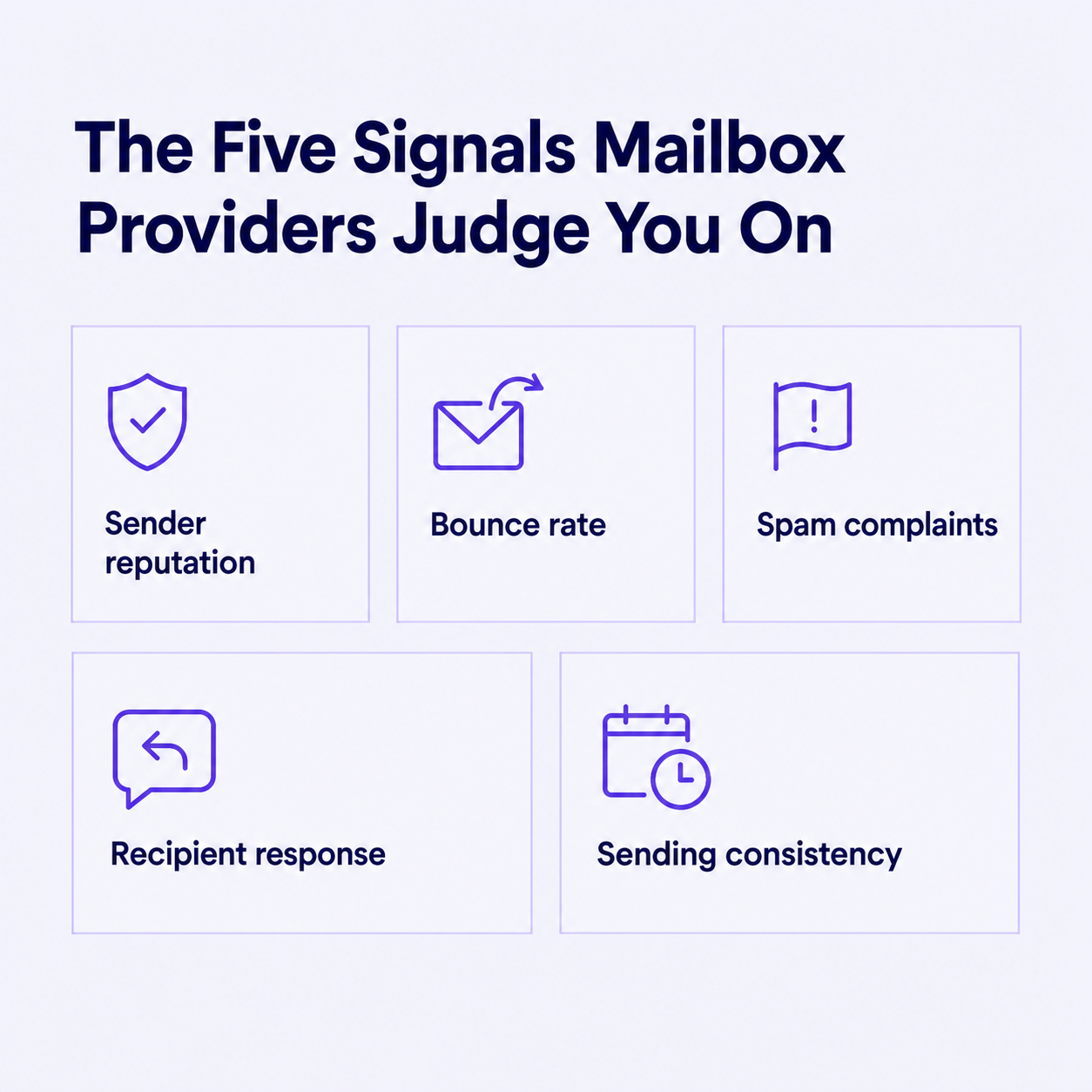
Strong cold email deliverability rests on four things: accurate prospect data, relevant messages, consistent sending habits, and a trustworthy domain. Below, we cover what mailbox providers look at, how to build an outreach process that stays out of spam, and how to recover when performance drops.
Inbox placement matters more than delivery because only emails that reach the inbox get read. Delivery means a receiving server accepts your message. Inbox placement means that an accepted message landed in the inbox rather than the spam folder.
So your platform can report a 98% delivery rate while a large share of prospects never see the campaign. Sending more doesn't fix poor placement. Cleaner lists, a healthier reputation, and messages people actually want to do.
SPF, DKIM, and DMARC are the entry ticket for cold email. They prove you're allowed to send from your domain, but they can't make unwanted email welcome.
Here's a common failure. Your team sends from Google Workspace and from a cold email platform. If only Workspace is in your SPF record and signing with DKIM, every email sent through the platform fails DMARC.
Google and Yahoo require SPF, DKIM, and DMARC from bulk senders (roughly 5,000+ messages a day to their users), plus domain alignment and a spam rate below 0.3%. Microsoft introduced similar requirements for high-volume senders to Outlook.com consumer addresses in 2025. [Partner: link Microsoft's official announcement.]
Most cold email mailboxes never reach those volumes. We still recommend meeting the same standards, because filters treat them as the baseline for legitimate senders.
Custom tracking domains improve branding and link control. But a broken redirect or a link to a suspicious destination still raises red flags, so limit tracking to what you actually use and test every link before launch.
Compromised mailboxes can undo months of reputation building in a day by sending fraudulent email. Turn on multifactor authentication, restrict which apps can access your mailboxes, and watch for unusual sending activity. If a mailbox is compromised, revoke access and investigate before you send again.
For professionals building broader skills in account protection and incident response, the Research.com affordable cybersecurity degrees comparison offers a starting point for exploring online education options. This is supplementary training, not a substitute for disciplined deliverability practices.
Run every list through a reputable verification service before sending. Remove duplicates, suppress hard bounces and opt-outs, and review role-based inboxes such as info@ or sales@.
Then segment by job function, industry, and a specific business problem, so every message has a clear reason to reach its recipient. For example, "VPs of Sales at 50-200 person SaaS companies hiring SDRs" is a segment. "SaaS companies" is not. AI prospecting tools can speed up this research.
Purchased lists deserve extra scrutiny. Verification confirms an address exists, but it can't prove consent, legitimate sourcing, or interest. If you build lists with B2B prospecting software, recheck them before every major campaign and keep suppression records synced across your sales tools.
Email warm-up means building a consistent sending history before you scale. For a new, low-volume mailbox, here's an illustrative ramp:
Treat these as planning numbers, not guaranteed safe limits. Slow down whenever bounces, deferrals, or complaints rise.
Spread sends across normal business hours and aim for real conversations. Be cautious with automated warm-up tools that rely on networks trading fake opens and replies. That activity doesn't reflect genuine recipient interest, and providers are getting better at spotting it.
Spam filters don't run on a blacklist of words like "free" or "guarantee." They weigh authentication, structure, links, sender reputation, and how recipients react.
So write an accurate subject line, explain in the first sentence why you're contacting this person, make one clear offer, and end with a simple call to action. Compare these two openers:
The second shows you researched the prospect and names a real operational problem. Avoid misleading "Re:" prefixes, ALL CAPS, attachments, and claims you can't back up. Keep first emails short, with one link at most.
Space follow-ups reasonably, avoid simultaneous outreach from several mailboxes, and stop immediately after an opt-out or negative response. Coordinate suppression lists in your CRM. Monitor delivery by recipient provider: Gmail-specific deferrals may require a different investigation from widespread failures.
Track hard and soft bounces, SMTP errors, complaints, authentication failures, delivery trends by provider, and positive replies. Read these metrics together: a low reply rate with normal bounces and complaints usually points to weak copy, not spam filtering.
We use this review cadence:
Inbox placement tests with seed accounts help, but a handful of test inboxes can't represent every recipient's filters. Document what you find so the next campaign starts from it.
Cold email deliverability is earned through relevant targeting, clean data, controlled volume, and respectful follow-up. Authentication and mailbox security are prerequisites, not shortcuts. When results drop, use provider-specific evidence to find the cause before changing everything at once.
Three questions come up most often when teams put this into practice. First, a high delivery rate doesn't mean good inbox placement, since accepted mail can still be filtered into spam. Judge placement by errors, complaints, reputation, and qualified replies instead. Second, warm-up has no universal timeline. Follow a cautious ramp and let real delivery feedback, not a calendar, decide when to scale.
Third, small teams can manage all of this without an IT department. Good cold email software, verified lists, a documented review routine, and occasional technical help with DNS records are enough.
Start this week by checking one sending domain: confirm SPF, DKIM, and DMARC pass, verify your next list, and compare your bounce and complaint rates against the thresholds above.
No. Accepted mail may still be filtered into spam. Compare errors, complaints, reputation, and qualified replies.
There is no universal timeline. Follow a cautious schedule, then adjust using real delivery feedback rather than a calendar deadline.
Yes. Appropriate cold email software, verified lists, a documented review routine, and occasional technical help for authentication can support a manageable program.

Cindy is an Outreach Manager and SEO Specialist at ONSAAS who helps SaaS companies grow through strategic link building and SEO. Outside of work, she loves spending time in nature, especially hiking in the mountains.


