Most people treat their outreach tool stack like something to brag about. Ours is short and honestly a bit dull. We pay for a few tools and cancel everything else. That is the whole idea. We have tried a ton of cold outreach platforms by now, and we keep only the ones that properly get the job done.
So this is the honest list. Not the one that looks impressive on Twitter. We will show you how we decide what is worth paying for. Then the exact tools we run, grouped by the job each one does. Then the things we threw money at so you don't have to.
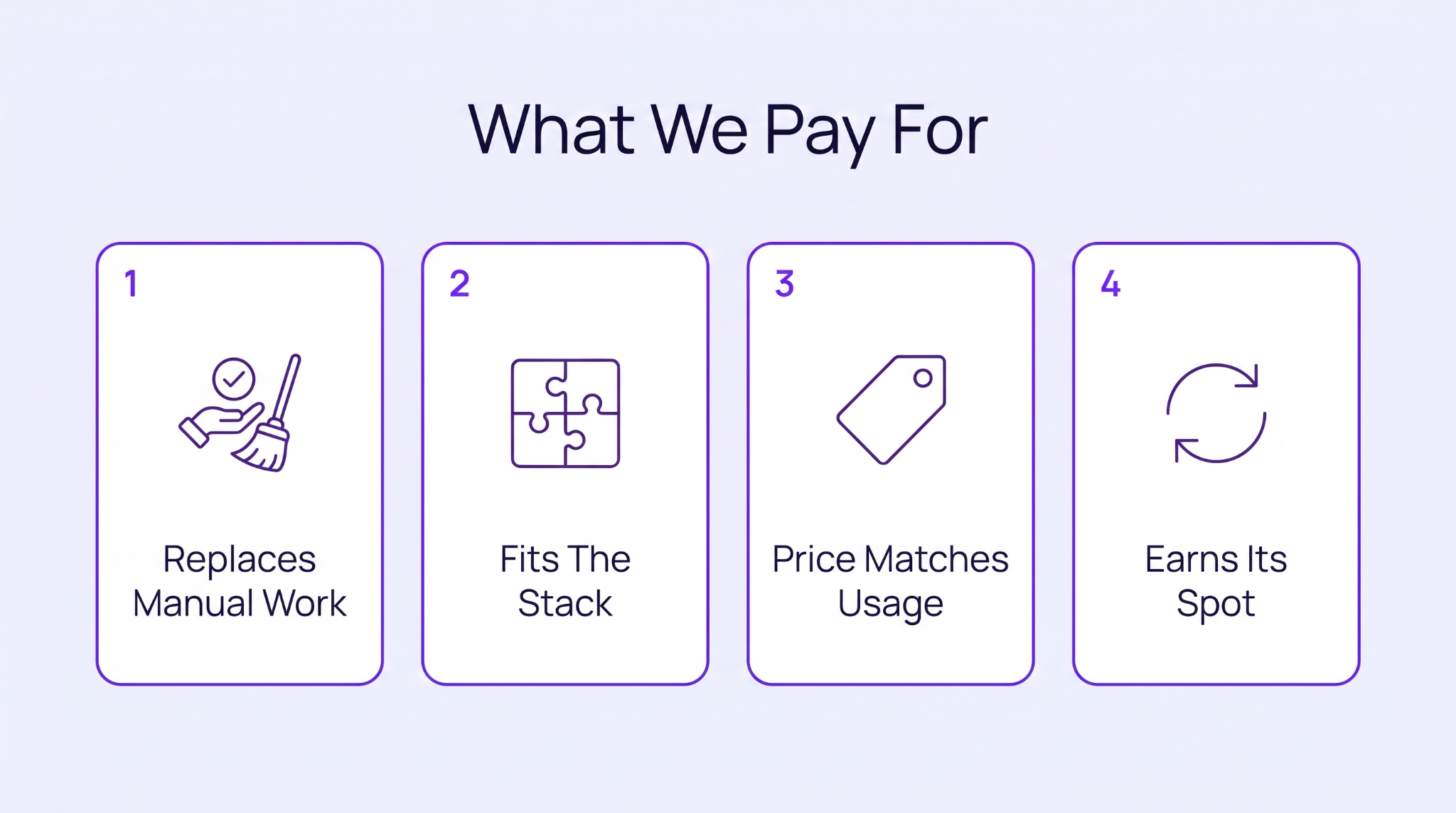
Before we pay for anything, it has to get past a few questions. Nothing clever. Just the things we learned to ask after wasting money enough times to smarten up. There are four of them. Miss one, and the tool doesn't get bought, however slick the demo was.
First question. What does this actually take off our plate? A tool is a no if it just makes something we already do look nicer. We want it to wipe out an hour of boring work, not hand us one more tab to manage. Every tool we kept killed some dull job we used to do by hand.
And by real work, we mean the stuff you would otherwise pay a human to do all day. Copying rows between two sheets. Digging up one email by hand. Wipe that out, and the tool has basically paid for itself.
A tool can be amazing on its own and still be no use to us. If it won't connect to the other things we run, it just dumps copy-paste work somewhere else. So we check the integrations before we even look at the shiny features. A brilliant tool that can't connect to anything gets dropped every time.
It is also why we mostly pick tools from the same family. Fewer connections to break. Fewer mornings lost to a sync that just stopped working overnight for no reason.
Price matters, but not how you would think. We just want what we pay to line up with how often we open it. A $99 tool we use every day? Easy yes. A $19 one we open twice a month? Quietly gone. And paying for all of it should be easy, not like a second job hunting down invoices.
The paying side is its own little annoyance too. A pile of subscriptions. A pile of renewal dates. Cards on file you forgot were even active. Once that gets painful enough, it is worth sorting out how you pay and not just what you pay for.
Nothing gets to stay forever. Every renewal, we stop and ask if we even still use it. A SaaS report found about 53% of the licenses companies pay for go totally unused. More than half of it is wasted. We would happily cancel something and miss it for a week over quietly funding a tool nobody has touched since spring.
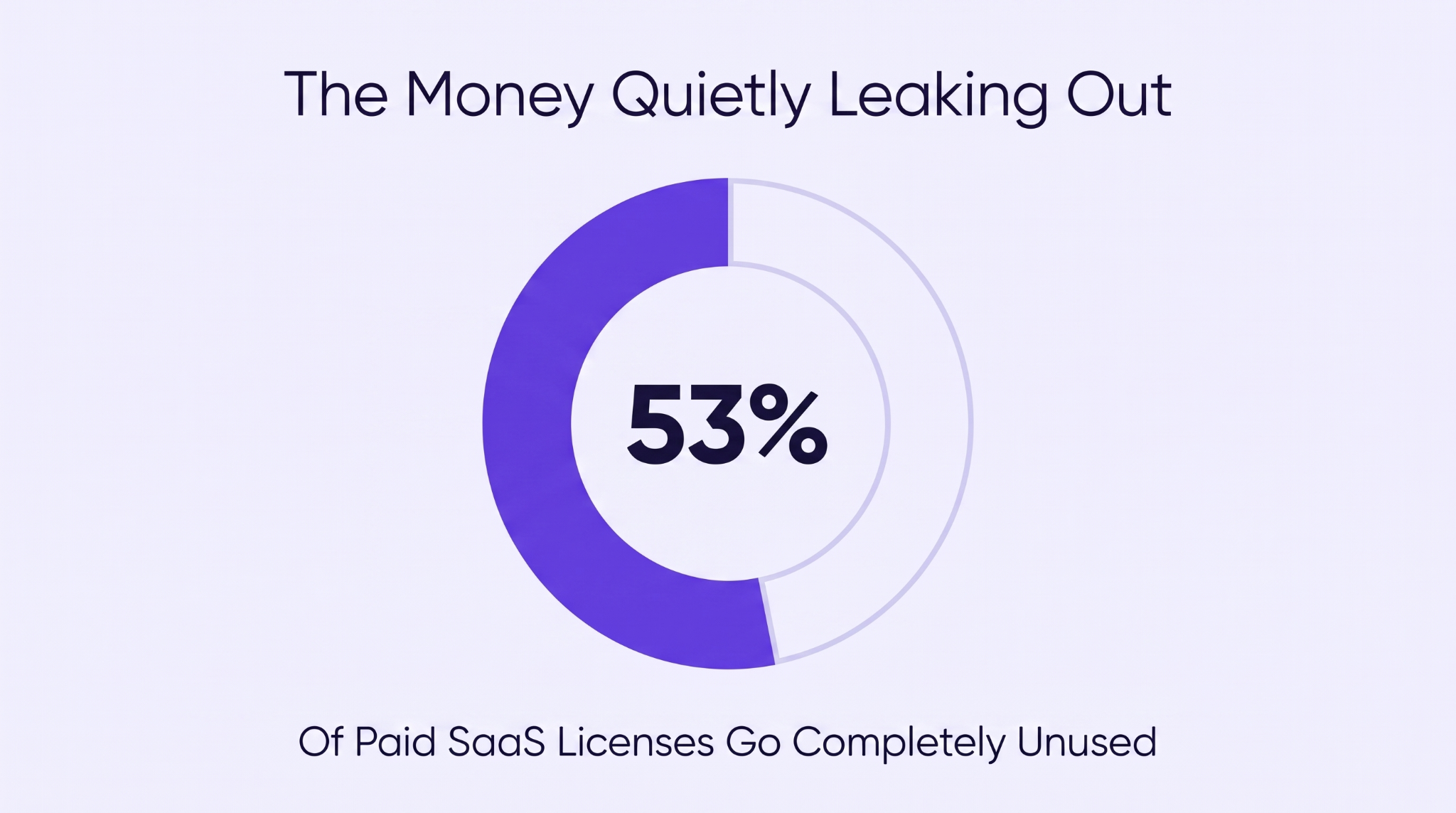
The few that make it through every clear-out are the ones actually worth paying for. The rest is just wasted money every single month.
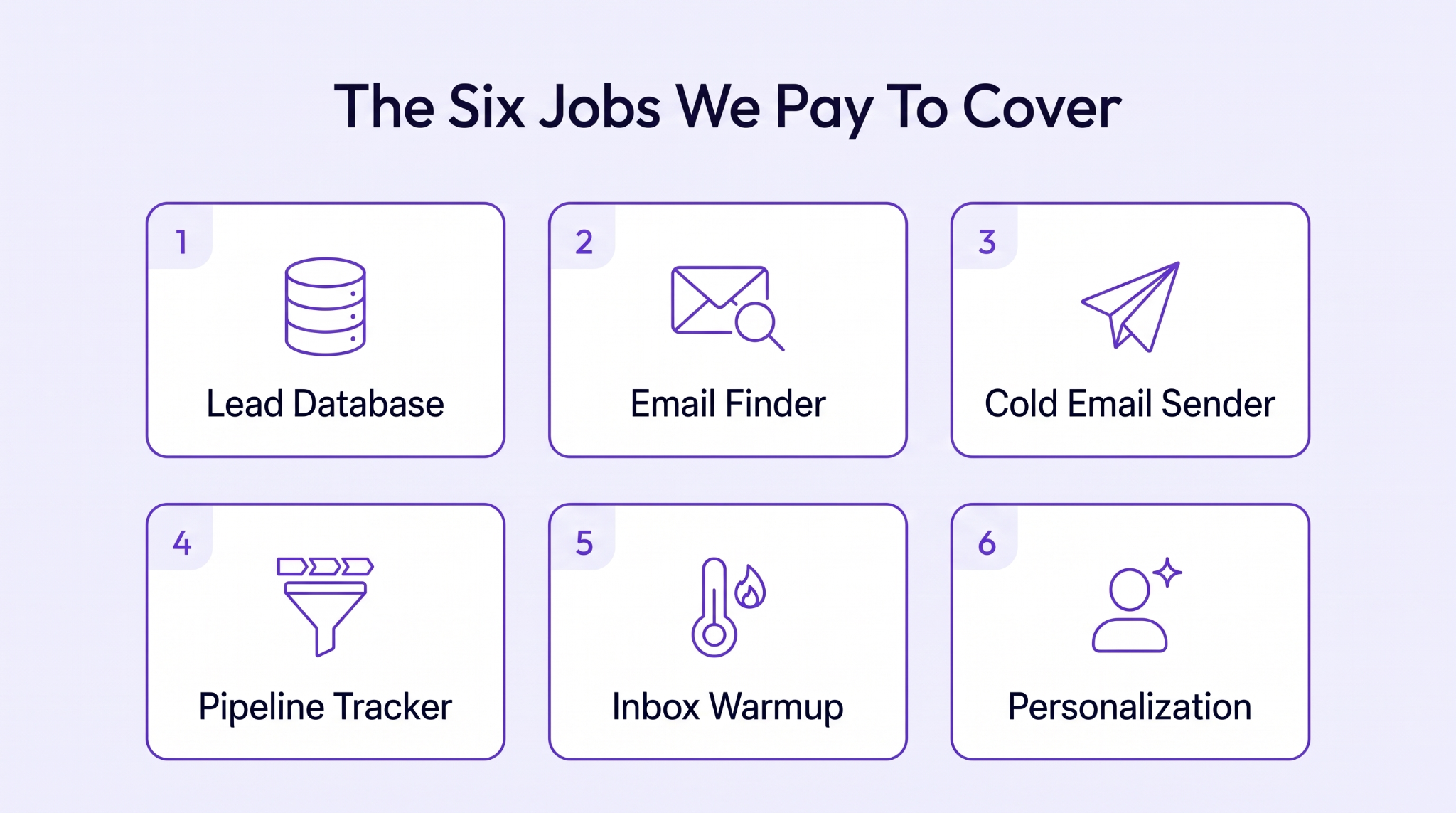
Okay, the real tools in our outreach tool stack. We think in jobs here, not brands. The brand we pay changes most years, but the job never does. Here are the six jobs we pay to cover.
It all starts with a list of the right people. Get this bit wrong, and even a perfect email reaches someone who was never going to care. So we pay for a proper lead database. We want sharp filters and fresh data so we can pull a tight list of people who look like who we sell to.
It is the most boring line on the whole bill. And if money ever got tight, it is the one thing we would fight hardest to keep.
Tool We Use: Apollo.io
Why We Pay For It: It gives us a huge, filterable B2B database for a fair price. So one search pulls a tight list that matches our buyer instead of a bloated export we then have to clean.
Other Tools Worth Considering: Cognism and ZoomInfo
A list of names does nothing without working email addresses. So the next thing we pay for looks those up and double-checks them. This part really isn't optional. A pile of bounced emails trashes your sender reputation fast. After that, even your good emails stop reaching people. We think of verification as cheap insurance for the whole thing.
Best part: it is mostly a low-maintenance cost. Verify once and keep the list clean, and your replies start coming from real humans instead of dead inboxes.
Tool We Use: Findymail
Why We Pay For It: It finds an address and verifies it in one pass, so our bounce rate stays near zero, and we aren't risking the whole domain on a shaky catch-all guess.
Other Tools Worth Considering: Hunter.io and NeverBounce
Right, now something actually has to send the things. With your list and your addresses sorted, you need an engine that fires out the sequence and chases every follow-up while you sleep. Not a prettier inbox, a proper machine that does the dull sending no human should be doing by hand.
The brand on the invoice changes every couple of years, honestly. What matters is that it connects cleanly to your other systems and doesn't struggle the moment you add volume. Other brands come and go; the job stays dead simple.
The platform sends, sure, but the words still have to earn the reply. And personalization is what moves that number. Advanced personalization was reported at 17-18% replies against just 7-9% for generic sends. One sharp opening line that makes a cold pitch earn a reply beats any slick template.
Tool We Use: Smartlead
Why We Pay For It: One flat price covers unlimited mailboxes and built-in warmup. So adding more volume never balloons the bill the way per-seat senders usually do.
Other Tools Worth Considering: Instantly and Lemlist
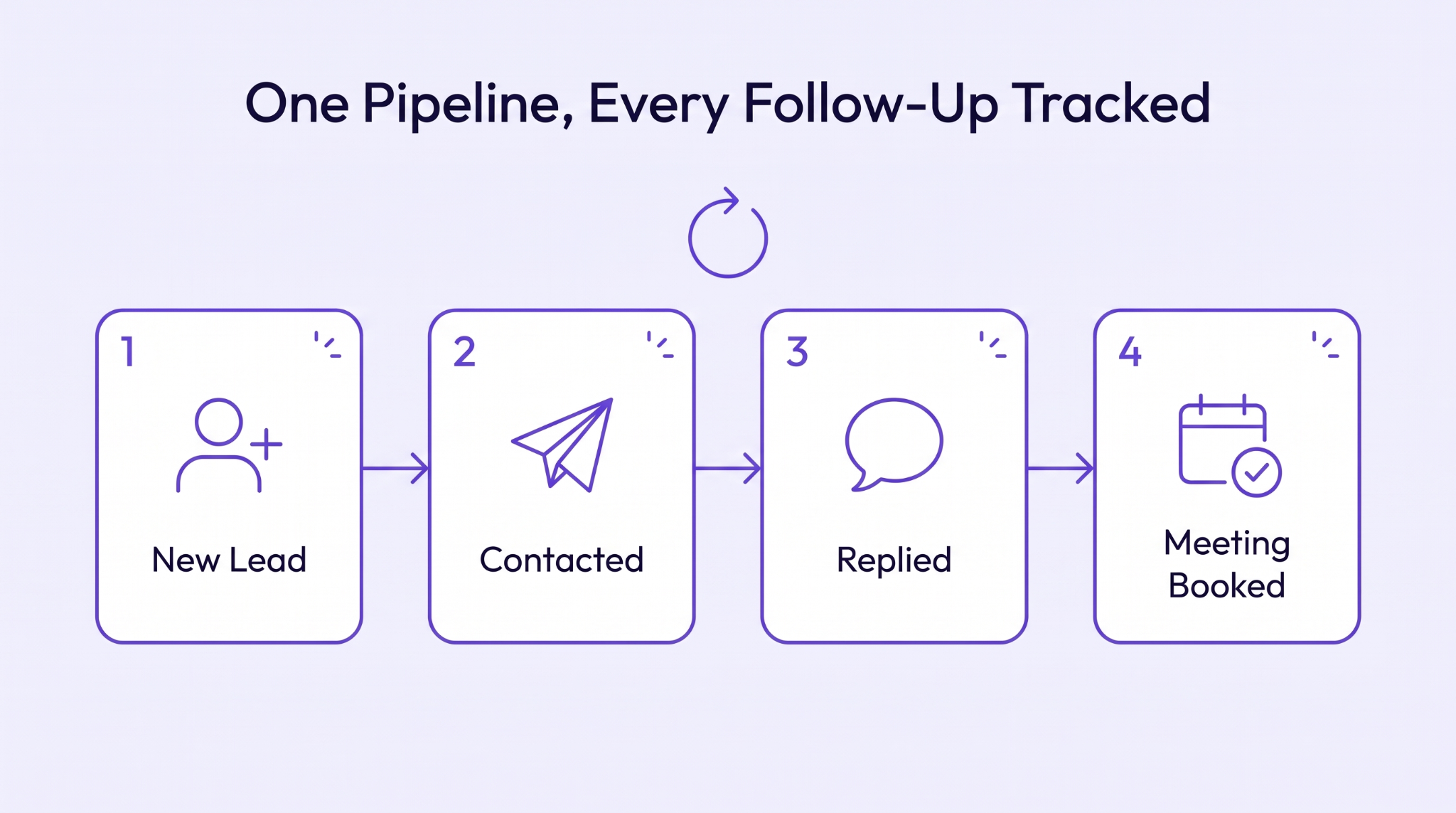
Every live reply needs somewhere to be recorded that you will actually open. Skip that, and warm leads go unanswered while you try to remember who owes who an email. A pipeline tool is really just a shared organizer that stores every deal with its next move attached.
Get it right, and a chaotic inbox becomes something you can read in one glance. Even honest sales forecasting only works off a clean pipeline, since that is the first point you can tell what is real from what is pure wishful thinking.
Here's where it stops being optional. Picture a deal that takes 14 months to close. Nobody's brain holds 14 months of back-and-forth, so whatever your pipeline forgets, you forget too, and the deal just dies.
Take this tech marketing agency selling into quantum computing and defense hardware. Their buyers run 6-18 month cycles, and the product is so technical that it needs a whole video just to explain what it does.
So a stalled pipeline is their real headache, not the odd lost lead. One warm prospect can go dark for two months purely because an engineer got busy, and the challenges only compound the longer a deal drags. For them, the pipeline is the company's memory.
They would want every touch logged, and every slow nurture sitting in plain view, plus reporting that shows sourced pipeline instead of pretty impression counts a client can't bank on. Miss one scheduled follow-up on a deal cooking since spring, and you lose half a year of groundwork.
The lesson travels to any slow sale. Open the tool daily, and make the next step a field you can't leave blank. Then never let a live deal go dark without a date on it.
Tool We Use: Pipedrive
Why We Pay For It: It is a dead-simple visual pipeline we actually open every day. And it latches onto our sender so replies show up smoothly without a single copy-paste.
Other Tools Worth Considering: HubSpot CRM and Salesforce
Fresh mailboxes are fragile little things. Send cold from a brand-new domain too fast, and the spam filters shut before you have even said hello. A warmup tool spends a few weeks building a secure reputation first by trading friendly test emails.
It is the least glamorous bit of equipment in the whole outreach tool stack, so naturally it is the first thing people skip. Then they are baffled that their brilliant copy keeps dying in spam. Reputation is the floor the entire system stands on, full stop.
Tool We Use: MailReach
Why We Pay For It: It warms inboxes on autopilot and gives us a real deliverability score. This lets us spot a reputation dip long before any live campaign suffers for it.
Other Tools Worth Considering: Warmup Inbox and TrulyInbox
A spotless list and a warm inbox still get ignored if the email seems like a mail-merge. The last job is making each note look written for one actual human. The floor is just getting the name right, which is why we will even pull a clean first name from an email when a record turns up missing one.
Above that floor, real personalization is one true detail that proves you did the reading. A recent hire they just made or a gripe they posted or commented on last week. A good personalization tool finds that valid detail at scale, so you don’t comb 500 profiles by hand.
Whether that effort is worth it comes down to plain math. Fire a thousand emails for a $40 gadget, and hand-writing each one is daft. Change the price tag, though, and the whole calculation turns upside down.
Picture a sale where every order is custom and the buying process is slow and consultative, nothing like a quick checkout. When one closed deal is worth fifteen grand, you can happily spend an hour on a single person and still come out miles ahead.
That math is exactly why a high-ticket seller would build their outreach tool stack around deep enrichment. They would want each lead tagged with a real signal before anyone types a word, maybe the project type or who actually signs the purchase off.
A generic blast to someone about to spend that much just looks irrelevant and gets binned. So the solution for any high-ticket and slow-burn sale is to change the usual ratio. Research more and send less, handing each person one concrete reason to reply that no merge tag could ever fake or unlock.
Tool We Use: Clay
Why We Pay For It: It combines dozens of data sources and AI research into one view, so each lead arrives with a real hook attached.
Other Tools Worth Considering: Lavender and Smartwriter
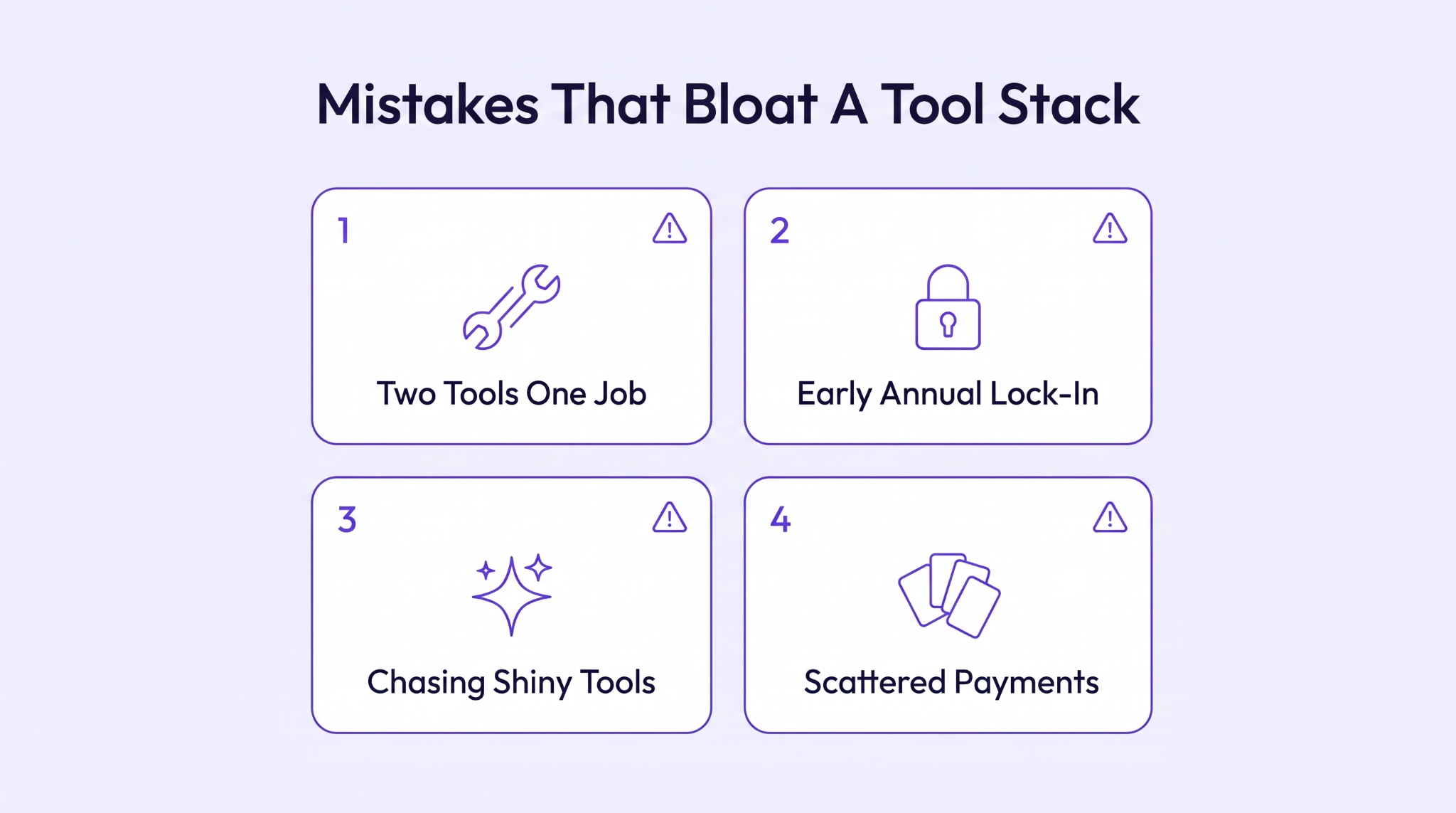
Now the bit we are less proud of. We have personally done every one of these at least once, which is how a lean, cheap setup slowly swells into a bill you are a little scared to open.
The hidden way a bill balloons is two tools doing the exact same job. You buy a shiny new enrichment tool, forget the old one already did half of it, and now you are paying twice for one result. This kind of overlap is almost the default, with the average company using around 106 SaaS apps.
How to Fix: Map what every tool is supposed to do before you buy the next one, and the overlaps jump straight out. When a duplicate appears, swap it in instead of running both. Honestly, good tool organization is mostly this single habit. Our guide to what to buy first and what to skip is basically it written down.
That annual discount is a bad trade masquerading as a saving. You lock in for a year to save 20%, then month two makes it painfully clear that the tool doesn't fit how you work. Now you are funding it till a renewal you genuinely can’t wait to cancel.
What you get is a year of small guilt every time you get billed. And those special offers train you to over-commit on the next tool too, because the discount always looks clever on day one.
How to Fix: Stay on monthly for the flex until a tool has properly proven itself across a few real campaigns. Use a free tier while you test it, since loads of jobs are handled fine by a free tool that does the work. Only sign up for a year once something is genuinely indispensable.
There is a new tool every single week, and the guys behind each one swear it will change your life. Most are typically just one clever feature pretending to be a full product, and chasing them turns your setup into a growing collection of half-used logins.
The real cost isn't the money; it is the hours you waste learning tools you ditch a fortnight later. Every shiny new thing is one more tab to deal with, and that mental overhead piles up way faster than the invoices ever do.
How to Fix: Give what you already run a proper shot before chasing the next launch, because most problems are a workflow thing, not a missing tool. When something genuinely new does matter, trial just one at a time so you can actually judge it.
This last one isn't about the tools at all. It is about paying for them. Pay for a dozen subscriptions across three cards and a personal account, and you lose any clear view of what is leaving your account each month. Renewals you meant to kill just fire away, and you notice only when a card finally bounces.
And it gets worse for teams paying USD prices from outside the US. Foreign-card fees stack on every charge, and a card declined mid-campaign can take your sender dark overnight, with nobody able to say what the whole thing really costs this month.
How to Fix: Run every SaaS charge through one dedicated payment method you look at monthly, so nothing renews unnoticed and the hassle of chasing stray charges just goes away.
The real trick with any outreach tool stack isn't adding; it is cutting. You want the shortest possible list of tools that still gets replies, plus the nerve to drop anything that stops justifying its cost. Before you buy the next thing, ask flat out what job it does and what it finally lets you cancel. That single question has saved us more money than any annual discount ever could.
If you want our honest, no-affiliate read on which tools genuinely deserve a place in a lean outreach tool stack, that is basically the whole reason ONSAAS exists. We buy them, we run them, and we tell you which ones we actually kept.

Burkhard Berger is the founder of Novum™. He helps innovative B2B companies implement modern SEO strategies to scale their organic traffic to 1,000,000+ visitors per month.


