
.svg)
%20(1).svg)
%20(3).svg)
Back to articles
How to Measure AI Crawler Traffic (And What to Do With It)
June 29, 2026
By
Irina Maltseva
AI crawlers are already visiting your site. GPTBot, ClaudeBot, PerplexityBot — they're hitting your pages, reading your content, and deciding what's worth citing in AI-generated answers. Most teams have no idea this is happening because their analytics tools either ignore it or fold it into generic bot traffic with no useful breakdown.
The gap matters. Without visibility into which pages AI crawlers are reading, which they're skipping, and whether they can extract what they find, you're optimizing blind. This guide covers how to measure AI crawler traffic — from server logs to purpose-built tools — and what to do with the data once you have it.
AI crawler traffic splits into two distinct types that behave differently, get measured differently, and mean different things for your strategy.
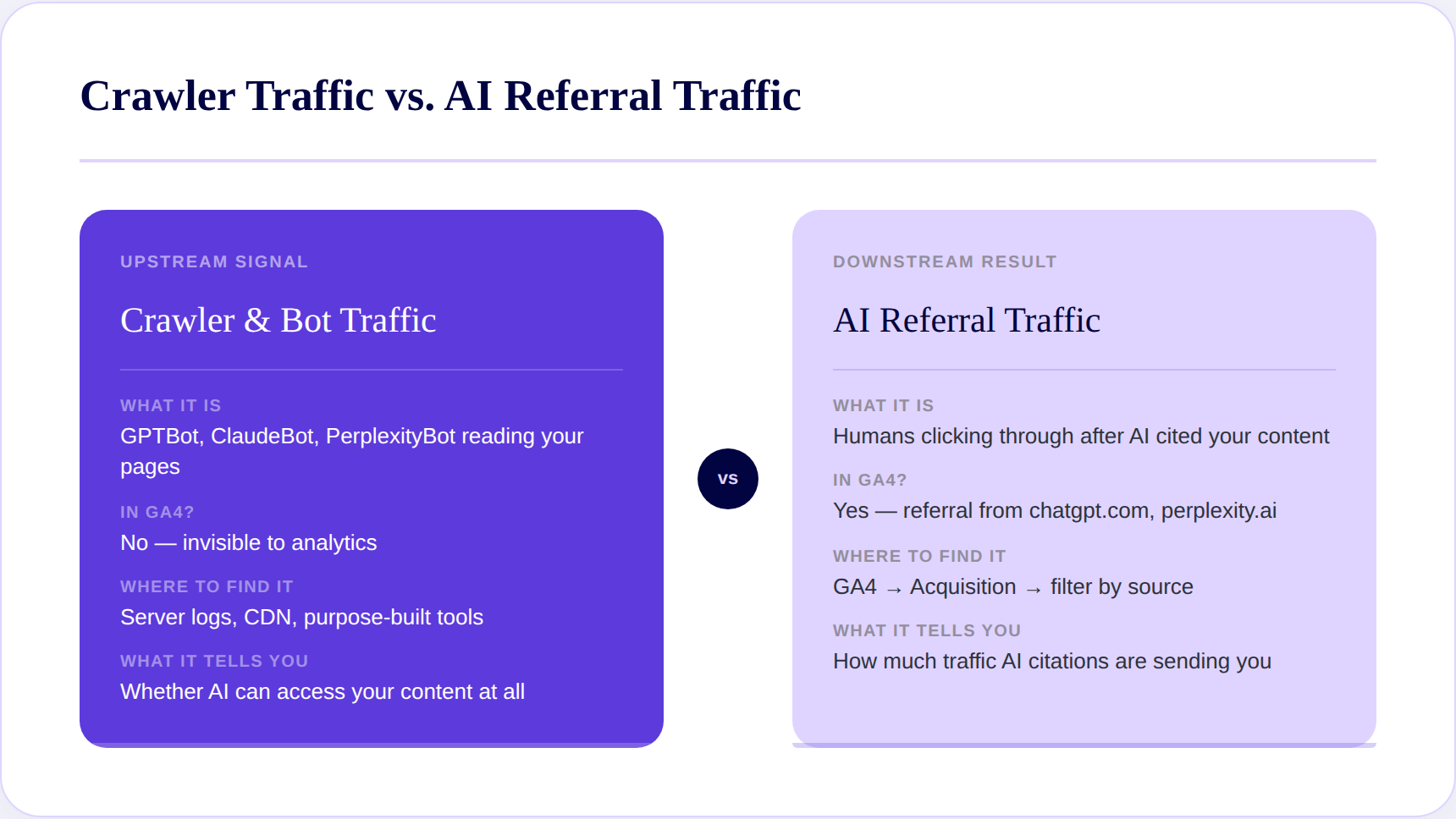
Automated requests from GPTBot, ClaudeBot, PerplexityBot, and Meta-ExternalAgent visiting your site to read, retrieve, or train on content. These never appear as sessions in Google Analytics. No engagement signal. No attribution. They hit your pages, extract what they can, and move on.
Human visitors arriving after an AI platform cited your content in a response. Someone asks Perplexity a question, your page gets cited, they click through. That click shows up in GA4 as a referral from perplexity.ai.
These are not the same signal — and conflating them leads to the wrong conclusions.
Crawlers are the upstream input. If GPTBot can't read your pages cleanly — due to JavaScript rendering issues, blocked paths, or slow response times — your content won't get cited regardless of how well it's written. Training crawlers accounted for 67.5% of all AI bot volume in 2025 — down from 90% at the start of the year as scraper bots grew 597% and a new category, agentic AI bots, emerged at 1.7%.
Server logs capture every request — human or bot — with no sampling and no filtering. If GPTBot hit your homepage at 3 AM Tuesday, it's in the logs.
Crawled does not equal cited. A page that gets hit 50 times a week by GPTBot isn't necessarily appearing in ChatGPT responses. Crawl frequency tells you access — not influence. Don't mistake one for the other. Cloudflare data shows Anthropic's ClaudeBot crawls up to 38,000 pages for every single referral it sends back to a website. OpenAI's GPTBot sits at 887 crawls per referral. Heavy crawl traffic and zero downstream citations aren't anomalies — they're the baseline.
Screaming Frog Log File Analyser works for most teams. Botify and Semrush go deeper for enterprise-scale sites. Both require pulling log files from your server or hosting provider first. If raw log access isn't realistic for your team, Scrunch's Agent Traffic surfaces the same data — which agents are visiting, which pages they're prioritizing, and how patterns shift — in a readable dashboard without requiring server access.
GA4 won't show you crawler activity, but it shows you the downstream result: human visitors who clicked through after an AI platform cited your content.
Acquisition → Traffic Acquisition → filter by source/medium. Look for:
Create a dedicated AI referral channel group in GA4 that consolidates all LLM referral sources into one segment. Without it, these sources get buried in generic referral traffic and you lose the pattern.
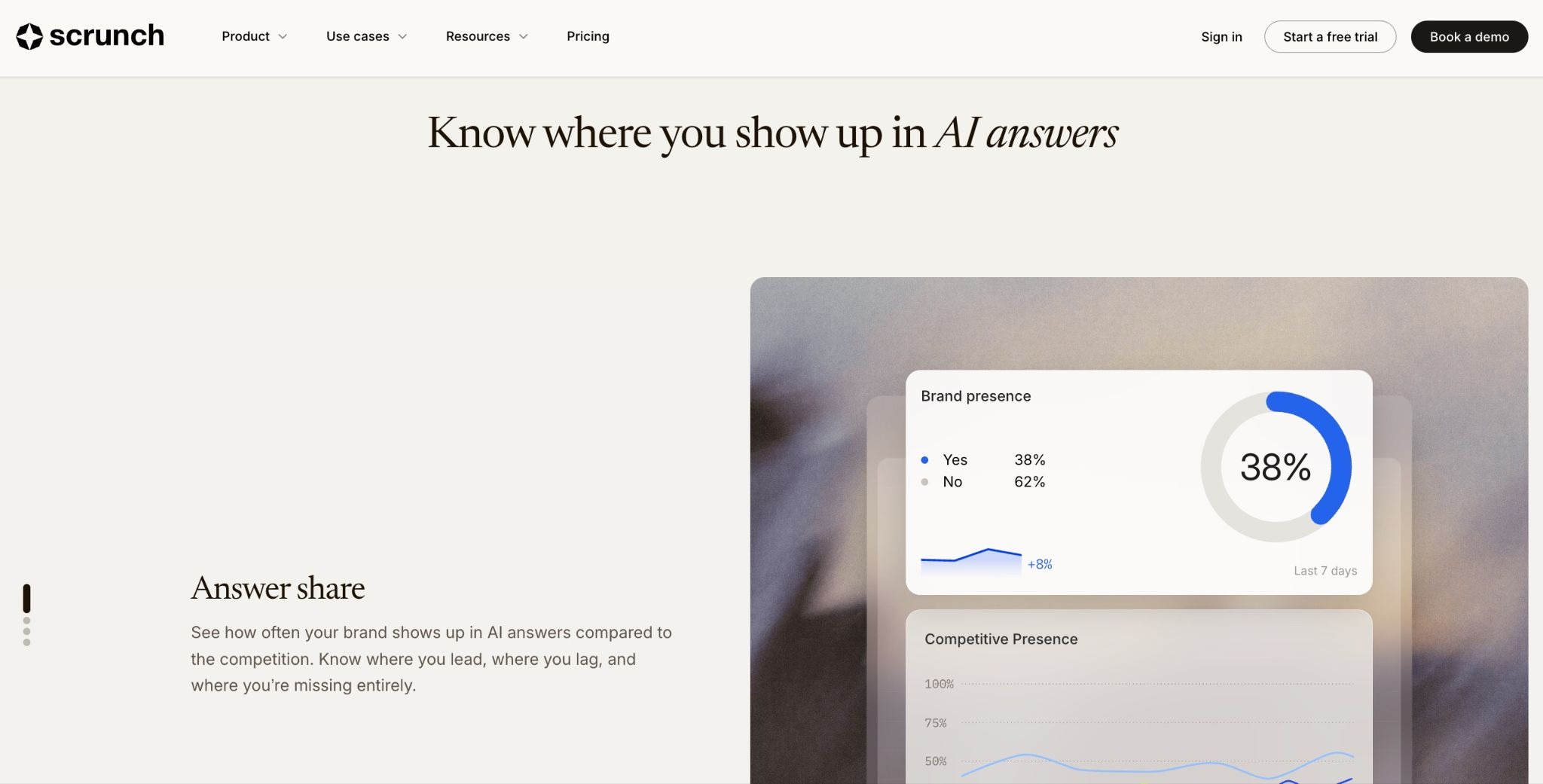
GA4 only captures the click. When ChatGPT cites your brand and the user reads the answer without clicking through, that citation influenced their perception of you — and you have zero record of it. Zero-click citations are completely invisible to GA4. So is all crawler activity. Tools like Scrunch bridge this gap by connecting GA4 referral data to prompt-level monitoring — showing not just which domains sent traffic, but which specific queries triggered those visits.
If you run your site through Cloudflare, Vercel, or Akamai, you already have bot-level data at the network edge. Most teams haven't looked at it.
Priority pages not appearing in bot logs at all. Cloudflare's November 2025 analysis found Googlebot reached 11.6% of unique web pages in a sample — more than three times the reach of GPTBot at 3.6%, and nearly 200 times the reach of PerplexityBot at 0.06%. The gap between crawlers is far wider than most teams assume.
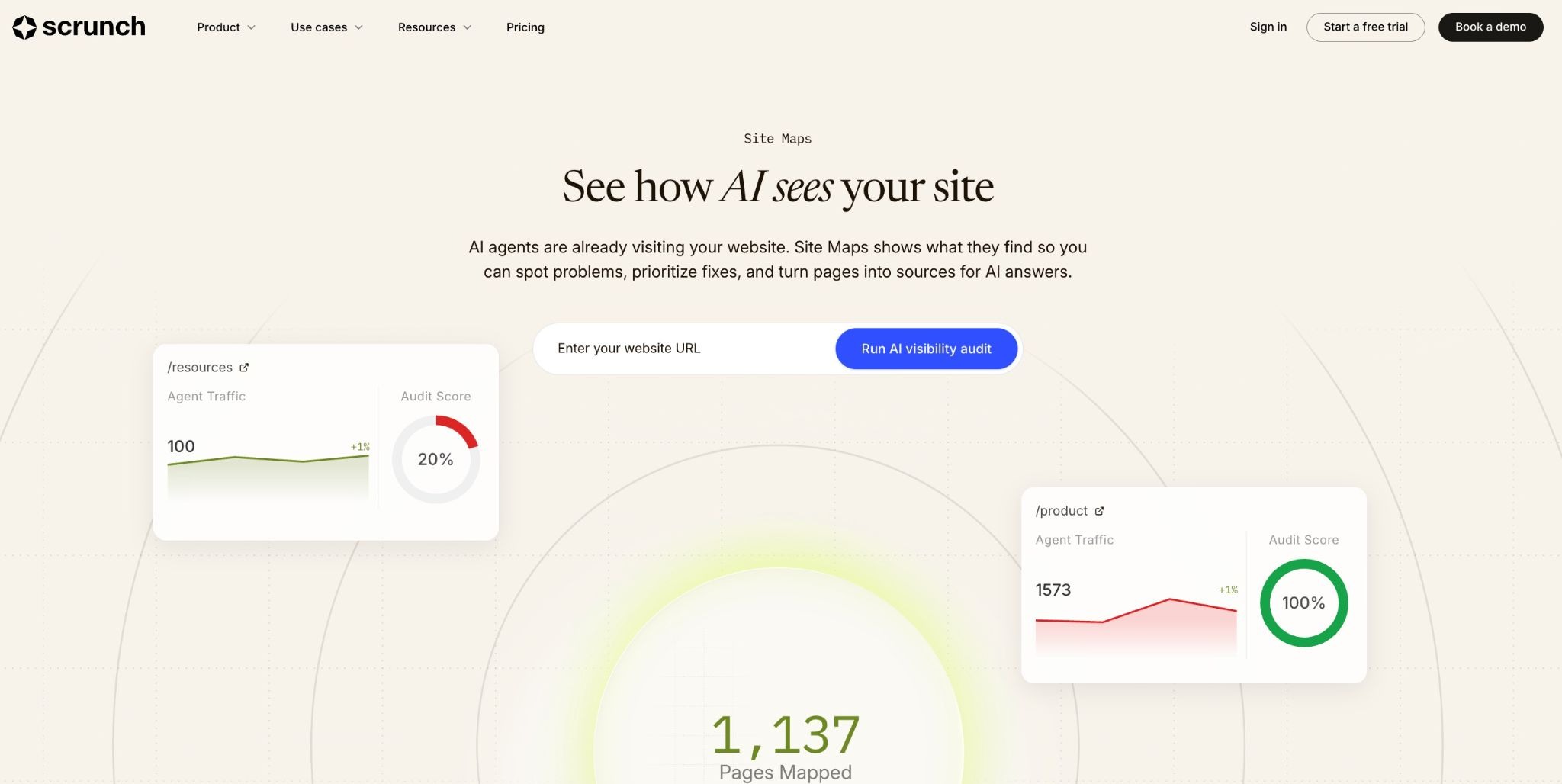
If your core product or landing pages are absent, JavaScript rendering, robots.txt restrictions, or slow server response are blocking access — and no amount of content optimization will fix that. Scrunch's Site Maps feature diagnoses exactly this — connecting CDN-level crawl data to actual AI search performance so you can see whether access issues are suppressing citations.
No server logs, no CDN analytics, no dedicated tools — this is the low-friction starting point for teams that want a signal before investing in infrastructure.
Look for traffic spikes in your hosting or server metrics that don't show up as corresponding GA4 sessions. Humans generate sessions. Bots don't. A significant mismatch between server requests and analytics sessions is your first indicator of meaningful bot activity.
In March 2025, Cloudflare recorded more than 50 billion AI crawler requests per day across its network — less than 1% of all web traffic by volume, but concentrated on a relatively small number of domains. For any site in a commercially valuable category, your share of that activity is likely higher than you think.
Anomaly detection tells you something is crawling — not who. It confirms bot activity without identifying which crawlers or which pages matter most. Treat it as a flag that justifies going deeper — and if you want to move from "something's happening" to "GPTBot hit these 12 pages 40 times this week and ClaudeBot hasn't visited since we updated our robots.txt," Scrunch's Agent Traffic identifies the specific agents behind those anomalies.
Crawler data is only useful if it changes what you do next. Most teams collect it, look at it once, and file it somewhere — because without a clear framework for interpretation, a list of bot visits and response codes doesn't translate into obvious next steps.
The good news is that AI crawler patterns are fairly diagnostic. Unlike organic traffic, which reflects dozens of compounding variables, crawler behavior tends to point directly at one of a small number of problems. A page that's getting crawled heavily but generating no citations has a content problem. A priority page that never gets crawled has a technical access problem. The data tells you which type of problem you're dealing with — and that determines what you fix first.
These four patterns tell you where to focus.
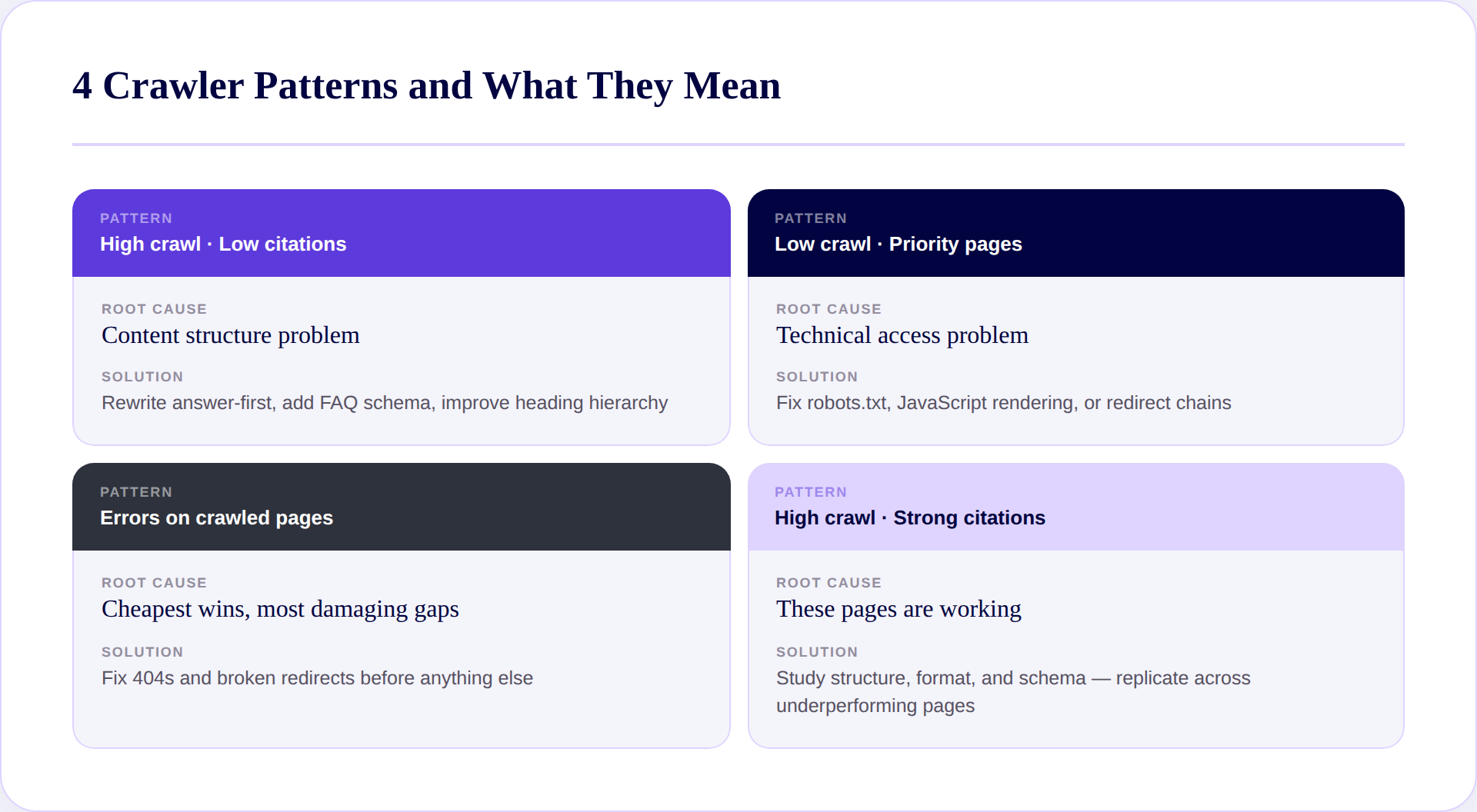
The bot is reading but not extracting useful answers. Almost always a content structure problem. Rewrite answer-first, add FAQ schema, improve heading hierarchy.
A technical access problem — robots.txt restrictions, JavaScript rendering, slow response, or redirect chains. Fix access before touching content.
404s and broken redirects on pages bots are actively trying to reach. Fix these first — they're the cheapest wins and the most damaging gaps.
These pages are working. Study what they have in common — structure, format, topic depth, schema — and apply those patterns to underperforming pages. If you want this diagnostic mapped across your full inventory automatically rather than manually, Scrunch's Insights surfaces a prioritized action list across all four patterns in one view.
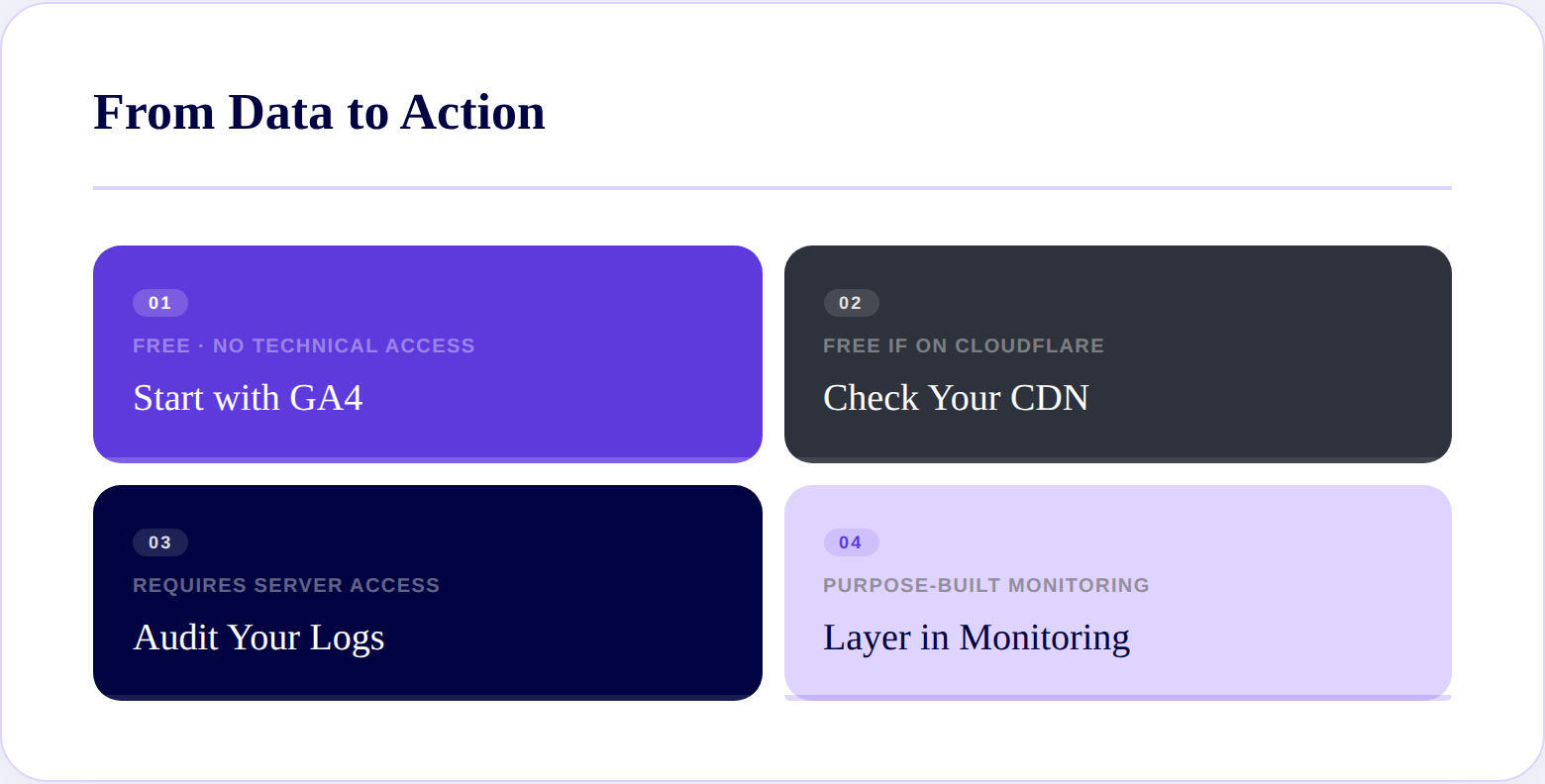
Crawler traffic is the upstream signal that determines whether AI can cite you at all. The sequence that works for most teams:
Each layer adds resolution. GA4 shows referral clicks. CDN data shows access patterns. Logs show every request. Purpose-built monitoring connects it all to whether any of it is influencing what AI says about you.
Scrunch brings all four layers together — agent-level traffic, page-level crawl diagnostics, GA4 integration, and prompt-level citation performance. So your team spends time acting on findings, not assembling them from four different places.
Google AI Mode traffic flows through Google's organic infrastructure rather than as a distinct referral source, making it harder to isolate in GA4 than ChatGPT or Perplexity referrals. The most reliable approach is a dedicated monitoring tool — SE Ranking, Scrunch, and Semrush all have AI Mode tracking built in. For referral attribution, filter your GA4 search traffic for queries matching known AI Mode patterns and cross-reference with Search Console impression data.
Start with your server logs — pull raw access logs from your hosting provider and filter by user agent strings for known bots. Screaming Frog Log File Analyser handles this cleanly for most sites. If you're on Cloudflare, the bot analytics dashboard gives a breakdown without raw log access. For AI-specific bot analysis, Scrunch's Agent Traffic identifies individual crawlers, pages they're hitting, and how activity trends over time — without log file access or manual parsing.
Automated requests made by AI systems — GPTBot, ClaudeBot, PerplexityBot, and others — to read and process your website's content for use in generating AI-powered answers. Unlike human visitors, they generate no GA4 sessions, no engagement signals, and no attribution. Their activity only appears in server logs, CDN analytics, or purpose-built monitoring tools.
A tool that evaluates whether AI crawlers can access, read, and extract content from your pages cleanly — checking for JavaScript rendering issues, robots.txt restrictions, slow response times, and redirect chains. Scrunch's Site Maps feature functions as an AI crawlability checker, diagnosing which pages are blocking agents and connecting that diagnosis to actual AI search performance.
It depends on your goal. If you want to appear in AI-generated search results, blocking the crawlers that feed those systems will prevent citations. If your concern is training data specifically, you can block training crawlers — like GPTBot's training-specific user agent — while still allowing retrieval crawlers that power live search responses. Most sites benefit from distinguishing between training and retrieval use cases rather than blocking all AI bot traffic indiscriminately.

Irina is a Founder at ONSAAS, Growth Lead at Aura, and a SaaS marketing consultant. She helps companies to grow their revenue with SEO and inbound marketing. In her spare time, Irina entertains her cat Persie and collects airline miles.
.svg)
.svg)
.svg)
.svg)
.svg)