If you use AI seriously for work, you know the tax. Not the dollar tax — the cognitive one.
You have a ChatGPT tab for drafting. A Claude tab for long-form thinking. A Gemini tab for technical research. A DeepSeek tab because someone on LinkedIn swore it was better at reasoning. You're copying prompts back and forth, losing context, losing threads, and spending more time managing tools than actually using them.
At least that’s what I do when I use Gen-AI. That’s why when I heard of the tool that combines all the major models in one and allows you to pay a single subscription to use them all, I was eager to try it.
Lorka was built to fix the “Which tool I use for what” problem. And it also saves a buck for a casual user like me.
It's an all-in-one AI platform that puts every major model — ChatGPT, Claude, Gemini, Grok, DeepSeek, Perplexity, Qwen, Mistral, and more — under one roof, for one subscription.
I tested it to find out whether it lives up to the promise — and how it stacks up against the main alternatives in the multi-model space.
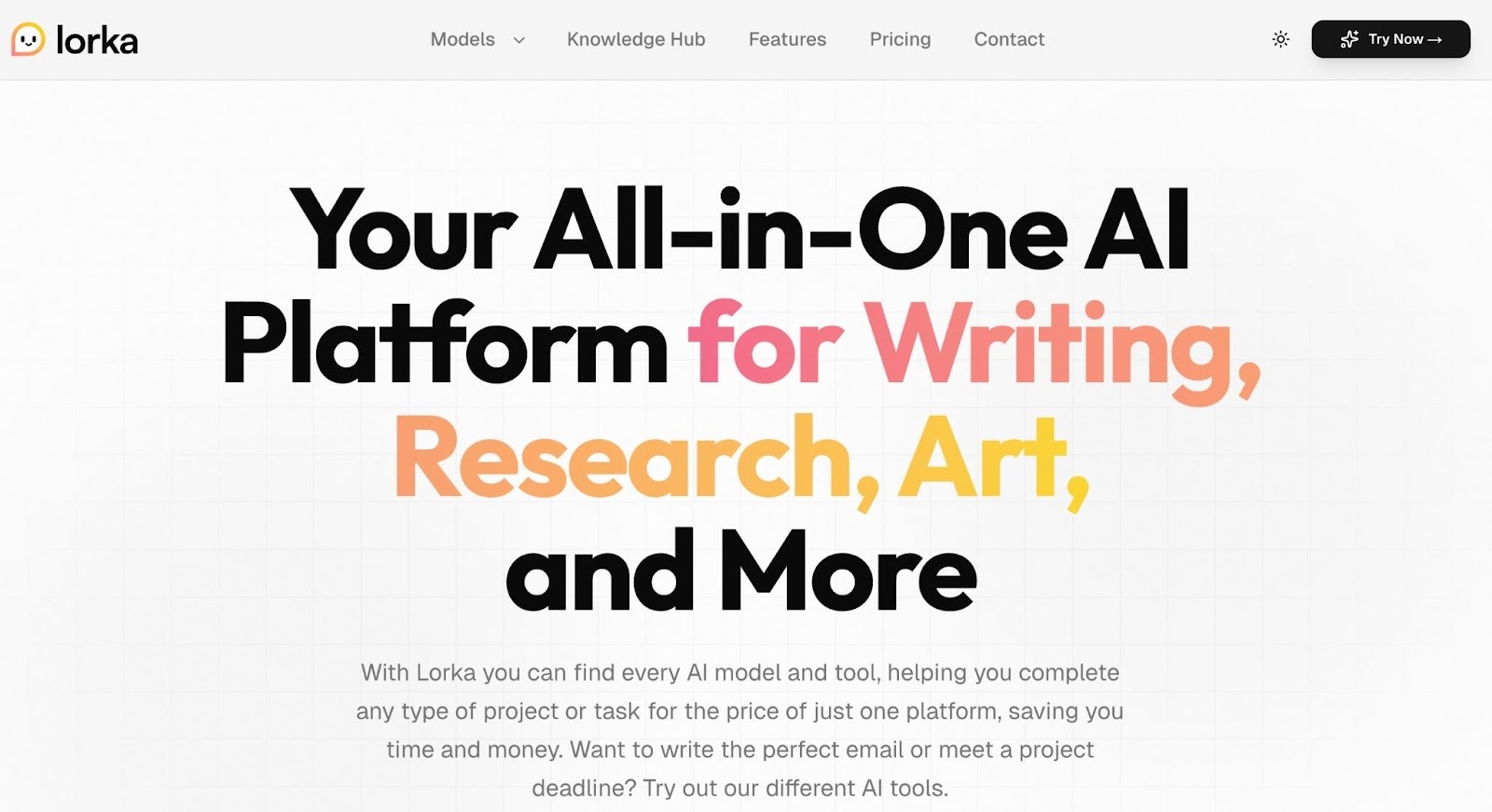
Lorka is an AI aggregator — or, in their own words, an "all-in-one AI platform." Instead of building its own model, it gives you access to the best ones that already exist, from a single workspace.
The idea is simple but genuinely useful: different models are better at different things. Claude handles nuance and dense research better than most. ChatGPT is the generalist workhorse. DeepSeek shines on step-by-step reasoning. Grok is fast and reactive. Qwen handles multilingual tasks cleanly. Rather than picking one and hoping it covers everything, Lorka lets you pick the right model for each task — or compare them side by side.
Beyond multi-model chat, Lorka also packages in a set of built-in tools: AI web search, image editing, PDF chat, text translation, an AI humanizer, and voice mode. It's less a chatbot and more a productivity console built for people who rely on AI every day.
Lorka packages a lot into one subscription. Here's a breakdown of what you actually get.

The core of Lorka is its unified chat interface. You can start a conversation and switch models mid-thread without losing context — which sounds like a small thing but changes how you work entirely. You're not starting over. You're building on the same thread with a different engine.
For content teams and researchers, this is particularly useful. Write a first draft with ChatGPT's broad output, sharpen the argument with Claude's precision, then cross-check your claims using Perplexity's real-time web access — all in one place.
Developers also use it to compare how different models handle the same code problem — paste a snippet and get DeepSeek's step-by-step reasoning alongside Claude's refactoring suggestions simultaneously.
Lorka lets you run the same prompt across multiple models simultaneously and compare results in real time. For anyone doing prompt optimization, research validation, or A/B testing of AI-generated copy, this removes hours of manual work per week.
Built-in AI-powered web search pulls live information and summarizes it inside your workspace. Unlike standard search engines that return links, Lorka's search queries external sources and returns distilled answers — useful for fact-checking, sourcing statistics, or last-minute research without leaving the platform.
To test the feature, I asked Lorka to give me the latest research on the gut microbiome. As a result, I’ve got a comprehensive answer that was sourced from 10 different websites that specialize in this niche. All of the sources were legit, and the links worked fine.
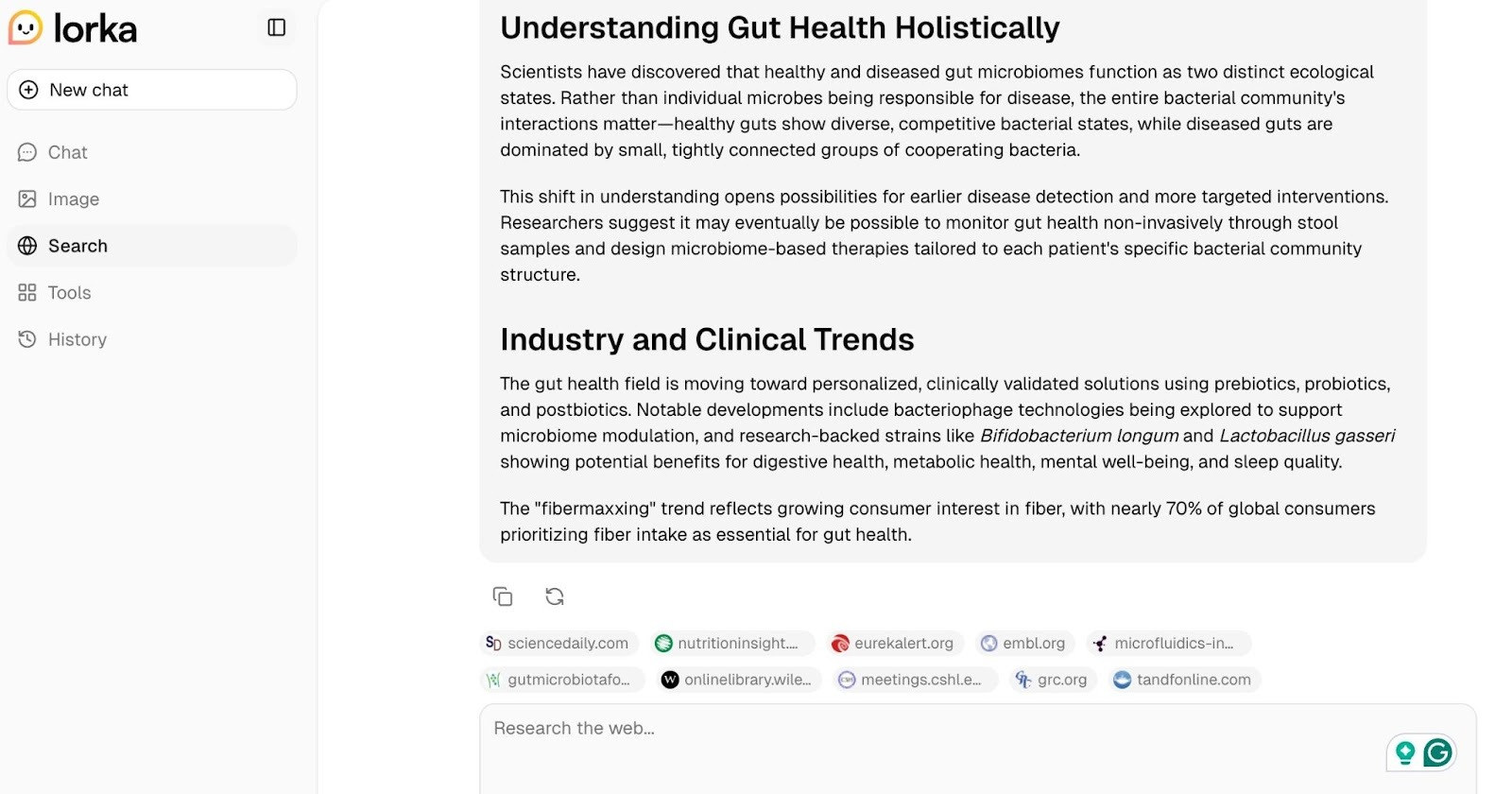
Now, when I asked Claude to do the same thing, it provided me with a nicely laid out answer that relied on 7 sources. Interestingly enough, the tool added a little note that some of the sources might be hallucinated. Indeed, 7 out of 7 links were leading to “Page doesn’t exist” webpages, which means I’d have to manually find the cited sources, if they even exist.
Upload a PDF and have a conversation with it directly. Research teams, consultants, and anyone dealing with whitepapers, contracts, or dense reports will find this immediately practical.
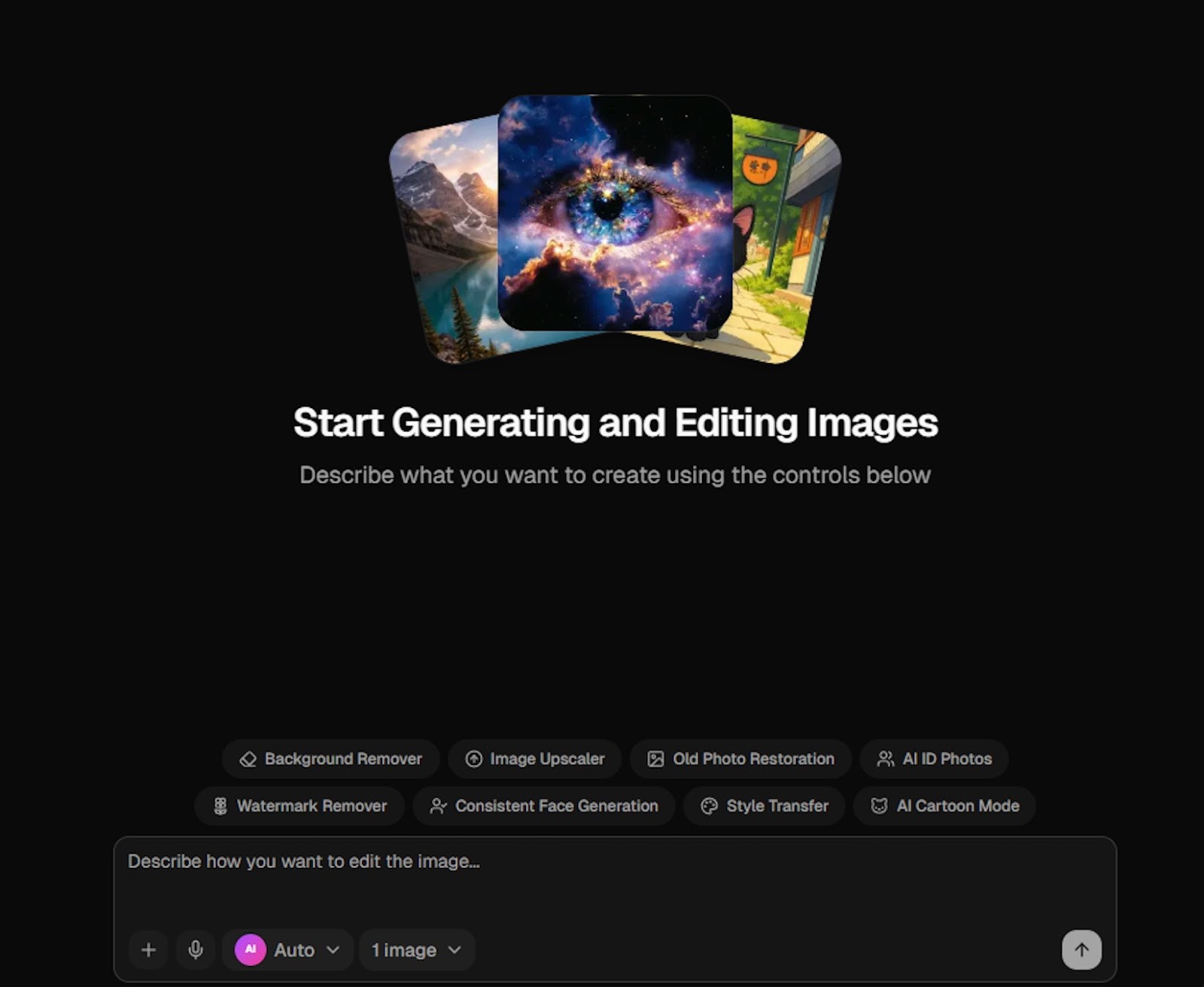
Generate and edit images without switching to a separate design tool. Drop a prompt, get variations, iterate. Not a replacement for Midjourney for high-end creative work, but more than sufficient for content, social posts, and presentation visuals.
The image editor also includes a background removal tool — handy for product photos, headshots, or social content without needing a separate app.
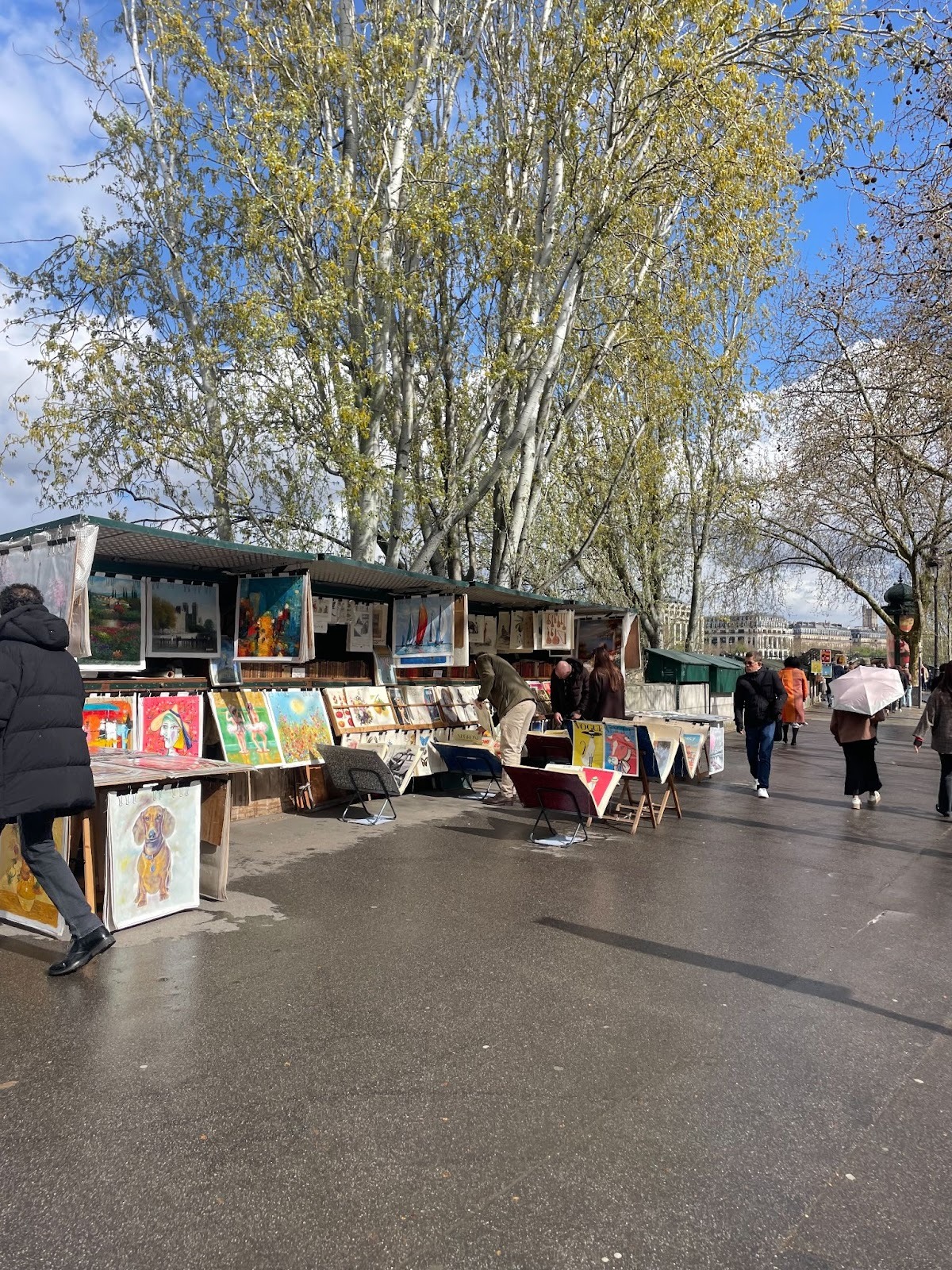
To test it, I asked the tool to remove people from the background of a picture I recently took in Paris–on the bank of the River Seine, next to the iconic bouquinistes stalls.
While most of the people were removed from the picture, some stayed at the very back. I didn’t expect perfection from the first try, so after a second one, all of the people were removed.
Before
After
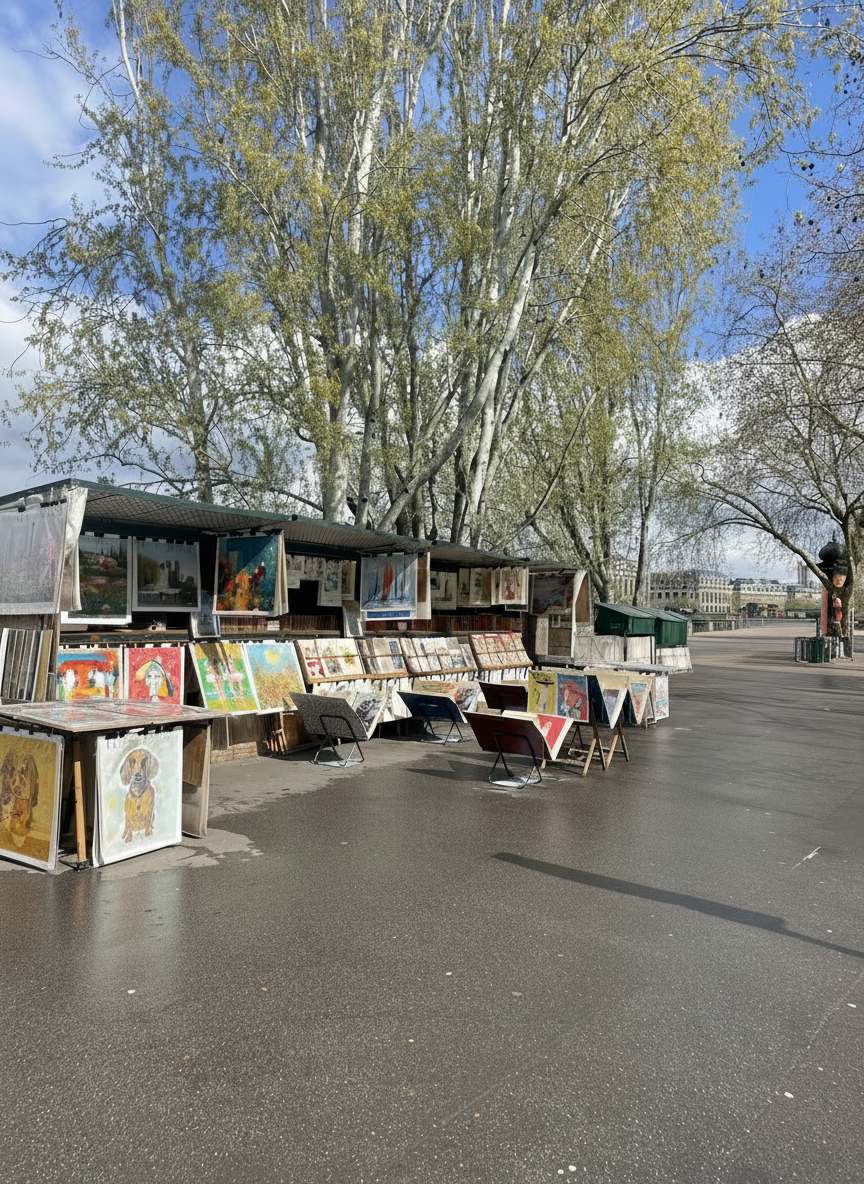
Since I’m not a professional photographer and this picture will likely end up in y social media–I was genuinely satisfied with the result. I know that AI normally struggles with complex scenes, and you can expect some fringing or missed wisps that need a manual touch-up.
But in this case, the stalls, paintings, trees, and background architecture are cleanly preserved with no ghosting or smearing. The wet pavement reflections — which are notoriously tricky — also came through intact.
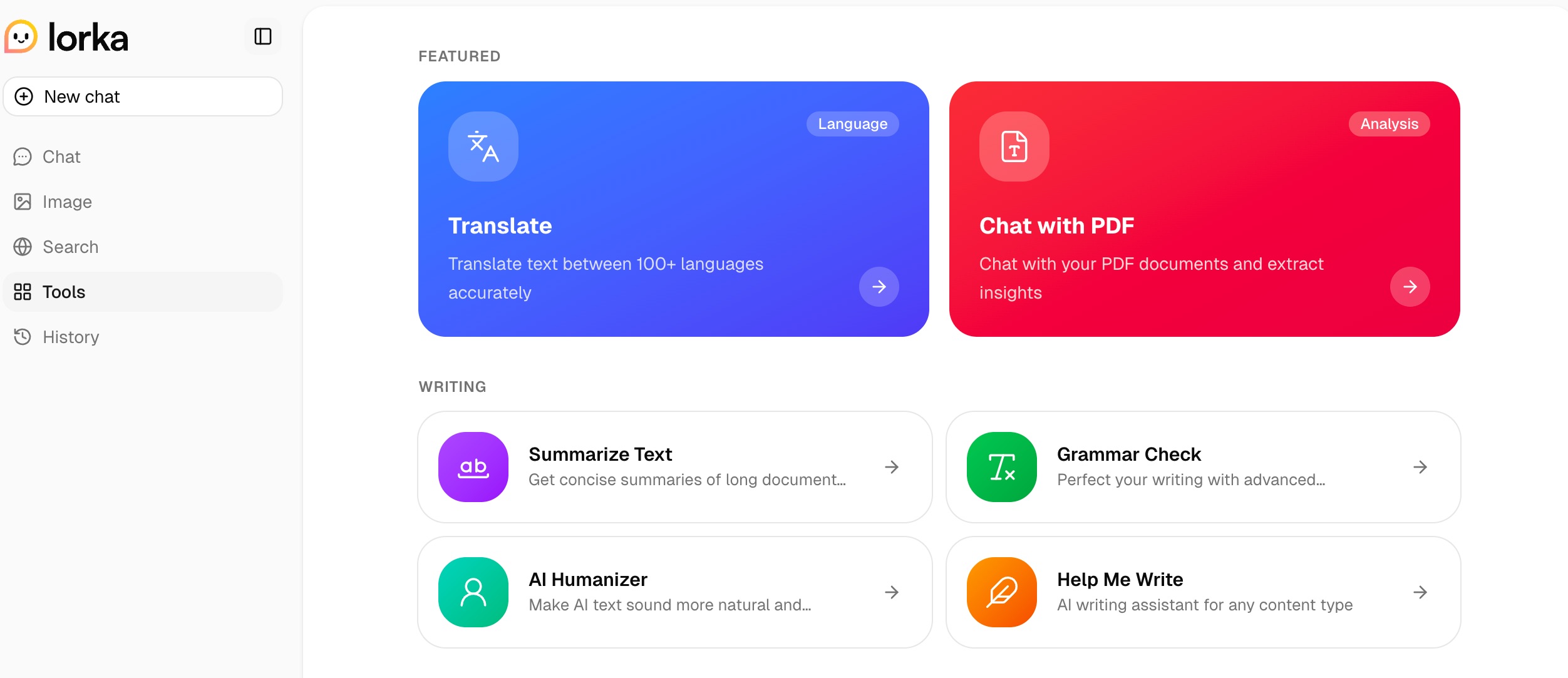
Rounding out the toolkit: a humanizer that removes AI-generated patterns from text, a translation tool with natural-sounding output, and a voice mode for hands-free input.
I was curious to test an AI humanizer because, in my personal experience, it’s virtually impossible to fully humanize an AI-created article with another AI tool. When I asked Claude why it is so hard to humanize a text with the AI tool, it gave me an interesting response:
“An AI optimizing for "human-sounding" output is essentially performing humanness rather than inhabiting it, and that performance tends to have its own detectable quality. The deepest reason, though, is that human writing carries the weight of genuine choices — what to leave out, what to linger on, what matters. An AI doesn't have stakes in the writing. It has no reason to care about one word over another beyond probability, and that absence of investment is, paradoxically, quite hard to disguise.”
So, to test Lorka I created a passage about the bouquinistes on the Seine and tested it via the GPTZero tool for the AI-ness benchmark reference. As expected, the result was 1005 AI-generated.
The original AI-generated text, flagged as 100% AI-generated
“Along the stone parapets of the Seine, where Paris meets the river in a long, unhurried embrace, the bouquinistes have kept their post for centuries. Their dark green wooden boxes — hinged open each morning like the covers of a book — spill over with paperbacks, vintage postcards, old maps, and dog-eared magazines that smell of another era. Browsers drift along the quays with no particular urgency, fingers trailing across spines, pausing over a faded Tintin or a sepia photograph of the city as it once was.”
Once humanized via Lorka using the “Casual” voices, I tested it once again, and the result remained the same. However, using the “Friendly” tone of voice, I could get an “AI-polished” evaluation result, which was a good start.
The humanized text by Lorka, evaluated as “AI-polished”
“Along the Seine, where Paris gracefully meets its river, the bouquinistes have maintained a presence for centuries. Their distinctive dark green wooden stalls, which unfurl each morning in a manner akin to opening a cherished volume, are replete with an eclectic assortment. One can discover paperbacks, vintage postcards, antique maps, and periodicals bearing the patina of age. Strollers meander along the riverbanks, unhurried, their hands occasionally brushing against the spines of books. A moment might be spent examining a well-loved Tintin comic or a monochromatic photograph capturing Paris from a bygone era. It is a captivating scene.”
For the sake of my experiment of posting a lovely picture with a description on Instagram, I tested only two, more casual, voices. But the tool also offers more formal and professional options that could work well for other use cases.
Lorka makes the most sense for people whose work already spans multiple AI tools. If you're currently:
...then Lorka was built for you.
It's particularly well-suited to SEO professionals and content teams who need to generate, refine, and research simultaneously. Startup founders who use AI across strategy, copy, and operations without dedicated specialists. Researchers and consultants who live inside PDFs and need fast cross-model validation. And developers who want to compare how different models reason through the same code problem.
The multi-model space is growing fast. Here's how Lorka compares to the main alternatives:
Poe is built around a community marketplace of custom bots and broad model access. It's great for exploration and experimentation, and the interface is clean. But Poe feels more like a model playground than a professional workspace. It lacks the built-in productivity tools (PDF chat, image editing, translation, humanizer) that make Lorka useful for real work. Lorka is a better choice if you want a full workflow console, not just model access.
TypingMind is a BYOK (Bring Your Own Key) platform — you plug in your own API keys and pay for usage directly. It gives developers maximum control and can be more cost-effective at high volumes. But it has a steeper setup curve and requires active API management. Lorka is the easier, all-inclusive option: one price, no key management, immediate access. For non-technical users and teams, Lorka wins on simplicity.
This is where Lorka's value proposition is sharpest. ChatGPT Plus ($20/month) + Claude Pro ($20/month) + Gemini Advanced ($20/month) alone puts you at $60/month — and that's before adding Grok, DeepSeek, or Perplexity. Lorka's subscription at $29.99/month includes all of them plus the additional tool suite. For anyone paying for more than one AI subscription, the math makes a compelling case.
.svg)
Access to 10+ leading AI models in a single dashboard
Switch models mid-conversation without losing context
Significantly cheaper than stacking individual subscriptions
Built-in tools cover PDF chat, image editing, web search, translation, and more
Clean, accessible interface — no technical setup required
30-day refund policy for risk-free trial
.svg)
May be overwhelming for casual users
Highest value for users who already use multiple AI tools — less compelling if you rely on one model
Learning curve if unfamiliar with prompt optimization
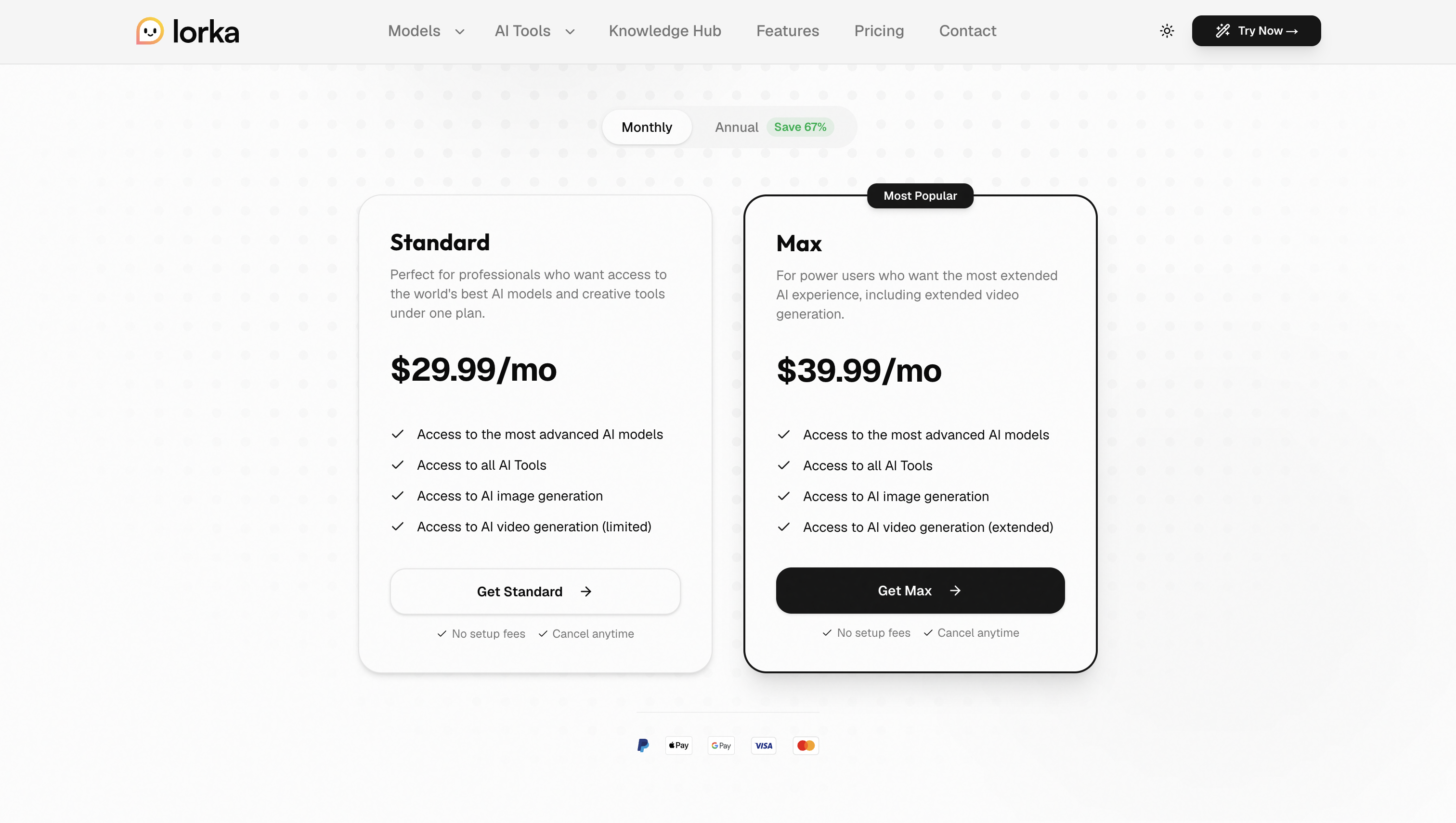
Lorka offers two subscription tiers: Standard at $29.99/month and Max at $39.99/month. Both include full access to all integrated AI models and the complete tool suite, while Max additionally provides extended AI video generation. Both plans can be cancelled anytime.
Refund requests are accepted within 30 days of purchase.
For context: access to ChatGPT, Claude, Gemini, Grok, DeepSeek, Perplexity, and Mistral separately would cost upwards of $123/month in individual subscriptions. Lorka puts all of them in one place for a fraction of that.
As someone who works with Gen-AI on a daily basis, I’m happy I found Lorka. It’s a smart, practical solution to a problem that every AI user faces: the fragmentation of working across multiple tools, tabs, and subscriptions.
It doesn't try to out-model ChatGPT or out-reason Claude. Instead, it makes all of them more useful by putting them in one organized workspace where you can switch, compare, and layer their strengths task by task.
Lorka delivers genuine time savings and a meaningful reduction in cognitive overhead. The pricing makes it an easy case to make, especially if you're currently paying for multiple subscriptions.
However, if you're a casual user with one primary AI tool, the value is lower. If you're a developer who wants API-level control, TypingMind is worth a look instead.
But for the growing category of AI power users who want flexibility, efficiency, and model variety without the subscription chaos? Lorka is one of the strongest options available right now.

Irina is a Founder at ONSAAS, Growth Lead at Aura, and a SaaS marketing consultant. She helps companies to grow their revenue with SEO and inbound marketing. In her spare time, Irina entertains her cat Persie and collects airline miles.
.svg)
.svg)
.svg)

.svg)
%20(1).svg)
%20(3).svg)
.svg)
.svg)