
.svg)
%20(1).svg)
%20(3).svg)
Back to articles
How to Do a Website Content Audit: The Search & AI Playbook
September 30, 2026
By
Irina Maltseva
A website content audit inventories every published URL and evaluates each one against performance, quality, business goals, and search visibility. Every page ends with one verdict: keep, update, consolidate, or delete.
Most audits end as abandoned spreadsheets because someone crawls the site, exports six months of analytics, color-codes 400 rows, and then the quarter changes before anything ships. A useful audit produces fewer findings, clearer decisions, and a backlog a writer can start on Monday. It also accounts for a layer many audits still skip: how content appears in AI-generated answers.
The work follows a repeatable sequence:
Collecting the data is easier than turning it into decisions that someone owns and ships. An audit that produces 300 annotated rows but no published changes has consumed two weeks without improving the site.
Discovery has also moved beyond standard search results. Neither GA4 nor Search Console shows whether ChatGPT, Perplexity, Gemini, or other AI systems are accessing your pages, citing them in answers, or relying on competitors instead.
Scrunch adds that missing layer to the audit.
Its Site Optimization view provides a page-level view of AI performance, including Audit Score, Agent Traffic, and Citations. Agent Traffic also shows which AI agents are visiting the site and which pages they rely on. That gives teams another signal when evaluating a page: a URL with modest Google traffic but regular AI citations may be worth protecting, while a strong Google performer with no AI visibility may need a different type of update.
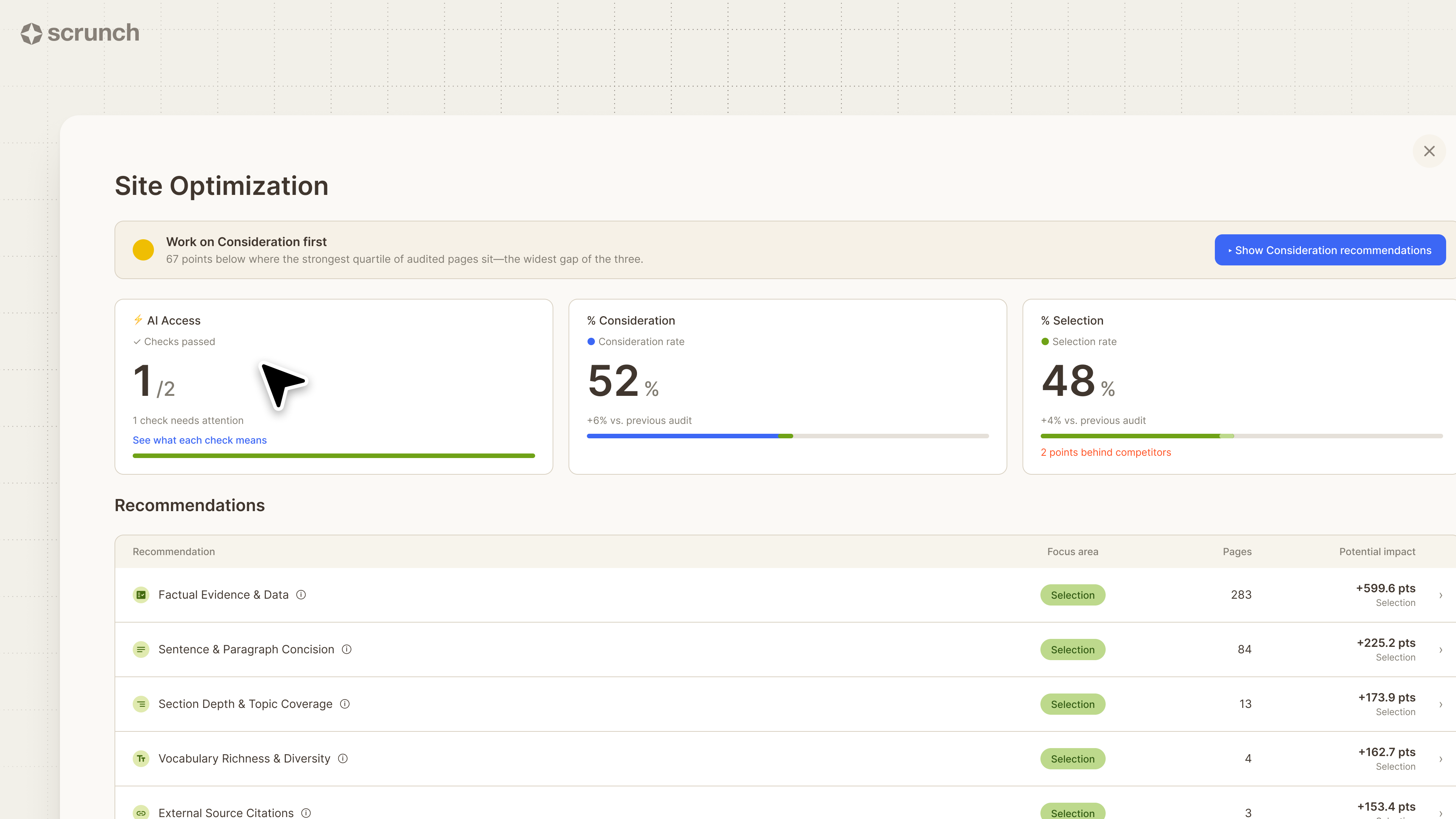
The audit’s objective determines how pages are judged and which spreadsheet columns carry the most weight:
AI visibility increasingly belongs within the other three audit types instead of operating as a separate exercise. A page can hold position 4 in Google and remain absent from AI answers on the same topic, a gap that will not appear in a Search Console export.
Choose one primary objective before opening the spreadsheet. Trying to audit for every possible goal at once usually leaves teams with too many findings and no clear order of work.
Which tool is best for a website audit? No single tool covers every job, so the best audit stack combines tools that can:
How do you perform a website audit? Crawl the site, merge analytics, search, backlink, and AI visibility data into the URL inventory, evaluate each page, assign a verdict, ship the prioritized changes, and measure again after 30, 60, and 90 days.
Evaluate tools on four practical criteria: whether they supply URL-level data instead of site-level totals, whether the data can be exported, how much history is available, and whether the same view can be rerun against the baseline. A polished dashboard has little audit value if its data cannot be exported.
The fifth job requires a separate data source. GA4 and Search Console measure clicks that reach the site, but they cannot identify whether an AI assistant summarized your comparison page, cited a competitor, or relied on a third-party listicle that omitted your brand.
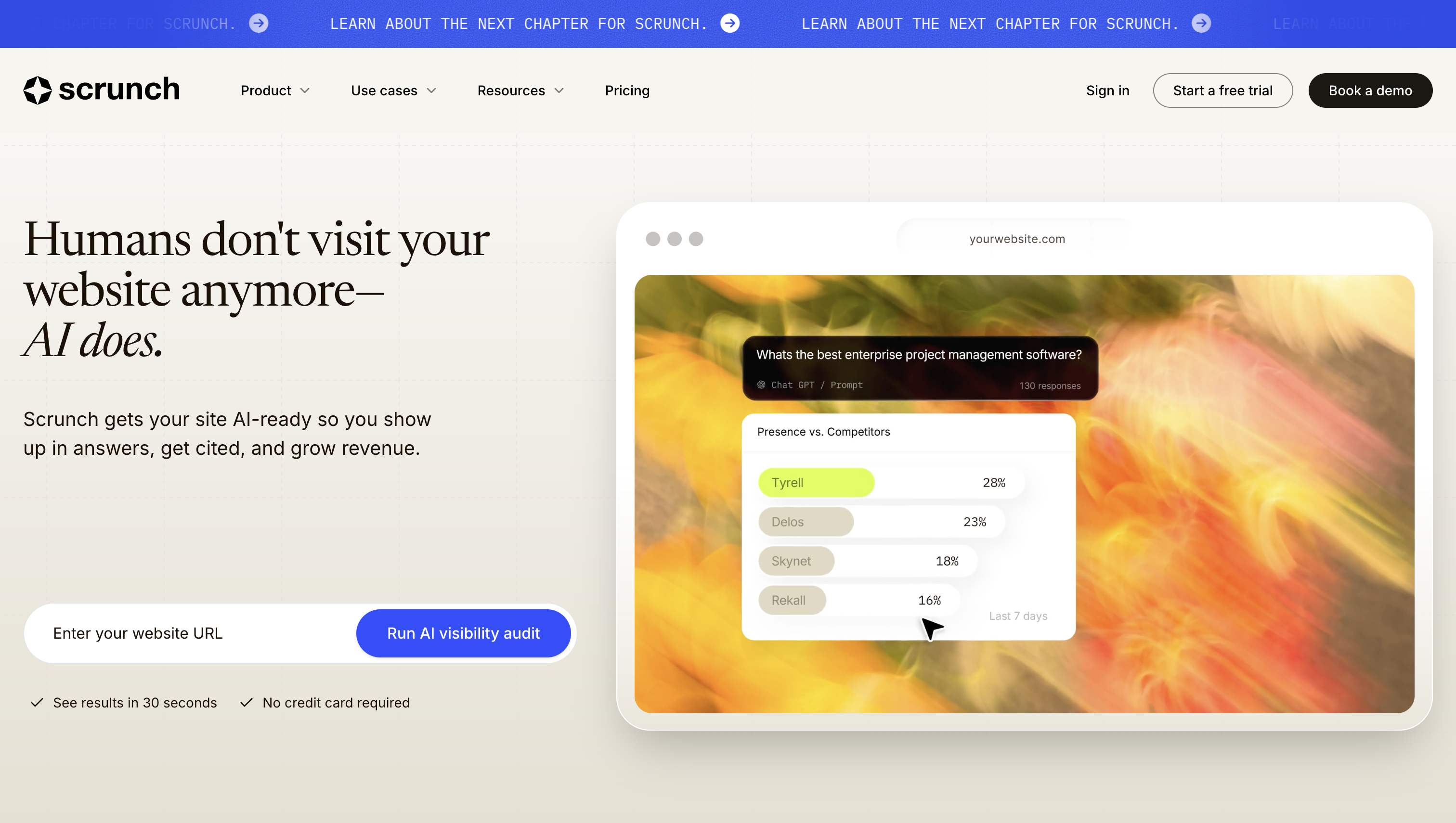
Scrunch fills the AI-search layer that traditional audit tools cannot. Search Console tells you how a page performs in Google, GA4 tells you what visitors do after arriving, and backlink tools show the authority a URL has accumulated. Scrunch shows how AI systems interact with the site and how often its pages appear in AI answers.
Use it at three points in the audit:
This gives teams four ways to evaluate the same URL:
AI visibility should influence the verdict, not automatically determine it. A page with low Google traffic and no AI visibility may be an obvious deletion candidate. A page with low Google traffic but frequent AI citations may be worth protecting or improving.
Standout capabilities: Page-level Site Optimization, Audit Scores, Agent Traffic, AI citations, AI referrals, and monitoring of brand and competitor presence in AI answers.
Role in the audit: Adds AI-agent behavior and AI-search visibility to the URL-level decision process.
Best for: Teams that want content audits to account for both traditional organic search and AI-generated answers.
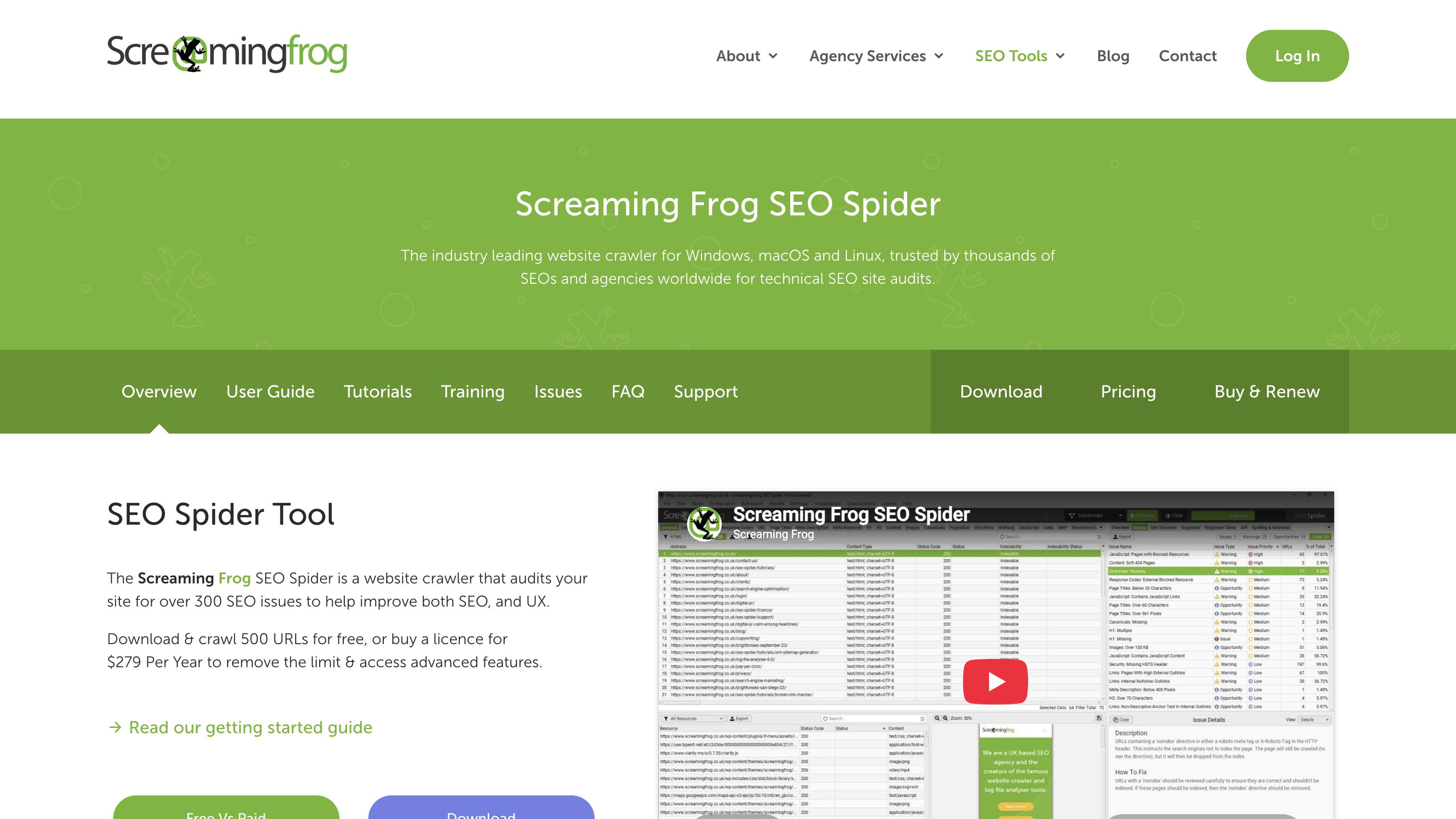
Screaming Frog creates the site’s inventory by crawling it as a bot would. Its export supplies the structural columns for the master spreadsheet, including each URL’s status code, title, H1, meta description, word count, canonical, and indexability.
Search Console reports the impressions and average positions that pages receive in Google results, data that third-party estimates cannot reproduce. The Pages and Queries reports are the primary audit exports. Filters for individual pages and directories also make large-site audits easier to scope.
GA4 shows what visitors do after clicking through to the site, including how long they engage and whether the page contributes to a conversion event. Those metrics can prevent a low-traffic page with an 8% conversion rate from being deleted.
Ahrefs adds backlink context to pruning decisions. A page receiving 12 visits per month looks expendable until the audit shows that it holds 40 referring domains. That evidence can change a delete verdict into a redirect or update.
Start with a crawl that creates one row per URL, then layer analytics, search, backlink, and AI visibility data onto the same sheet.
Use a normalized URL path as the join key. Strip the protocol and domain, standardize trailing slashes and capitalization, and remove query parameters unless they represent distinct pages. Then join the datasets with XLOOKUP or VLOOKUP.
Your audit sheet should cover five areas: URL and technical data, search and analytics performance, backlink and AI visibility signals, page-quality assessments, and final decisions. Keep verdict, ownership, priority, and effort fields empty until the diagnosis is complete.
For a 300-page site, the evaluation pass alone can take roughly 25–50 hours at 5–10 minutes per page. The main cost of an audit is usually the analysis and remediation, not the tools.
Before assigning verdicts, examine the full dataset for places where visibility is being lost. Traditional search and AI search should be analyzed separately first, then compared.
For traditional search, use this three-item checklist:
For AI visibility, use Scrunch alongside the same priority URLs and topics:
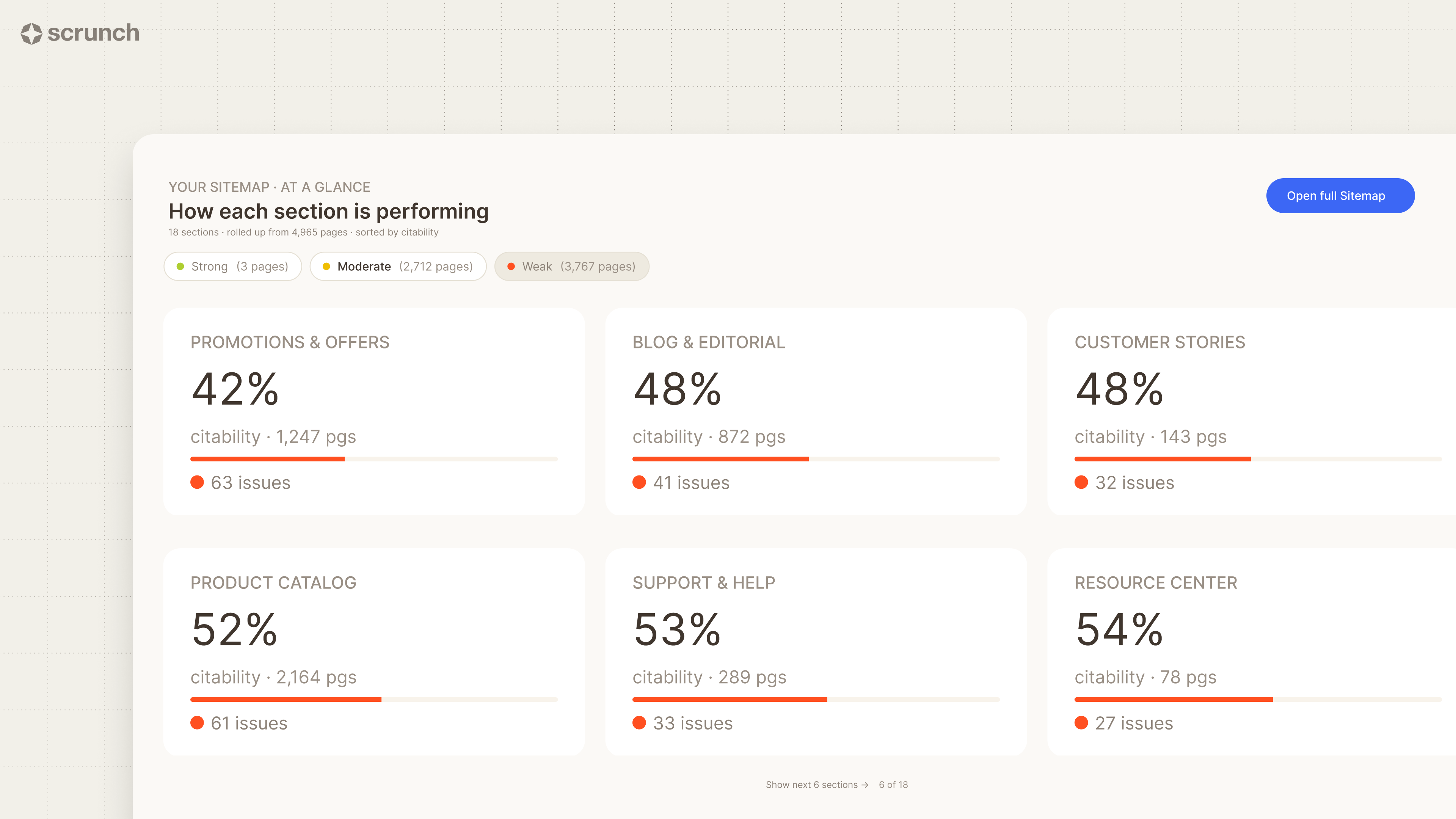
Citation analysis can reveal reliance on review sites, forums, industry roundups, competitors’ comparison pages, or other third-party sources. Those gaps will not appear in Search Console and may point toward an authority-building opportunity.
The most useful findings often come from disagreement between the datasets. A guide can hold position 3 with steady clicks yet receive no citations in AI answers about its own topic. The page may bury its answer beneath 600 words of preamble or state facts in a form that an AI system cannot extract cleanly.
Record each AI visibility finding as an opportunity and attach the evidence before moving to page-level verdicts.
Performance data identifies struggling pages, but reading the content explains why they struggle. Use a named checklist so different reviewers apply the same standards:
Performance and quality must be read together. High traffic does not guarantee a keep verdict. A page attracting 4,000 monthly visits from a commercially irrelevant query, with a 12-second engagement time, may belong within a page that better serves the intended audience.
If multiple people are reviewing content, score each check from 1 to 3 and record the total. The scoring is basic, but it prevents one reviewer’s “needs work” from carrying a different meaning than another’s.
AI tools can assist with intent assessment, stale-claim detection, query clustering, and drafts of revised content. They cannot independently crawl the site, access Search Console or GA4, or identify which pages hold backlinks. Use them during page evaluation, not as a substitute for the inventory and visibility data.
Cannibalization occurs when multiple URLs collect impressions for the same query and split relevance signals between pages that should be combined. Search Console exposes the pattern:
AI visibility can break a close tie. If three pages address one topic but AI answers consistently cite only one, that page has evidence of being treated as the authoritative source. Use that evidence alongside intent, traffic, links, and business value when deciding which page should become the canonical source.
Every row needs one verdict, an owner, and a target date. Do not leave blank or “maybe” cells.
Avoid universal thresholds such as “delete anything under 100 visits.” A useful cutoff depends on the site’s traffic distribution, sales cycle, and whether the page is two months or five years old.
AI visibility and recoverable value can change the verdict. A page with modest organic traffic may place the brand in AI answers for a high-intent topic, even though that value never appears in a clicks column. If updating, consolidating, or repairing internal links can restore a page, that option retains the URL, links, and history.
Ask these questions in order, and stop when the answer produces a verdict.
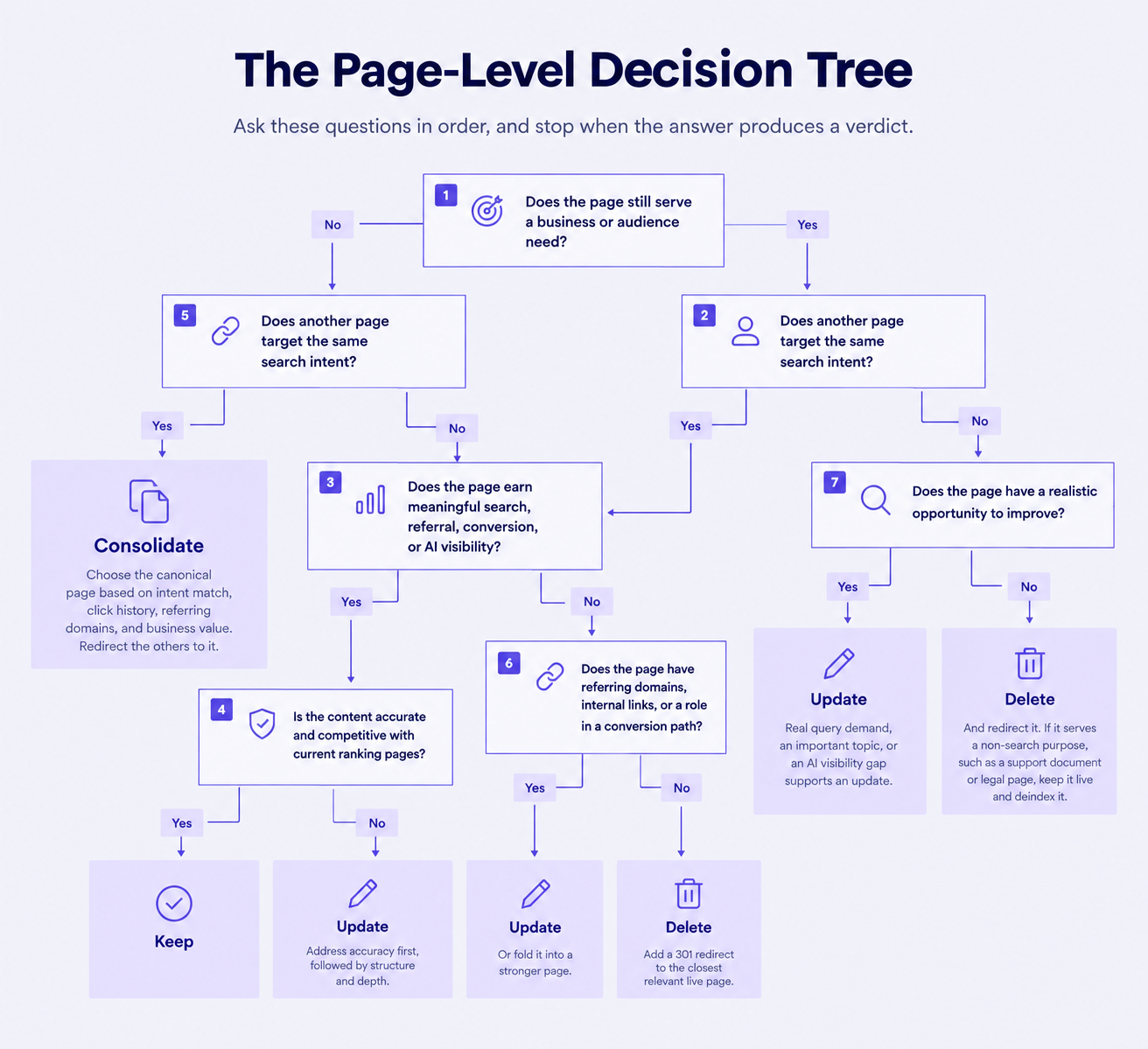
Deletion is difficult to reverse, so every candidate needs four checks:
Map every deleted URL to the closest relevant live page and implement a 301 redirect. Do not redirect everything to the homepage, which Google frequently treats as a soft 404. The old assumption that 301 redirects lose roughly 15% of PageRank has been retired. As of 2025, Google confirms that correctly implemented 301 redirects pass full PageRank. Archive the content somewhere retrievable before removal.
Pruning is often over-prescribed because advice to delete underperforming content produced fast gains on bloated sites with thousands of auto-generated pages, then spread to sites where a few dozen dated posts only needed rewriting. If a page has links, internal relevance, or a topic the business still values, a few hours of updating preserves what it has accumulated instead of forfeiting those assets through deletion.
Score each verdict on four dimensions before writing begins: potential impact, confidence in the proposed fix, effort in hours, and the topic’s business value. Sort by that four-factor score to turn the backlog into a working queue.
Ship quick wins during the first two weeks:
Next, for AI visibility, Scrunch can take much of the prioritization work off your plate. Instead of manually deciding which pages need optimization, its Site Optimization recommendations identify page-level issues that may be limiting AI visibility and prioritize the changes with the greatest potential impact. This gives the team a ready-made queue of pages to optimize based on AI search performance, competitor performance, and Scrunch's data.
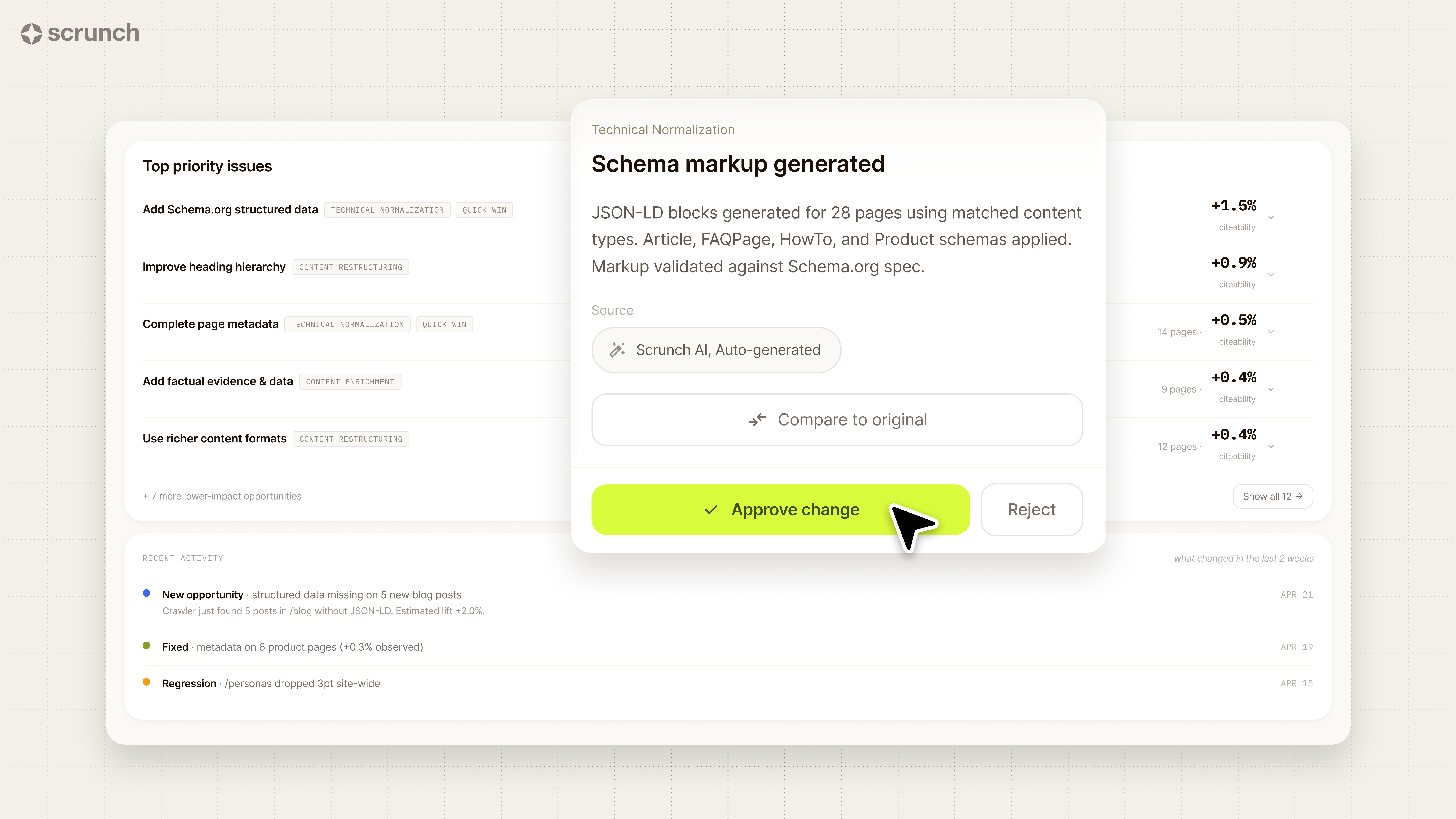
Use those recommendations alongside your business and search data. An established page with existing authority and traffic may be a better optimization target than creating something new, while commercially important gaps may justify more substantial content work. Group related updates by topic cluster so writers can tackle several pages efficiently.
Work through the queue by impact, not spreadsheet order. For every change, log the URL, update, owner, and publication date so you can connect future performance changes to the work.
Measure organic and AI-search performance separately at 30, 60, and 90 days. For AI search, track brand presence, citations, cited URLs, competitor presence, AI referrals, and agent activity rather than looking for a single “AI ranking.” Scrunch makes it possible to compare these signals before and after an update and see whether important pages are being accessed, represented accurately, and cited.
For a mid-size site, the first audit can run as a four-week sprint:
The sprint gets you from inventory to action; larger refresh and consolidation projects can continue afterward. Future audits should get faster as your templates, data structure, and decision criteria are established.
Ready to see what your content audit reveals about AI search? Scrunch helps you identify where your brand and content appear, which pages get cited, where competitors are winning, and what to optimize next.
.svg)


Irina is a Founder at ONSAAS, Growth Lead at Aura, and a SaaS marketing consultant. She helps companies to grow their revenue with SEO and inbound marketing. In her spare time, Irina entertains her cat Persie and collects airline miles.
.svg)
.svg)
.svg)
.svg)
.svg)