Search rankings are probably one of the first things you check when reviewing your SEO results. And, of course, it’s good to see your pages moving up. But that alone doesn’t tell you whether all the work is bringing more business.
Adding every available metric to your SEO report won’t necessarily help, either. You can end up with pages of numbers and still have very little to say about the results.
So, what is actually worth tracking?
In this guide, we’ll cover the SEO reporting metrics that help you understand how your search optimization is doing, where AI visibility fits in, and what deserves a place in your report.
With so much data available, it’s easy to include a metric simply because your SEO tool puts it in front of you. But before adding it to your report, ask yourself: what will someone do with this information?
If the answer isn’t clear, it might not deserve much space.
Of course, we can’t give you a list of KPIs that every business has to track. An online store will want to know which pages bring sales. A company selling consulting services might care more about qualified inquiries. Both need organic traffic, but what counts as a useful visit can be very different.
A metric is worth reporting when it helps you understand progress, spot a problem, or decide what to do next.
You can use websites like Adsy to find guest posting opportunities relevant to your business, your report should help you assess the resulting placements. Track which pages received links, whether those links brought visitors, and how the pages performed over time.
Say your blog traffic has doubled. That sounds great, and it could be. But if most of those new visitors come for a topic that has little to do with your services, you’ll need more information before calling it a business success.
The same goes for a decline. Fewer visits to an outdated article might not matter much. Fewer visits to a page that brings regular inquiries deserve a closer look.
To make choosing your SEO performance metrics easier, we’ve grouped them into six main performance areas:
Now, let’s look at what you can track within each of these categories and how to make sense of the results. You probably won’t need every metric we mention. But understanding what each one tells you will make it easier to choose the SEO metrics to track for your business.
Your website might rank well for a few keywords. But how visible is it across the searches that matter to your business?
This is where search share of voice can help. It estimates your share of search visibility across a selected keyword set, compared with competing websites. Depending on the tool, the calculation can account for rankings, search volume, and expected clicks.
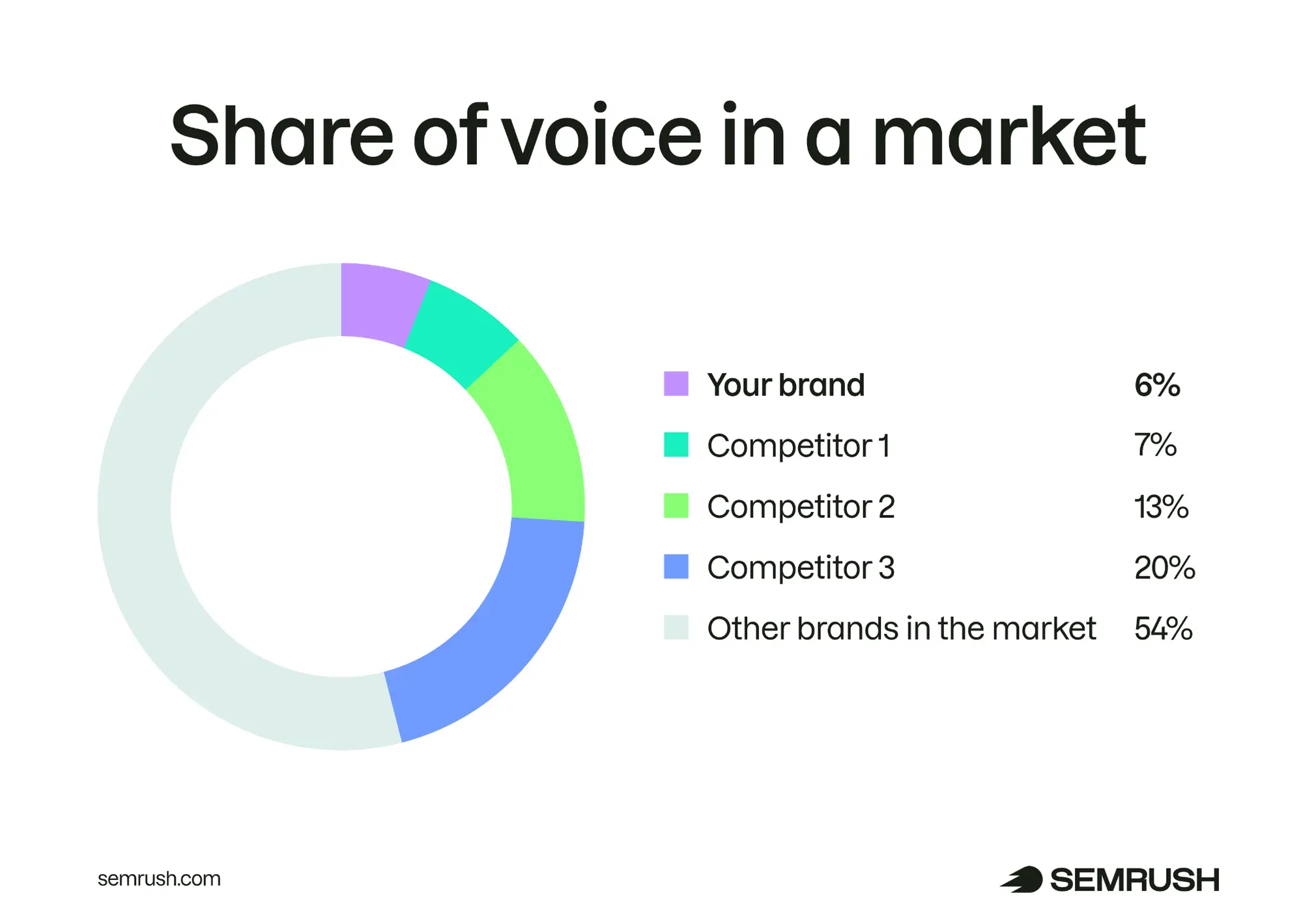
Of course, the keywords you choose matter a lot here. If you track mostly your brand name or loosely related topics, the numbers might look encouraging without telling you much about your ability to reach potential customers.
So, start with a consistent set of relevant searches. For a consulting company, these could include the services it offers and the problems clients need help solving.
Alongside share of voice, it’s useful to track:
Read these numbers together. If impressions increase but clicks don’t, check which queries gained exposure and what the results pages look like. Your pages might be appearing for broader searches, or other search features could be attracting attention.
And keep your keyword set consistent between reports. Otherwise, a change in share of voice could simply reflect a change in what you’re measuring.
Not all organic visits have the same value for your business. This sounds obvious, but it’s surprisingly easy to forget when the monthly traffic chart is going up.
Imagine that you run a company selling project management software. You publish an article about workplace jokes, and it starts getting lots of Google traffic. Meanwhile, visits to your product pages haven’t changed, and neither have signups.
Has your traffic grown? Yes. Whether that growth is helping the business is something you still need to find out.
That’s why your SEO performance report should show which pages are attracting visitors, rather than stopping at the website total.
Start with product and service pages, then look at comparisons, guides, and other content related to what you offer. Blog posts deserve attention, too, especially when they answer questions your potential customers have.
You’ll also want to separate two types of searches:
Both are useful. But they tell you different things. An increase in branded clicks might follow a marketing campaign, while more non-branded clicks can show that you’re being discovered through relevant searches.
GA4 helps you review organic traffic to individual pages, and analyze it by specific channel group. For the search queries behind Google clicks, use Search Console.
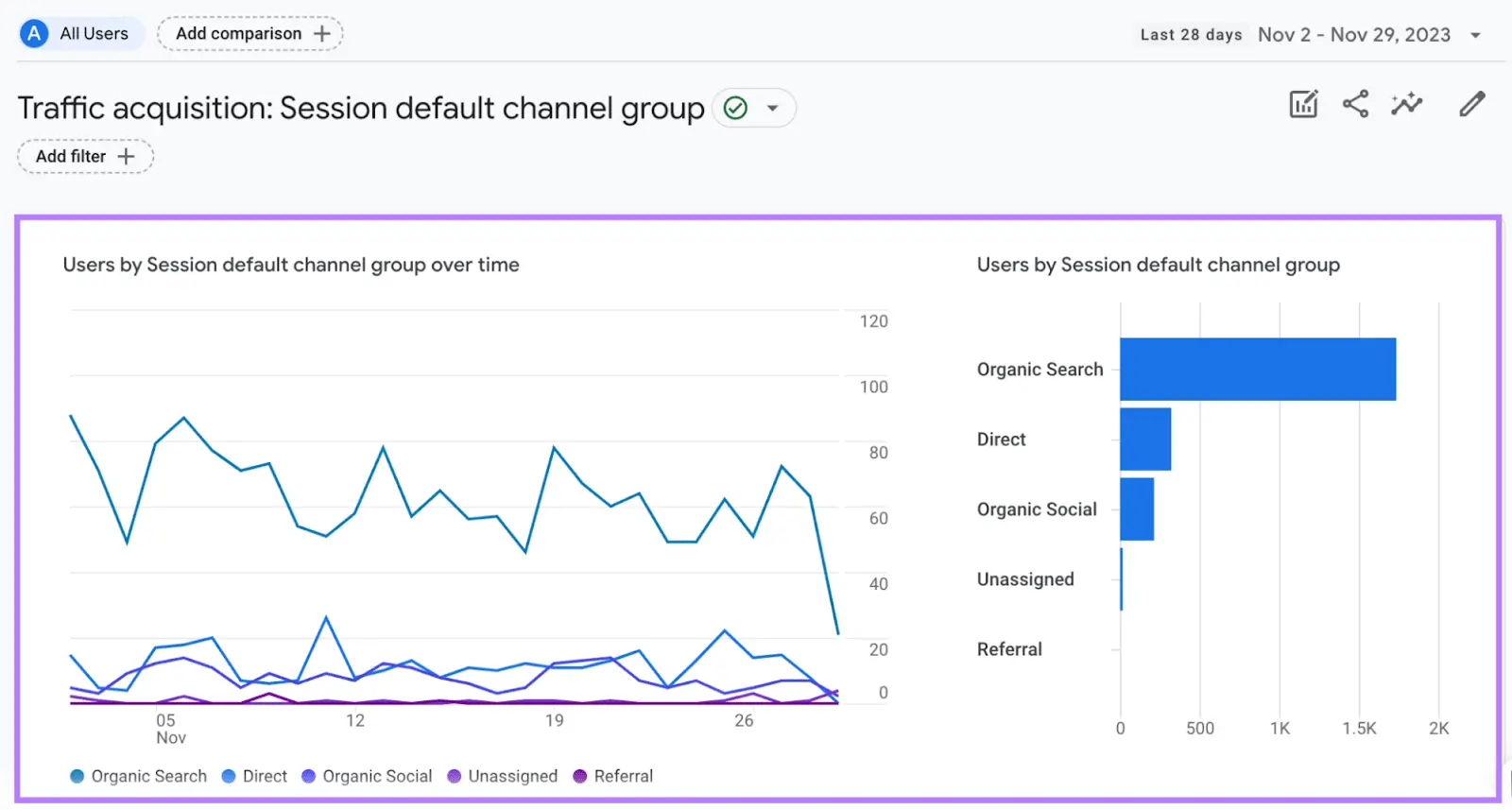
With these details, you can explain what’s growing and whether it’s the kind of growth you were working towards.
When you’re doing outreach, it’s tempting to judge the results by how many backlinks you’ve gained. After all, getting those links takes time and money.
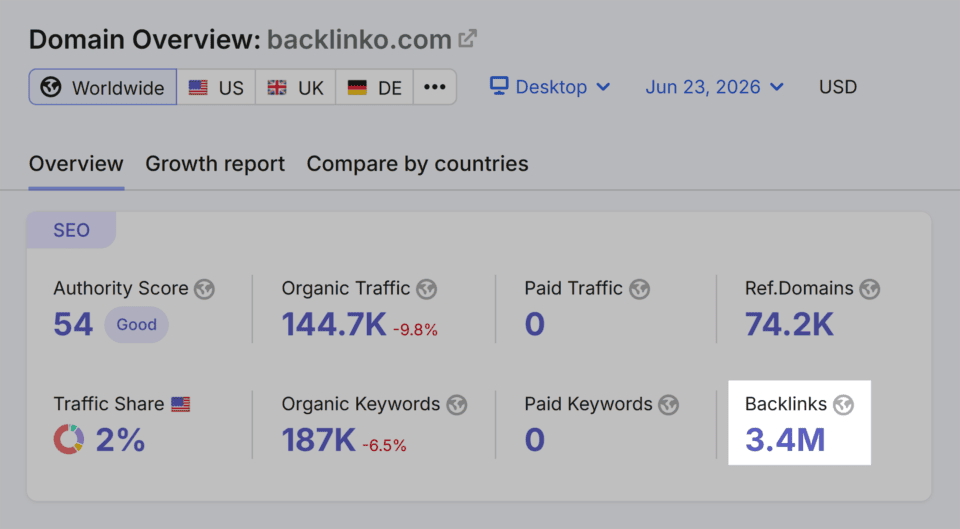
To understand how your backlink profile is developing, look at where those links come from and whether they’re relevant to your business.
A link from an article closely related to your service has an obvious purpose. The reader can follow it to learn more. With a link squeezed into an unrelated paragraph, that connection is much harder to explain.
So, your report should cover:
The same applies if you use Adsy or hire someone to handle outreach. Include those placements in your SEO performance report so you can review what your budget has paid for.
Of course, you can’t credit every ranking improvement to a new link. But you can keep track of what was placed, where, and what happened afterward.
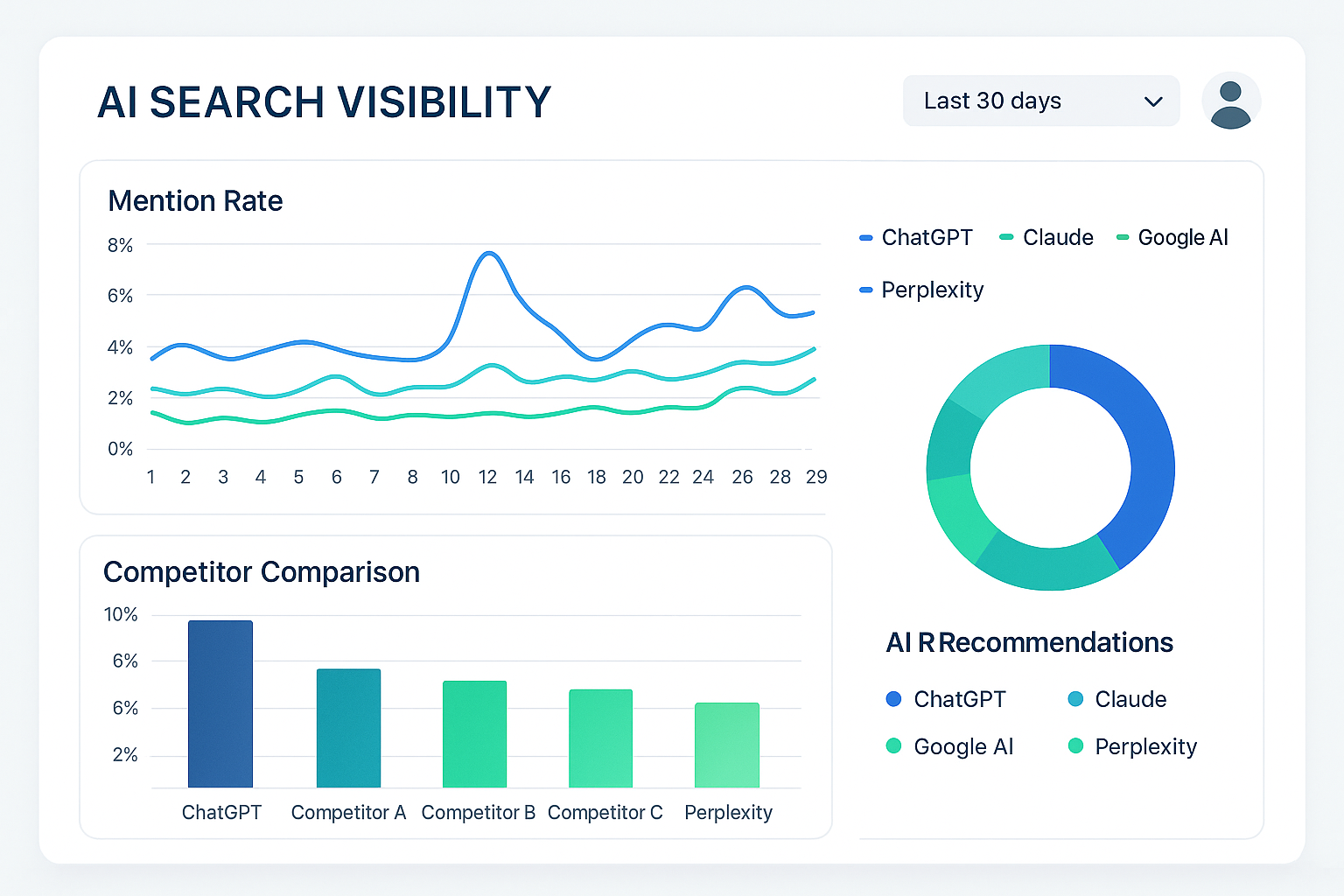
Let’s say ChatGPT recommends three companies for a service you offer, and yours is one of them. That’s worth knowing. But you’ll also want to know whether you appear regularly or simply happened to show up that time.
When deciding how to measure AI search visibility, start with repeated checks rather than a single answer.
Choose questions your potential customers might ask, then monitor the same questions across your chosen AI platforms. There are four things to record:
Keep the first two separate. AI might recommend your product based on somebody else’s review, so your brand gets mentioned while another website gets the citation.
And don’t expect mentions and visits to grow at the same rate. Some people will read the answer and go no further. Your report should leave room for that difference, as well as cover your competitor AI visibility across major generative systems:
Let’s say organic traffic has grown for three months, but the number of inquiries hasn’t changed. There might be a good explanation. Still, it’s something your SEO report should address, especially if getting more inquiries was the goal.
Start with the actions that matter to your business. Depending on what you sell, these could include:
Then check how many came from organic search. Include the conversion rate, too, so you can see whether a larger share of visitors is taking those steps.
And look beyond form submissions where you can. Twenty inquiries might sound promising, but if most come from people you can’t help, your sales team will have a different view.
Some customers will also take longer to decide. Someone might discover you through a Google search and return directly a week later to buy. Keep that in mind when explaining which results your report attributes to SEO.
After a website redesign, there’s usually plenty to check. Old links, new URLs, redirects, pages that no longer exist. This is when the technical section of your SEO results report becomes particularly useful.
But even then, you don’t have to include the entire technical SEO audit in your report.
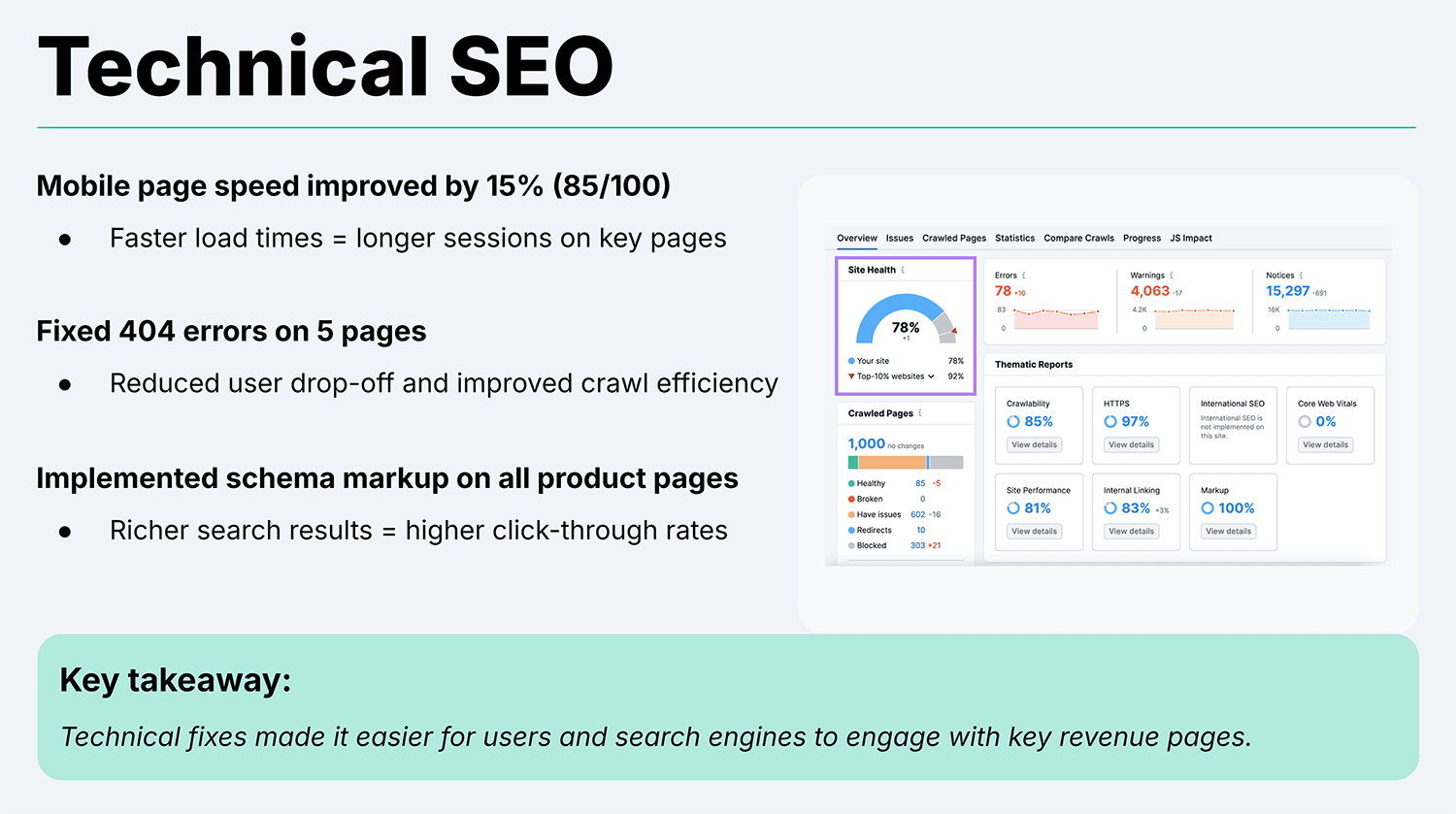
Start with issues affecting important pages. If customers can’t reach a product category, or Google can’t index your service pages, those problems deserve attention.
For each one, explain:
You can also include loading problems, server errors, and broken internal links where they affect pages you’re actively promoting.
And if there’s nothing significant to report, keep this section brief. A generic site health score won’t add much unless you explain what changed behind it. The useful part is knowing which problems still need work and which fixes have been checked.
Some numbers are easy to report because they keep going up. More backlinks, more ranking keywords, a higher authority score. And, of course, it’s tempting to present those increases as evidence that your SEO is working.
But before including them, check what’s behind the change. Hundreds of new keywords won’t mean much if they’re unrelated to your business or rank so low that hardly anyone sees your pages.
You shouldn’t discard these SEO KPIs right away and treat them as useless. They just need more context than a monthly total or percentage change. Some can help with research or diagnosis without deserving a place in the main report.
The table below shows where these numbers can mislead and what to report instead.
There’s no single report template that will work for every business. Still, the order matters. If you begin with technical errors and backlink counts, it can take a while before the reader understands what any of it means for them.
Answering these questions will help you structure your SEO report properly:
You can add more detail under each question, depending on what happened during the SEO reporting period. A website migration, for instance, will need more explanation than a month of routine content updates.
But don’t turn the report into a diary of everything the team did. Mention the work that helps explain the results, and make room for problems as well as successes. Otherwise, the reader won’t know where their attention is needed.
The same SEO results can raise different questions for different people. Your manager will probably want to know whether the investment is paying off. The SEO team will need enough detail to work out why certain pages lost traffic and what to do about it.
One of the simplest SEO reporting best practices is to ask who will read the report and which decisions they need to make. You can use the same data while changing how much detail you show, as the table below illustrates.
There’s usually no need to send a full SEO report every week. You’ll often end up discussing small fluctuations while the work you’ve just completed still needs time to show results.
A monthly report gives you a more useful interval for reviewing progress. Then, every quarter, take a longer look at whether the strategy is helping you reach your goals.
Of course, this depends on what’s happening with the website.
During a redesign or migration, a short weekly update can help everyone follow the fixes and outstanding problems. Once that work is finished, you can return to your normal schedule.
Just don’t confuse SEO reporting with monitoring. Your team should still check for significant problems between reports, and flag anything that needs a quick decision. Nobody should discover a serious issue weeks later simply because that’s when the next report was due.
You can get quite far with Search Console and GA4. Start there and see which questions remain unanswered. If you need to investigate competitors or backlinks, that’s a reason to add another tool, rather than buying several upfront.
Most of the repetitive work: collecting numbers, updating charts, and sending the report on schedule. But someone still needs to read it. A traffic drop needs an explanation, and the tool won’t necessarily know what happened in your business.
First, check whether you got what you wanted from the work. More inquiries? More purchases? Better visibility for a particular service? Then use rankings and traffic to investigate the changes. An increase means more when you know what it achieved.
Usually, you’ll need to think in months. But there’s a difference between correcting an indexing mistake and getting a new website to compete for difficult searches. Look for progress along the way, without expecting every change to produce immediate sales.

Irina is a Founder at ONSAAS, Growth Lead at Aura, and a SaaS marketing consultant. She helps companies to grow their revenue with SEO and inbound marketing. In her spare time, Irina entertains her cat Persie and collects airline miles.
.svg)
.svg)
.svg)

.svg)
%20(1).svg)
%20(3).svg)
.svg)
.svg)