Work through a technical SEO audit in four tiers: crawlability and indexing, architecture and URLs, page experience, and structured data. The order matters. A page no crawler can reach gets no benefit from a faster LCP, so fix foundational issues before moving up the stack.
The checks you need will depend on your platform, site size, and what triggered the audit.
What a Technical SEO Audit Actually Covers
A technical SEO audit looks at the infrastructure that helps search engines and AI crawlers reach, render, index, and understand your pages. A technical SEO checklist turns that into a repeatable set of checks, with a clear pass condition for each.
The audit covers:
Server responses and redirects
Robots directives and XML sitemaps
URL structure and canonical tags
Rendering and internal links
Page performance and mobile usability
HTTPS, structured data, and entity signals
It stops where content begins. Keyword targeting, title and heading copy, content depth, and backlink profiles belong in separate audits. Mixing everything together is how a technical audit turns into a six-week project with no fixes shipped.
Your pages are now fetched by two broad groups of crawlers: traditional search engine bots that build indexes for ranking, and AI crawlers that fetch pages for chat interfaces and answer engines. They generally read the same HTML and follow the same robots directives, but you may want to give them different access. Document that decision as part of the audit.
Each tier also gates the next. A URL blocked in robots.txt is invisible regardless of its canonical. A crawled page with a stray noindex cannot benefit from the internal links pointing to it. And a page that is technically indexed but takes six seconds to load may lose users before structured data has a chance to help.
Uncrawlable comes before unindexed, which comes before slow or unenhanced.
Most sites can run this audit in-house. Search Console, PageSpeed Insights, and a desktop crawler cover most of the work, and many fixes are configuration changes rather than engineering projects. Outside help becomes more useful for large sites where crawl sampling and log-file analysis matter, or for JavaScript-heavy applications where someone needs to diagnose the rendered output.
The Audit Toolkit: What Each Tool Actually Measures
Five tools cover most of this checklist, and four are free. Search Console shows Google's view of the site. PageSpeed Insights measures page experience. Screaming Frog follows a crawler's path through the site, while the Rich Results Test checks structured data. Semrush adds scheduled crawls, historical comparisons, and shared issue tracking.
A language model cannot crawl your domain, access your Search Console property, or measure real-user performance, so it cannot perform the audit itself. It can still help interpret crawl exports, write regex for redirect rules, explain unfamiliar status-code patterns, or draft JSON-LD for validation.
Tool
What it audits
Free or paid
Best for
Main blind spot
Google Search Console
Indexing, sitemaps, crawl stats, Core Web Vitals field data
Free
Any site
Verified properties only; crawl data is sampled and delayed
PageSpeed Insights
LCP, INP, CLS, lab diagnostics, field data
Free
Any site, one URL at a time
No site-wide view; field data needs enough traffic
Screaming Frog
Status codes, redirects, canonicals, robots, links, sitemap comparison, JS rendering
Free and paid
Small to large sites
Large rendered crawls need more memory and run slowly
Google Rich Results Test
Structured data syntax and rich-result eligibility
Severity scores are Semrush's judgment, not Google's
1. Google Search Console
Search Console shows what Google decided about your pages. For example, it can tell you that a URL is "Duplicate, Google chose different canonical" and show which URL Google selected.
After fixing a noindex or resubmitting a sitemap, URL Inspection's live test can confirm whether Googlebot can see the change before the main reports update.
Its main capabilities include:
Page indexing reasons for excluded URLs
URL Inspection with rendered HTML, resources, and live testing
Sitemap submission and discovered-URL counts
Crawl stats by response code, file type, and purpose
Core Web Vitals field data grouped by URL template
2. PageSpeed Insights
PageSpeed Insights helps explain why a specific page is slow. It runs a throttled lab test and, when enough traffic is available, pairs that with real-user field data.
Use it after Search Console identifies a failing template. Testing a representative product or article page is much more useful than testing a random URL.
The report includes:
LCP, INP, and CLS
Separate mobile and desktop results
Performance opportunities such as image optimization and render-blocking resources
Element-level attribution for the page's LCP element
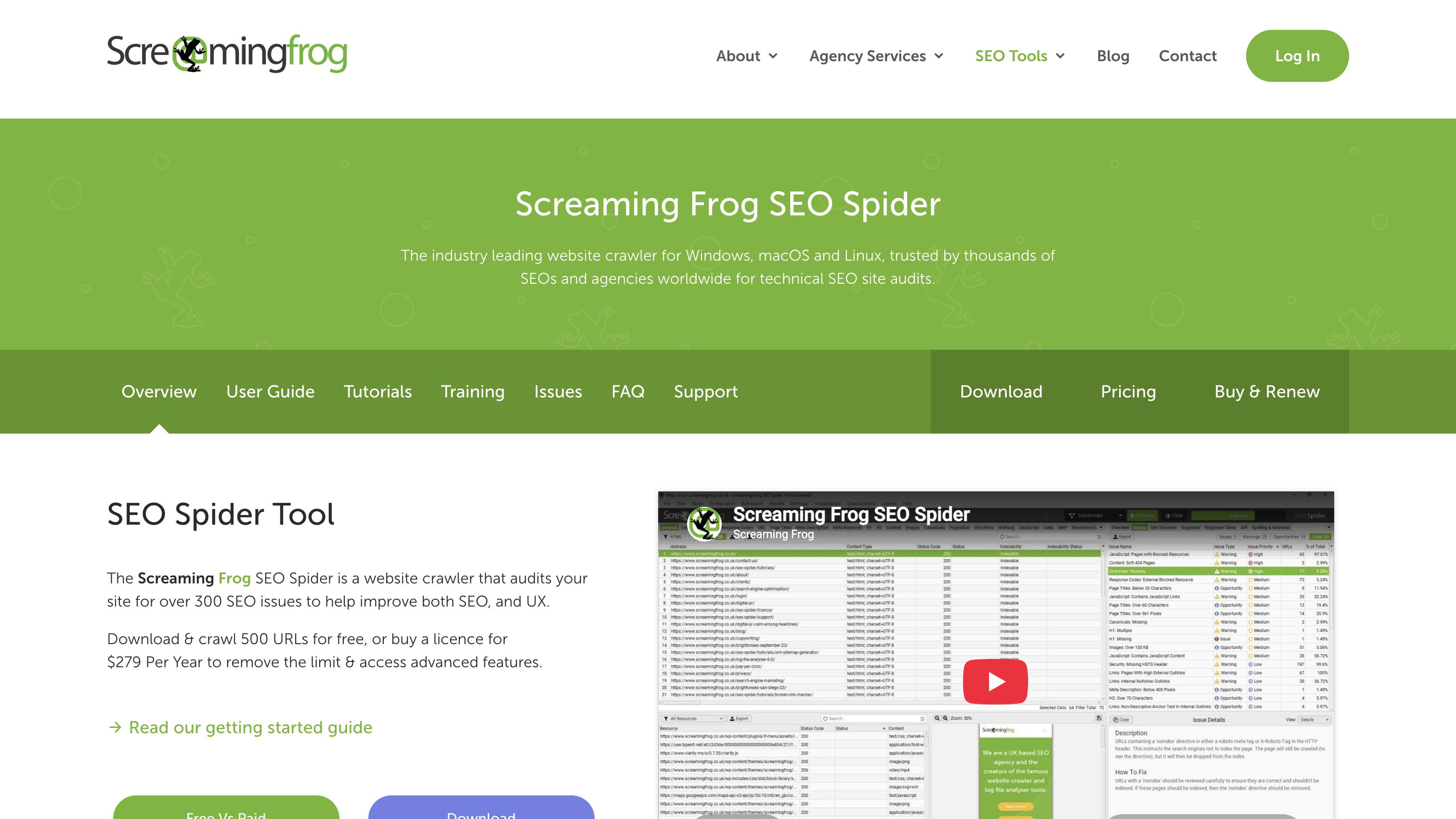
3. Screaming Frog
Screaming Frog records status codes, redirect hops, canonicals, meta robots tags, and internal and external links in a filterable table. Search Console tells you what Google decided; the crawl helps you understand why.
It can also compare raw source with rendered HTML on JavaScript-heavy templates and compare sitemap URLs with crawl results. Useful reports include redirect chains, broken links and their source pages, and sitemap URLs that weren't found during the crawl.
4. Google Rich Results Test
The Rich Results Test checks whether Google can read your structured data and which rich-result types the page may qualify for. You can test a live URL or paste code, and the tool separates errors from warnings.
Test one URL per template rather than every page. If a Product template has a schema problem, the same issue is likely to appear across its other product pages.
5. Semrush
Semrush runs scheduled crawls, groups findings by severity, and shows what changed between crawls. A desktop crawler can perform many of the same checks, but teams have to build the history and workflow themselves.
For a solo operator auditing quarterly, Screaming Frog and Search Console may be enough. Teams that need recurring crawls, trend lines, and assigned work may get more value from a cloud-based audit.
Scope Your Audit: Platform, Size, and Symptom
Three questions determine which checks matter most.
What platform runs the site? On WordPress, check the SEO plugin layer first. Sitemaps, canonicals, and noindex rules often come from plugin settings that can change after updates. Ecommerce platforms tend to create lots of filter and parameter URLs, so crawl traps deserve more attention. For JavaScript frameworks such as Next.js, check rendering early. A raw HTML crawl of a client-rendered site can give you misleading results.
How large is the site? For a few hundred pages, crawl everything and review the export manually. Once you reach a few thousand pages, sample by template. Include the homepage, category, product, article, tag archive, paginated page 2, filtered URL, and search result. Use crawl-wide reports for issues such as redirect chains and crawl waste. Auditing every URL on a large site often creates a spreadsheet nobody acts on.
What triggered the audit? A routine audit should cover all four tiers. A specific problem should start with the checks most likely to explain it.
Faceted URLs, internal search, tag archives, pagination, redirect chains
Priority 1: Crawlability, Rendering, and Indexing
Finish this tier before moving on to performance or structured data.
robots.txt at root
What to check: Fetch the file directly and check every Disallow rule, including whether it blocks CSS or JavaScript needed for rendering.
Tool: Browser and URL Inspection's live test.
Pass: Nothing important for indexing or rendering is blocked.
Fix: Narrow overbroad rules and retest affected URLs.
AI crawler directives
What to check: Make an explicit decision about GPTBot and ClaudeBot access by content type rather than relying on CMS defaults.
Tool:robots.txt
Pass: Marketing pages, documentation, gated content, paid content, and member-only areas follow a documented access strategy.
Fix: Add crawler-specific directives. Allow pages you want cited by answer engines and consider blocking gated or private content.
XML sitemaps
What to check: Crawl every URL in the sitemap and confirm it updates automatically as content is published.
Tool: Screaming Frog and Search Console.
Pass: The sitemap contains only canonical, indexable, status-200 URLs.
Fix: Correct the sitemap generator and resubmit the sitemap.
Rogue noindex scan
What to check: Scan both the meta robots tag and X-Robots-Tag header. Header-level directives won't appear in page source, and staging rules can survive a launch.
Tool: Screaming Frog and URL Inspection.
Pass: No page you want indexed carries noindex.
Fix: Remove the directive from the plugin, CMS, or server configuration that added it.
Index bloat and crawl budget
What to check: Look for internal search results, parameter duplicates, tag and date archives, and pagination that consume crawl activity without adding search value.
Tool: Search Console crawl stats and a full crawl.
Pass: Crawl activity is focused on pages that need search visibility.
Fix: Remove unnecessary crawl paths and address faceted-navigation issues in Priority 2.
Soft 404s
What to check: Find pages that return 200 but show empty results, an error message, or a "no products found" state.
Tool: Search Console's page indexing report.
Pass: Missing or empty content returns an accurate status.
Fix: Use a 404 or 410 when content is gone, a 301 when it has a genuine replacement, or restore the content when a broken template is responsible.
Orphan pages
What to check: Compare URLs found through internal links with sitemap URLs and recent analytics landing pages. The remainder contains potentially valuable pages with no internal link path.
Tool: Screaming Frog, sitemap, and analytics.
Pass: Every valuable indexable page is reachable through internal links.
Fix: Link valuable orphans from relevant hubs or categories. Redirect or remove obsolete ones.
JavaScript rendering
What to check: Compare raw HTML with rendered HTML, especially for navigation links and product or article grids.
Tool: Screaming Frog's rendering mode and URL Inspection.
Pass: Important links appear as crawlable <a href> elements in rendered HTML.
Fix: Server-render or prerender affected templates and replace click handlers with real links.
Priority 1: Pass/Fail Checklist
☐ Robots.txt blocks nothing critical
☐ GPTBot and ClaudeBot access is an explicit decision
☐ Sitemap contains only canonical, indexable, status-200 URLs
☐ No rogue noindex directives
☐ No significant crawl waste from search, tag, or pagination URLs
☐ No soft 404s
☐ No valuable indexable pages are orphaned
☐ Important navigation and grid links are crawlable in rendered HTML
Priority 2: Site Architecture and URL Integrity
Once crawlers can reach the site, check how they move through it and whether URLs consistently point to the right destination.
HTTP status errors
What to check: Crawl for 4xx and 5xx responses and identify which affected URLs still have internal links.
Tool: Screaming Frog.
Pass: No internal links point to 4xx pages and the crawl returns no 5xx responses.
Fix: Correct broken links at the source. Redirect content only when it genuinely moved to a relevant live URL.
Redirect chains and loops
What to check: Review every redirect and its hop count.
Tool: Screaming Frog.
Pass: Every redirect resolves in one hop with no loops.
Fix: Replace A → B → C with A → C and remove loops.
Canonical tags
What to check: Confirm indexable pages use a self-referencing canonical pointing to a live 200 URL.
Tool: Screaming Frog and URL Inspection.
Pass: No canonical points to a redirect, 404, or noindexed page.
Fix: Align canonical tags, sitemap entries, and index directives around the same preferred URL.
Internal and external broken links
What to check: Crawl both internal and external links and review the source of every failure.
Tool: Screaming Frog.
Pass: No broken internal links remain, and external 404s have been reviewed.
Fix: Update internal links at the source and replace or remove broken external links.
URL structure consistency
What to check: Compare case, trailing slashes, path structure, and tracking or session parameters.
Tool: Screaming Frog.
Pass: One case convention and one trailing-slash convention are enforced, with no session IDs or tracking parameters on indexable URLs.
Fix: Standardize URL generation and redirect inconsistent variants.
Faceted Navigation and Parameter Crawl Traps
A shoes category with eight colors, 12 sizes, 15 brands, and three sort options can create thousands of URLs from a small product catalog. Most crawlers will follow those filter links, creating a crawl space much larger than the actual site.
Common signs include parameter URLs dominating crawl stats, large groups of filtered URLs under "Crawled - currently not indexed," and crawls that keep discovering URLs long after the known page count has been exceeded.
Filter combinations with search demand
What to check: Identify combinations that match real searches, such as "black running shoes."
Tool: Crawl exports and search-demand data.
Pass: Valuable combinations have stable, indexable landing pages with their own content.
Fix: Create dedicated landing pages for combinations with meaningful demand.
Thin filter combinations
What to check: Find filter states that create near-duplicate pages without search demand.
Tool: Screaming Frog's parameter and canonical reports.
Pass: Thin combinations consolidate to the relevant parent category.
Fix: Canonicalize them to the parent category.
Sort and display-only parameters
What to check: Find parameters that only change sorting, display mode, or the number of results per page.
Tool: Crawl URL patterns and robots.txt.
Pass: These parameters do not consume unnecessary crawl activity.
Fix: Prevent them from becoming crawl paths.
Valueless crawlable filter links
What to check: Inspect the filter interface for crawlable links to combinations that shouldn't be crawled.
Tool: Rendered HTML and a JavaScript-enabled crawl.
Pass: Valueless combinations aren't exposed through crawlable href links.
Fix: Remove crawlable links for filter states that shouldn't enter the crawl path.
Parameter normalization
What to check: Compare URLs generated when users select the same filters in different orders.
Tool: Crawl exports grouped by parameters.
Pass: The same selection always produces the same URL structure and parameter order.
Fix: Normalize parameter ordering and casing.
Previously indexed parameter URLs
What to check: Check whether URLs you plan to block are already indexed.
Tool: Search Console and robots.txt.
Pass: Indexed parameter URLs remain crawlable long enough for search engines to process their noindex.
Fix: Apply noindex first. Once the URLs leave the index, disallow them if necessary.
Hreflang Checks (Only for Multi-Region Sites)
Skip these checks for a site serving one language in one market.
Reciprocity
What to check: Confirm that each language variant references all other variants, including itself.
Pass: Every page in the set has the same complete annotation set.
Fix: Add missing reciprocal references.
Valid codes and x-default
What to check: Review language and region codes and confirm an appropriate fallback.
Pass: Codes are valid and the set includes x-default where appropriate.
Fix: Replace invalid codes and correct the fallback.
Clean targets
What to check: Crawl every URL referenced by hreflang.
Pass: Every target is canonical, indexable, and status 200.
Fix: Replace targets that redirect, error, or carry noindex.
Canonical conflicts and incomplete sets
What to check: Compare hreflang targets with canonicals and look for missing regional or language variants.
Pass: Hreflang and canonical signals point to the same URLs and the set is complete.
Fix: Align canonical and hreflang targets and add missing variants.
Priority 2: Pass/Fail Checklist
☐ No internal links point to 4xx pages
☐ Zero 5xx responses in a full crawl
☐ Redirects resolve in one hop with no loops
☐ Every indexable page has a self-referencing canonical to a live 200 URL
☐ No canonical conflicts with noindex or sitemap signals
☐ Broken external links have been reviewed
☐ Case and trailing-slash conventions are consistent
☐ No tracking or session parameters appear on indexable URLs
☐ Valuable filter combinations have dedicated landing pages
☐ Thin filter combinations consolidate to parent categories
☐ Sort and display parameters don't create crawl waste
☐ Parameter URLs use consistent ordering and casing
☐ Previously indexed parameter URLs receive noindex before crawling is blocked
☐ Multi-region hreflang sets are reciprocal and complete
☐ Hreflang targets are canonical, indexable, and status 200
Priority 3: Page Experience, Mobile, and Security
PageSpeed Insights uses two kinds of performance data. Lab data simulates a page load and helps diagnose problems. Field data comes from real Chrome users on real devices and connections. When the two disagree, use field data for the verdict and lab data to understand the cause.
LCP under 2.5 seconds
What to check: Measure LCP on representative URLs from each major template.
Tool: Search Console Core Web Vitals and PageSpeed Insights.
Pass: LCP is under 2.5 seconds in field data for major templates with enough traffic.
Fix: Identify the LCP element. If it's a hero image, optimize and preload it, size it correctly, and remove render-blocking resources from the critical path.
INP under 200ms
What to check: Look at scripts running during clicks and taps, including chat widgets, tag managers, and analytics.
Tool: Search Console and PageSpeed Insights.
Pass: INP is under 200ms where field data is available.
Fix: Remove unnecessary scripts, break up long JavaScript tasks, and defer non-critical code.
CLS below 0.1
What to check: Look for images, embeds, ads, cookie banners, and promotional bars that shift after the page loads.
Tool: PageSpeed Insights and browser testing.
Pass: CLS is below 0.1 and late-loading elements have reserved space.
Fix: Set explicit dimensions on images and embeds and reserve space for injected elements.
Caching and delivery
What to check: Review caching, compression, and delivery for visitors in different locations.
Tool: PageSpeed Insights and response headers.
Pass: Static assets use sensible caching and compression, with a CDN where appropriate.
Fix: Configure cache headers and compression and add a CDN if geographically distributed traffic justifies it.
HTTPS and SSL
What to check: Inspect the certificate, HTTP redirects, and assets loaded by HTTPS pages.
Tool: Browser security reports and a full crawl.
Pass: The certificate is valid, HTTP redirects to HTTPS, and there is no mixed content.
Fix: Renew invalid certificates, enforce HTTPS, and update assets still loading over HTTP.
Mobile responsiveness
What to check: Test common viewport sizes for readable text, touch-target spacing, horizontal scrolling, and content parity.
Tool: Browser responsive mode and mobile PageSpeed Insights.
Pass: Pages work without zooming or horizontal scrolling, and mobile users receive the same substantive content as desktop users.
Fix: Adjust responsive styles and templates so important content isn't hidden or removed on mobile.
Accessibility
What to check: Review semantic HTML, heading order, alt text, and link labels.
Tool: Rendered HTML and manual template review.
Pass: Pages use logical headings, meaningful alt text, and descriptive links.
Fix: Correct shared templates first, then deal with page-level exceptions.
Priority 3: Pass/Fail Checklist
☐ LCP under 2.5s in field data on major templates
☐ INP under 200ms where field data is available
☐ CLS below 0.1
☐ Images, embeds, and ads have reserved dimensions
☐ Compression and caching are configured
☐ Valid certificate, forced HTTPS, and no mixed content
☐ Mobile pages have readable text, usable touch targets, and no horizontal scrolling
☐ Mobile content is substantially equivalent to desktop
☐ Semantic headings, meaningful alt text, and descriptive links are used
Priority 4: Structured Data and Entity Signals
Structured data has two jobs. Validation checks whether your markup is eligible for rich results. Entity work helps search engines and AI systems connect your site with a consistent business and identifiable authors. Passing the validator only covers the first part.
Validate the syntax
What to check: Test one representative URL per template.
Tool: Google Rich Results Test.
Pass: No required-property errors.
Fix: Clear errors first. Warnings can often wait. Re-test after template changes.
Match markup to page reality
What to check: Compare schema values with visible content, including prices, ratings, reviews, and database fields. Also check whether the theme and SEO plugin both generate the same schema.
Tool: Rich Results Test and manual review.
Pass: Schema accurately describes visible content, with no duplicate or conflicting blocks.
Fix: Remove stale fields, unsupported ratings, mismatched prices, and duplicate markup.
Scope it deliberately
What to check: Make sure each schema type fits the page and its actual content.
Tool: Template inventory and Rich Results Test.
Pass: Every template uses schema types that accurately describe its visible content.
Fix: Remove markup added simply to increase the amount of structured data.
Reinforce the entity
What to check: Compare Organization schema with the business name, logo, address, and contact information used elsewhere. Review Author schema for stable identifiers across each person's content.
Tool: Page source, Rich Results Test, and template review.
Pass: Organization information is consistent and uses sameAs links to profiles the business controls. Authors have stable identifiers.
Fix: Standardize Organization and Author data across templates.
Valid markup can make a page eligible for a rich result. Consistent Organization and Author entities give search engines and AI systems stronger signals about who the site represents and who created its content.
Priority 4: Pass/Fail Checklist
☐ One URL per template passes the Rich Results Test with no errors
☐ Schema only describes content present on the page
☐ No duplicate or conflicting schema blocks
☐ Organization data is consistent and uses relevant sameAs links
☐ Author data uses stable identifiers
Put This Technical SEO Audit Checklist Into Action
Crawler reports can put a missing alt attribute right next to a server error, so don't simply work from the tool's issue order. Prioritize based on impact.
Fix this week: Anything blocking crawling or indexing on revenue-generating pages, broken canonicals or noindex directives, 5xx errors, and migration-related redirect chains.
Fix this quarter: Crawl waste from parameters and search URLs, Core Web Vitals failures on important templates, and mobile usability problems on high-value pages.
Safe to deprioritize: Long meta descriptions on low-value pages, isolated missing alt attributes on decorative images, and low-severity tool warnings with no meaningful search impact.
For every issue, ask two questions: Does it prevent a page from being found, understood, or used? And does it affect a page that matters?
If both are true, fix it now. If one is true, schedule it. If neither is true, close the ticket.
Technical SEO also has a ceiling. If pages are indexed, crawlable, fast, and correctly canonicalized but still don't rank, the problem is probably content quality, intent mismatch, or links. More technical auditing won't fix those problems.
Technical debt also comes back with every release, so make these checks part of a repeatable schedule.
Trigger or interval
What to re-check
One-time setup
AI crawler directives, HTTPS and certificate renewal, URL conventions, hreflang for multi-region sites, Organization schema
Monthly
Search Console indexing reasons and crawl stats, new 4xx/5xx errors, redirect chains, sitemap accuracy, Core Web Vitals
Full old-to-new crawl, redirects and loops, canonical targets, sitemap regeneration, internal links, hreflang, Core Web Vitals
After a sudden traffic or indexing drop
URL Inspection, noindex scan, canonical inspection, soft 404s, server errors and logs
Deployment checks catch problems ordinary QA can miss, including staging noindex tags, overwritten robots.txt files, and silently changed canonicals. The four pass/fail sections above can also be copied into a spreadsheet or document and reused as your standard technical SEO audit template.
Have questions
No items found.
By clicking “Accept All Cookies”, you agree to the storing of cookies on your device to enhance site navigation, analyze site usage, and assist in our marketing efforts. View our Privacy Policy for more information.
Cindy is an Outreach Manager and SEO Specialist at ONSAAS who helps SaaS companies grow through strategic link building and SEO. Outside of work, she loves spending time in nature, especially hiking in the mountains.
By clicking “Accept”, you agree to the storing of cookies on your device to enhance site navigation, analyze site usage, and assist in our marketing efforts. View our Privacy Policy for more information.

.svg)
.svg)
.svg)

.svg)
%20(1).svg)
%20(3).svg)
.svg)
.svg)