
.svg)
%20(1).svg)
%20(3).svg)
Back to articles
SaaS Security: How To Protect Your Data + Best Practices
September 11, 2026
By
Burkhard Berger
Your CRM, your payroll, your customer support data, your internal docs – they are all floating around in SaaS tools you don’t host, don’t patch, and often barely review. Still, SaaS security is usually one of those “we will deal with it later” things. Right after that new tool is live. Right after the data is synced. Right after... You get the idea.
But the faster you stack apps, the faster your risk piles up, too.
We are not here to fearmonger. It is about facing reality before it hits your inbox with a “your data may have been compromised” subject line. So, let’s get straight to the point – what SaaS security actually means and exactly how to fix the security gaps you didn’t know were wide open.
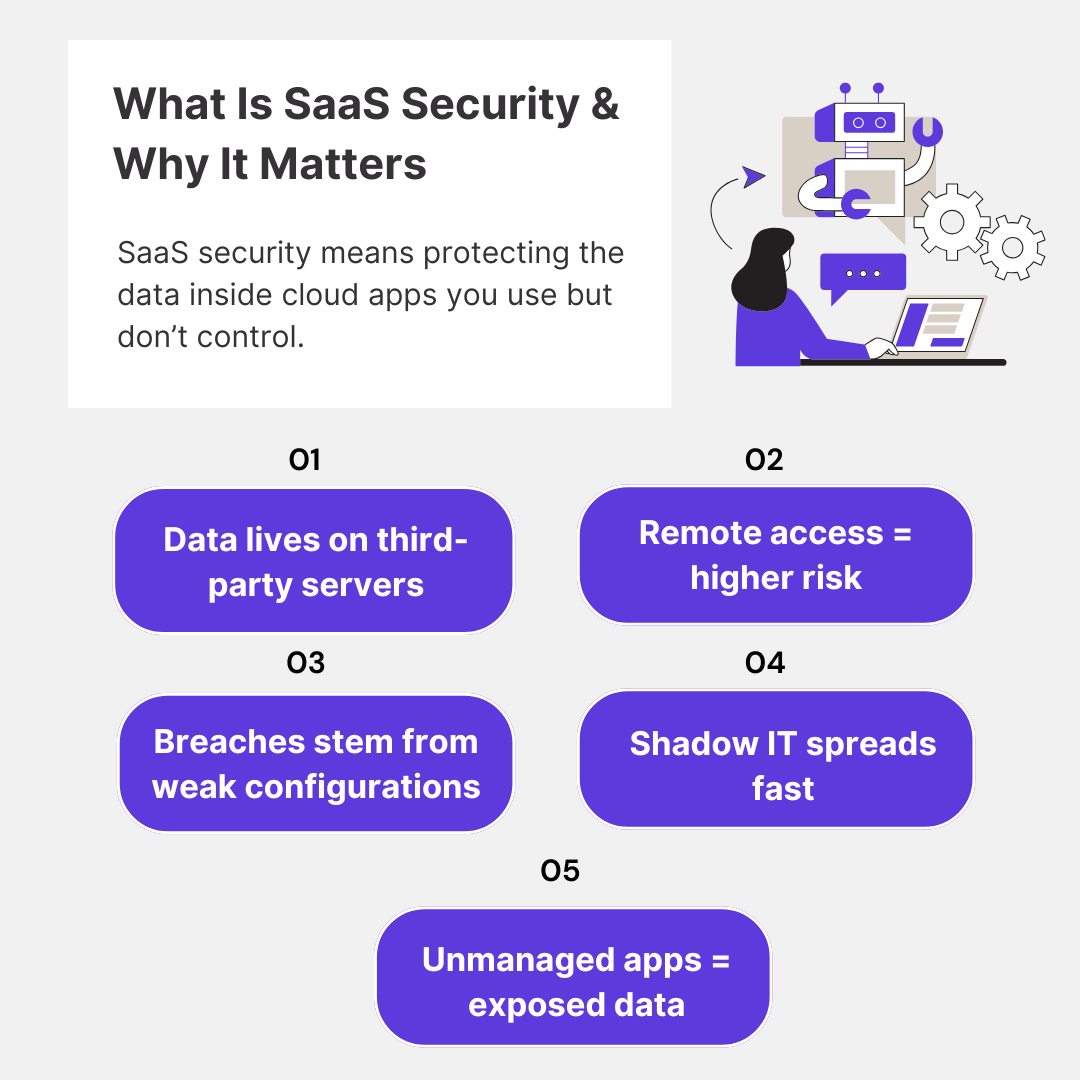
SaaS security protects the data and security controls inside the cloud-based apps your team uses every day. You don’t host these platforms. You don’t control their infrastructure. But you do rely on them to run your business. That is where the problem starts.
Traditional on-prem software and SaaS apps may serve similar functions, but the big difference is where they live – on-prem stays inside your infrastructure, while SaaS apps operate entirely outside your perimeter.
Your data is stored on third-party servers, and your teams access it from different locations. And because you don’t manage the backend, your security comes down to how well you have set things up: user access rules, permissions, continuous monitoring, integrations.
So, why does it matter?
Because costly data breaches rarely happen through brute force anymore. It is a leftover admin account that no one disabled. It is a random app someone connected to Slack that quietly pulls data. It is poor configurations or shadow IT that no one is tracking.
In fact, most organizations don’t even know how many SaaS apps are in use, let alone who has access to what.
So, if you are not looking at how your SaaS stack is secured, you are leaving your most critical data exposed. And in today’s threat landscape, that is not a risk you can afford.
Also read: How to Start a SaaS Company in 2025: A Step-by-Step Guide for Founders
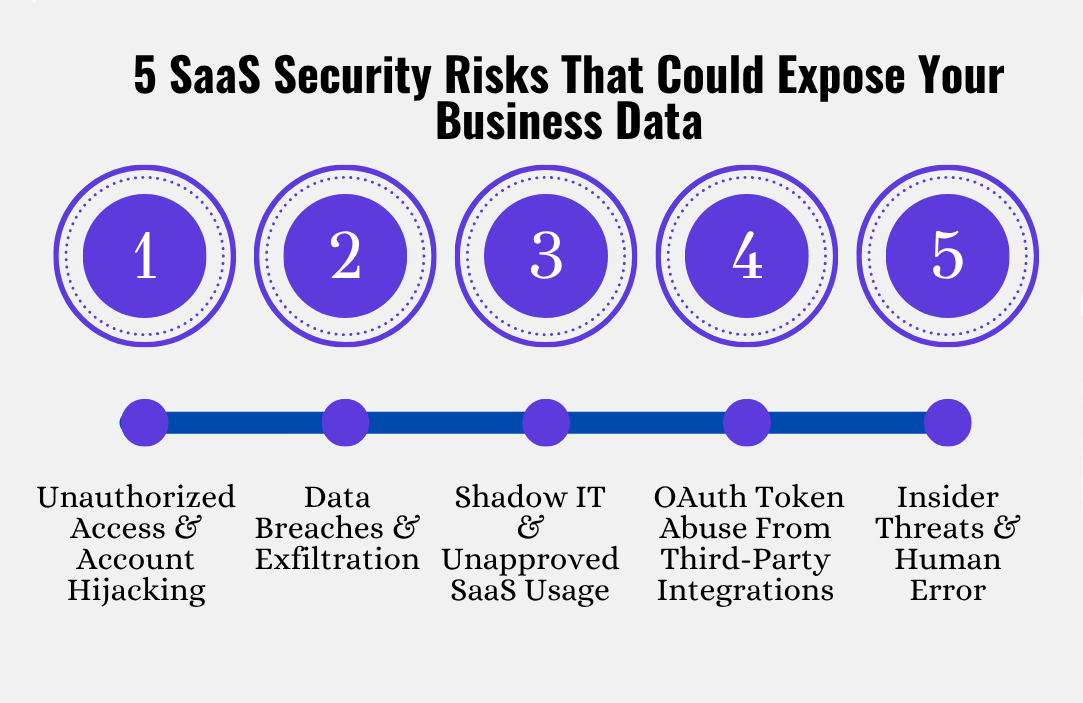
Here are 5 specific SaaS security issues that quietly slip past most teams, and how they end up exposing way more than you would expect.
The thing with SaaS is that once someone gets valid login credentials, they are in. There is no firewall to stop them, no internal network segmentation to slow them down. That makes SaaS accounts a high-value target.
Attackers get in through credential stuffing, phishing, or access token theft. And if multi-factor authentication isn’t enforced, or worse, not supported, it is game over. The bigger risk is that most SaaS platforms don’t give you real-time visibility into who is logging in or what they are doing once inside.
So a compromised account can sit undetected for weeks, especially if it belongs to someone with admin privileges.
SaaS tools are data-rich, and attackers know it. Security breaches don’t have to mean a full platform compromise. It could be as simple as syncing a third-party tool with overly broad permissions or accidentally exposing a file via a shared link.
Since you don’t own the SaaS platform’s backend, you don’t get much visibility into how the data is being handled. Most apps offer minimal audit logs. And if data is being exfiltrated slowly, say, one file at a time over a few weeks, you might never notice.
Especially in tools like Google Drive or Box, where sync settings are easily misused and data can be shared with external users with just a couple of clicks.
Also, don’t assume your SaaS provider’s security guarantees anything. Their job is to secure the infrastructure. Yours is to secure how you use it. That boundary is often misunderstood, and that is where things get risky. If you want to explore more ways to strengthen your online security posture, VPNpro offers practical guides and comparisons.
Not every SaaS risk comes from an attacker. Sometimes it is your own team that is adding tools, integrations, and extensions without security approval or oversight. That is shadow IT. And it is a nightmare for security teams.
It usually starts with good intentions. A marketing manager connects a new email automation tool to Salesforce. A developer installs a browser extension that connects to GitHub. But now those tools have access to your business data, and nobody in security even knows they exist.
The problem is scale. In a growing organization, this can quickly snowball into hundreds of apps and integrations, all with different levels of access. Many of them don’t support basic data security features like SSO or role-based access controls. Some may even keep storing data after you stop using them.
And worst of all? You can’t secure what you don’t know exists. Shadow IT widens your attack surface without you realizing it, and that is the blind spot that causes major security incidents.
Here’s something a lot of people overlook: when you connect a third-party app to your SaaS platform, you are usually authorizing it through OAuth. That token you approve gives the app ongoing access to your account. No passwords. No MFA prompts.
That is where things get risky. If the third-party app gets compromised, attackers can use that OAuth token to pull data or perform actions on your behalf. And you might not even know it is happening, because these actions look legitimate.
The problem is, these tokens don’t always expire, and they grant more permissions than needed. Some apps ask for read/write access when they only need to view one file. Others don’t support granular permission scopes at all. And unless you are actively doing regular security assessments of these integrations, that access just stays open indefinitely.
Most people think of security threats as external. But in SaaS, some of the most damaging cyber threats start from inside – either through malicious intent or just plain carelessness.
Take insider threats, which are responsible for 60% of all data breaches. It could be a disgruntled employee downloading customer lists before quitting. Or a contractor misusing their access to sensitive files. In SaaS environments, access is often way too broad – people get added to groups or folders and never removed.
Over time, that builds up a massive permissions sprawl where almost anyone can touch data they shouldn’t.
Then there is the human error side – arguably more common. Someone accidentally shares a confidential file publicly on Google Drive. Or adds the wrong person to a Notion workspace. Or pastes API keys into a Slack channel. They are day-to-day mistakes, but they expose real data, and in many cases, they go unnoticed.
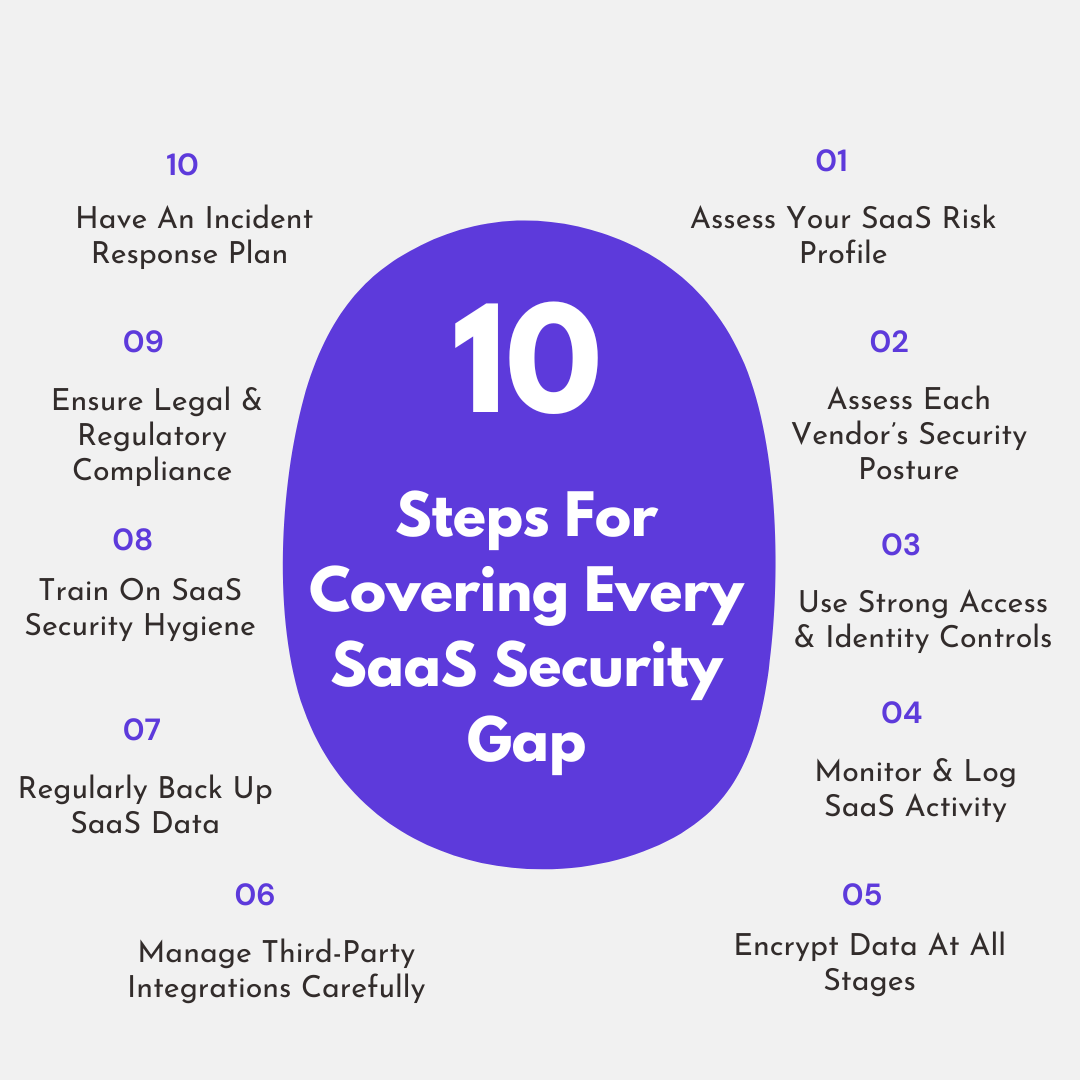
If you are running a SaaS app, you have probably handled security in bits and pieces – a setting here, a policy there. Totally normal. But the cracks add up fast. Here’s a 10-step SaaS security solutions plan that will walk you through exactly what to do and why it matters.
Before you lock anything down, step back and figure out what is even in your environment – and how risky it is.
You want to answer questions like:
All this is to prioritize. You don’t need the same level of scrutiny on your social media scheduler as you do on Salesforce or Google Workspace. But until you map this out, you won’t know where your biggest gaps are.
You are relying on vendors to keep your data safe. But not all SaaS companies are built the same. Some are battle-tested and SOC 2 certified. Others are three-person startups that haven’t touched their permissions model since launch.
What to look for:
If they can’t answer these questions, or worse, you don’t know who to ask, it is worth rethinking how much access you give that platform.
SaaS risk usually boils down to who has access to what. Weak or missing credentials account for 47% of all cloud attacks. So, if you don’t have a strong identity strategy, the rest won’t matter.
Here’s what you need to do:
And don’t forget offboarding. A former employee with lingering access is a major risk vector. SaaS sprawl makes this easy to miss unless you have systematized it.
You can’t secure what you can’t see. Most SaaS apps offer basic audit trails – logins, file access, sharing events, permission changes. Use them.
Here’s what you want to be tracking:
And ideally, centralize this data. You don’t want to check 10 dashboards manually. Implementing a dedicated log management platform helps aggregate logs from applications, infrastructure, and cloud services into a single source of truth, making correlation, troubleshooting, and security investigations significantly faster. If your security stack supports it, pipe logs into your SIEM or cloud security platform for correlation.
Also: monitor OAuth activity. Third-party integrations can silently access data for months if left unchecked.
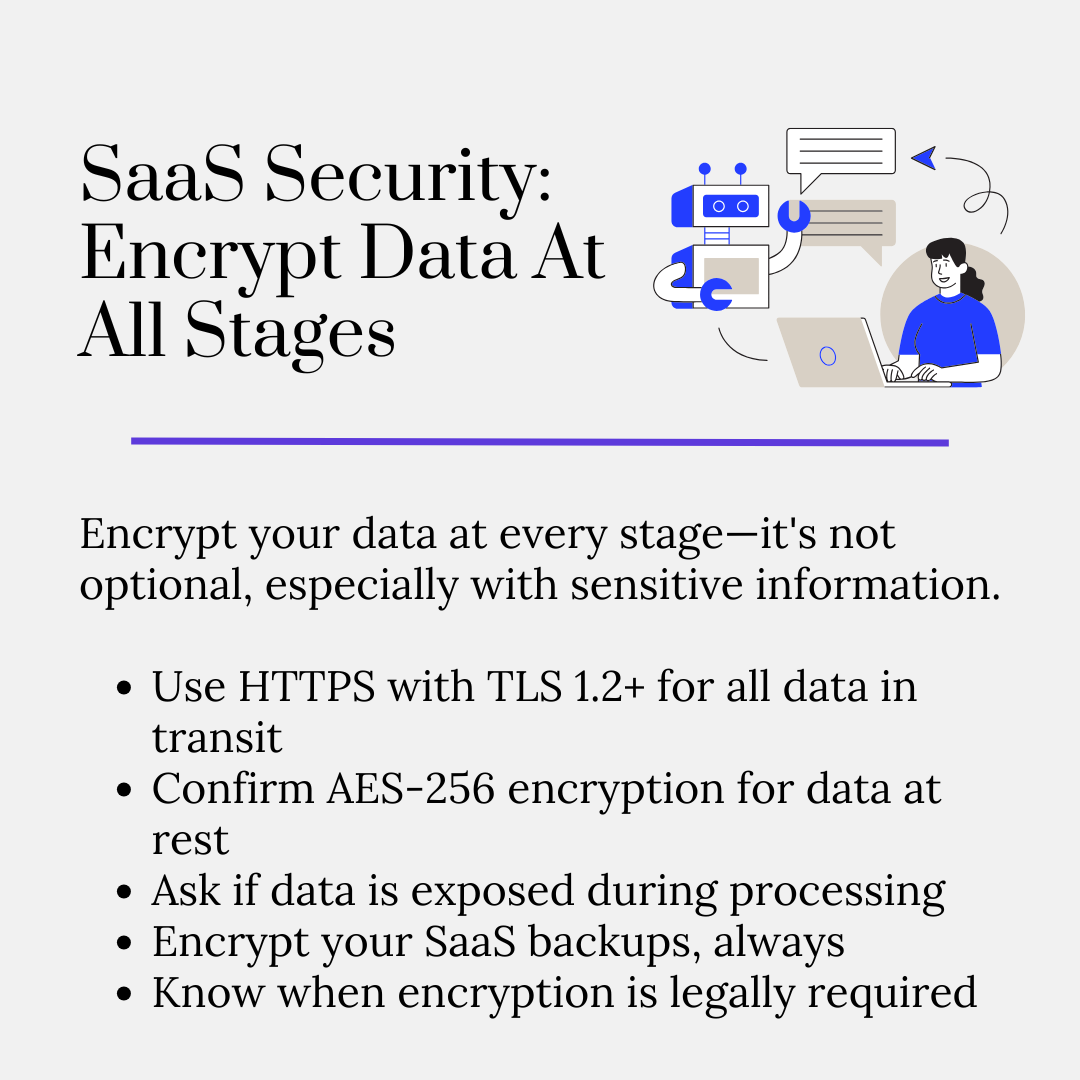
Data encryption is foundational. And while your SaaS provider is likely encrypting data in transit and at rest on their servers, you still need to understand how it works and what you are responsible for.
Break it down like this:
And remember, if your SaaS data includes PII, PHI, or payment info, encryption might not just be “just extra.” It might be legally required.
Third-party integrations are sneaky. One click to “Sign in with Google,” and suddenly that tool has access to calendars, contacts, docs – maybe even Gmail. You would be surprised how many apps your team connects without realizing what permissions they are handing over.
Here’s how to handle integrations without leaving gaps:
Don’t just trust the marketplace badge. Some of the riskiest apps look totally legit on the surface.
This step matters for every industry, but for financial services, it is critical. Firms that deal with sensitive financial data or regulatory filings face a unique set of risks. One rogue integration or poorly scoped permission can trigger data leaks, compliance failures, or even client lawsuits.
To understand it better, take this tax advisory firm that specializes in cost segregation studies for commercial property owners. Their workflow depends on several SaaS tools: secure document collection platforms, financial modeling spreadsheets, e-signature apps, and CRM systems for client management. It is efficient, but also full of risk.
Without tight control over third-party integrations, any employee could unknowingly connect an app that asks for full access to sensitive tax documents or internal financial reports. Even something as minor as a browser extension could create a backdoor into systems holding IRS correspondence or client banking details.
Since financial services firms don’t get second chances with data exposure, they need to be especially disciplined about how third-party apps are vetted, approved, and monitored.
Most people assume SaaS platforms automatically back up everything. Technically, yes – they do… for themselves. But that doesn’t mean you can access those data backups if you delete something by mistake or ransomware hits your cloud data.
You need your own backup strategy. Here’s what to focus on:
Backups are your last line of defense. SaaS gives you uptime, not full data protection.
You can have all the best tools and policies, but if users click “Allow All” on every integration or share sensitive links without thinking, you are still wide open. Security culture and user education matter.
Train your team on the specific SaaS security challenges:
And don’t do one-off training sessions. SaaS risks evolve fast. Keep it ongoing and real-world focused – micro-trainings or Slack reminders when someone adds a risky app.
Now this is essential across the board, but for service-driven businesses that rely on client-facing automation, the margin for error is razor-thin.
Still unclear why this matters? Take a look at how this AI phone answering service for appointment-based businesses fits into this. It responds to queries and integrates with CRMs and booking platforms. All of that is powered by voice recognition, client data, and scheduling logic, which means the security stakes are high.
If a team member grants access to a third-party script or uploads an unverified voice training sample, that error could directly affect client communication. Worse, it could expose personal contact information or payment details if proper restrictions aren’t in place.
This is exactly why their ongoing security hygiene training needs to cover how voice-based AI tools work, what kind of data they handle, and how small missteps (like uploading the wrong script or skipping MFA on linked accounts) can snowball into bigger breaches.
The real takeaway: Teach employees not just the “what,” but the why behind secure SaaS use, especially when the tool acts as the front line of your business.
Compliance in SaaS is about knowing who owns the data, where it is stored, and how it is protected – and making sure that matches what the law (or your customers) expect
Here’s what to lock down:
If you are in a regulated industry or handle sensitive data, compliance comes with the territory, and SaaS adds a lot of moving parts to that equation. And security isn’t just a technical issue – it is a relationship issue too. SaaS breaches shake your customers’ confidence, and how you communicate in such situations matters just as much as how you comply.
Clients will have questions. They will want reassurance and fast, clear answers when issues arise — not canned responses from someone who barely knows the contract. If no one takes ownership at that moment, the damage doesn’t stop at the breach. It follows you into contract losses and regulatory scrutiny.
That is why it is worth hiring a client relationship expert who understands both the business and the risk. They can manage expectations during incidents and security reviews – all the moments when trust is fragile and silence can cost you the renewal.
With 63% of individuals facing cyber abuse at least once, SaaS breaches or misconfigurations are bound to happen. But most teams freeze. What is the first move? Who is on the hook? Which systems do you check first?
Most don’t have those answers – because their IR plans were written for internal infrastructure, not the cloud tools they use every day.
Here’s what to bake into your SaaS incident response:
Keep everything centralized in a single document and clearly reference your incident response basics, covering preparation, identification, containment, eradication, recovery, and post-incident learnings, so teams can respond quickly and in a coordinated way across your SaaS environment.
If this all feels like too much to handle with your current team, hire a dedicated incident responder who understands the nuances of SaaS-specific threats.
But don’t rush into the hire blindly. A poor hire can miss critical warning signs or fail to coordinate across platforms when it matters most. Use these incident responder interview questions to vet candidates properly and make sure you are bringing in someone who can take full ownership of SaaS incident response from day one.
Further read: Top SaaS Startups: 20+ Businesses That Will Inspire You
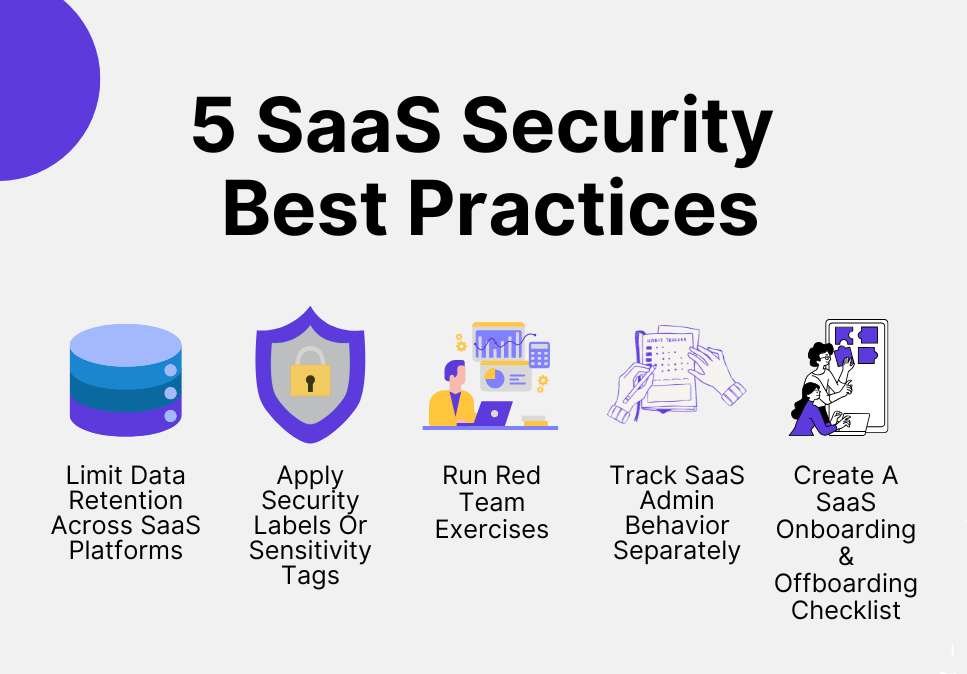
Most teams just need to tighten up what they already have. And a big part of that is actually using the data you are already collecting. When you layer in smart data analysis, your SaaS security posture gets stronger without adding extra tools. Here are 5 best practices that make your SaaS security way harder to mess with.
Most SaaS apps store everything by default – messages, documents, logs, backups. But keeping data forever increases your risk surface. Audit each platform’s data retention settings. Can you auto-delete old Slack messages after 90 days? Can you purge unused Google Drive folders after a set period? The less you retain, the less you risk exposing.
You don’t need to treat your social media calendar the same way you treat customer PII. Apply sensitivity tags (Confidential, Internal, Public) and build policies around them. Many SaaS tools (like Microsoft 365 or Google Workspace) let you set custom metadata or security labels – use those for identity and access management and movement monitoring.
Most orgs run red team drills focused on internal infrastructure, but skip SaaS entirely. That is a mistake. Have your red team simulate what happens if a Google account gets phished. Or if a rogue app is connected to Slack. SaaS attacks don’t follow the same patterns as network breaches, so your response drills shouldn’t either.
Admins have elevated privileges, and in SaaS, one bad configuration change can expose everything. Use separate monitoring or alerting for actions taken by admins: permission changes, new integrations, API token generations, etc. Treat their activity like you would root access on a server. Many security teams also mandate that administrators use a dedicated business VPN when authenticating, ensuring these high-stakes actions only occur over a secured and verified connection.
Most oversights happen during handoffs. Build a SaaS-specific checklist for new hires and departing employees. Make sure access is granted and removed cleanly across all platforms – no lingering accounts, no forgotten tools, no orphaned data.
Effective SaaS security is your responsibility, even if the platform says otherwise. Your vendor handles their side. You are in charge of everything that happens in your environment.
And no, SaaS security measures aren’t about locking everything down or slowing your teams down. It is about building awareness and accountability. Because when something does go wrong – and it will – you want to be the one who saw it coming, not the one writing the apology email.
ONSAAS is a growth partner built specifically for SaaS businesses, with expertise in marketing, positioning, and scaling safely in the cloud era. We deeply understand how SaaS companies operate, and we help you choose the right tools while keeping your SaaS security posture management (SSPM) intact.
You have taken responsibility for SaaS security. Now let ONSAAS help you responsibly choose and scale the right SaaS security tools to accelerate growth without expanding risk.

Burkhard Berger is the founder of Novum™. He helps innovative B2B companies implement modern SEO strategies to scale their organic traffic to 1,000,000+ visitors per month.
.svg)
.svg)
.svg)
.svg)
.svg)