
.svg)
%20(1).svg)
%20(3).svg)
Back to articles
Mailtrap Review 2026: Is It the Right Email API and SMTP Service for Your Product?
October 14, 2026
By
Veljko Ristić
This Mailtrap review covers the email API and SMTP service that product teams compare with Twilio SendGrid, Postmark, Mailgun, and Amazon SES in 2026. It looks at features, plans, support, and fit, based on Mailtrap's documentation, official SDK listings, and live pricing page as of October 2026.
Mailtrap is an email delivery platform that sends transactional and bulk email through a REST API or an SMTP relay, with separate infrastructure for each stream. It suits SaaS and product teams that want high deliverability, mailbox-provider analytics, and a free plan with 4,000 emails per month. It fits less well if you mainly need a marketing automation suite, because campaigns live in a separate Email Marketing product.
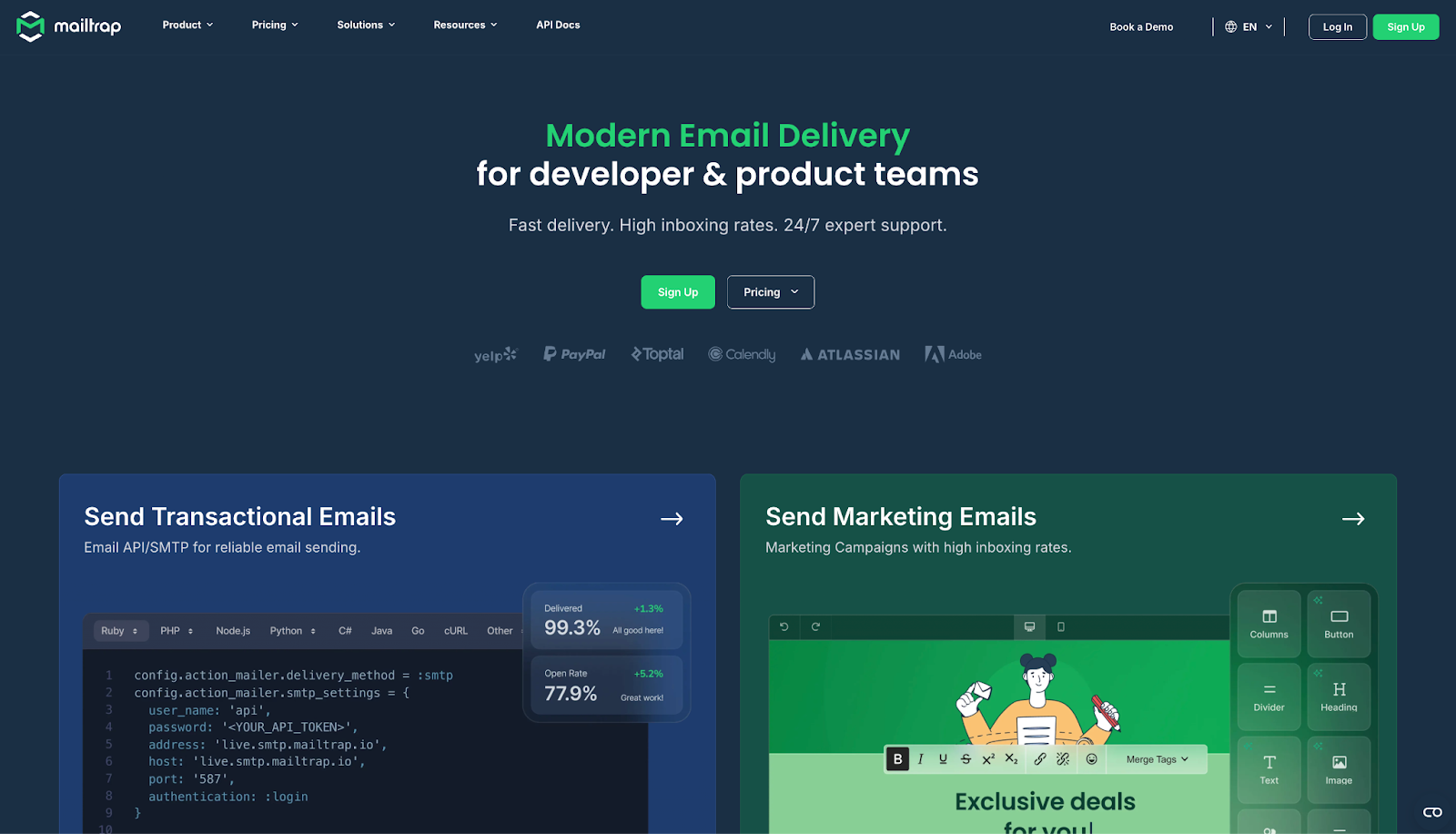
Mailtrap is an email delivery platform for developers and product teams, built around a RESTful API and an SMTP relay. The company says more than 150,000 developers use it, and its customer list includes PayPal, Atlassian, and Adobe.
Email Marketing is a separate product with its own pricing. This review stays on the sending service, Email API/SMTP.
Mailtrap works through an API token or SMTP credentials, and setup takes about five minutes if you have DNS access.
Once the records are in place, Mailtrap validates authentication automatically and every message goes out through its infrastructure.
The Email API is RESTful. The /send endpoint handles transactional email, /bulk handles promotional email, and separate endpoints cover templates, stats, and suppressions. The batch endpoint accepts up to 500 messages per call, and each message can carry up to 1,000 recipients per field.
The API allows 150 requests per 10 seconds per token, so add backoff to your sending code.
The official SDKs cover Node.js, PHP, Python, Ruby, Java, .NET, Go, and Elixir. Laravel and Symfony integrations run on the PHP SDK. If you already send over SMTP, you swap the credentials and keep your code. Both API and SMTP come with every plan.
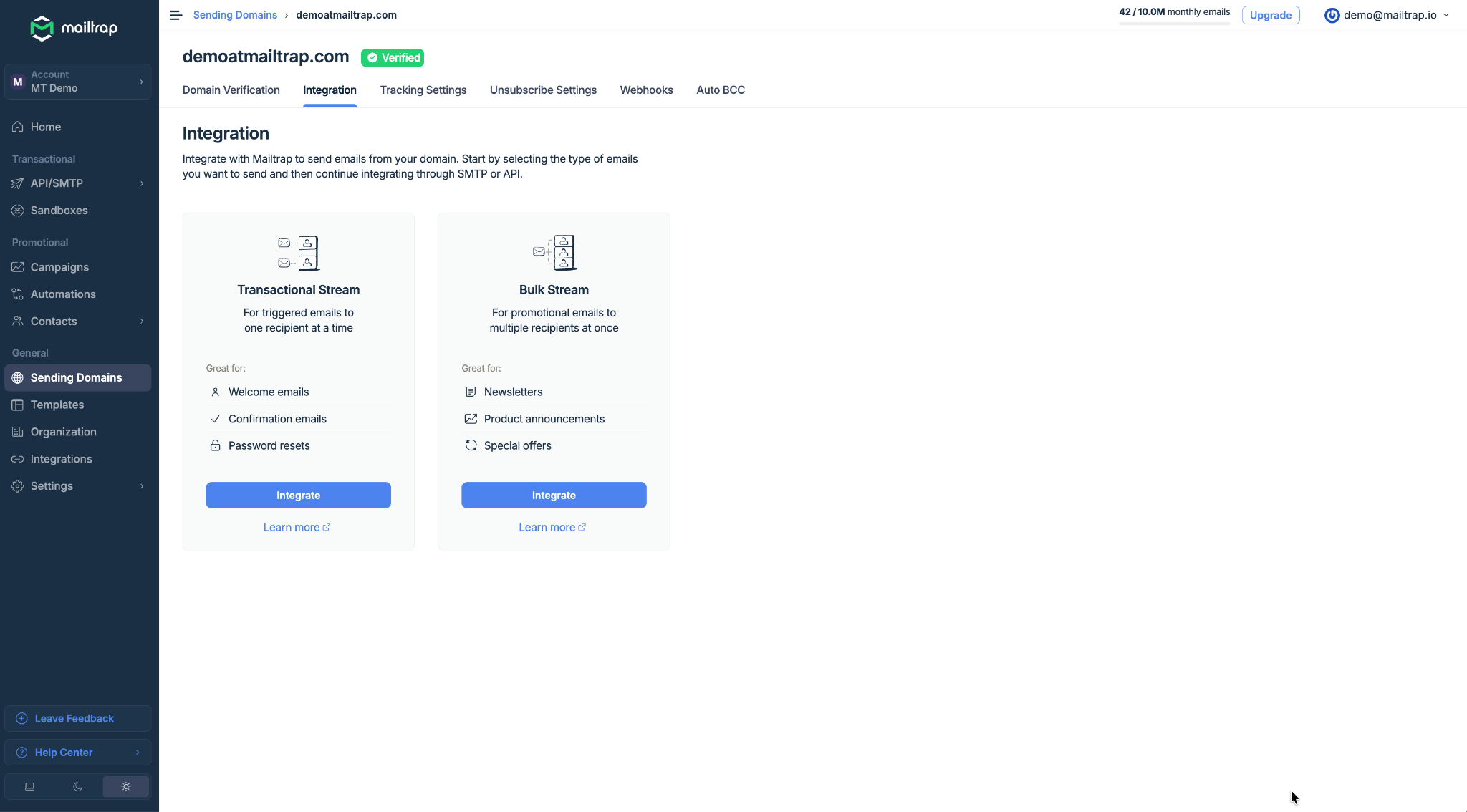
Mailtrap separates transactional and bulk email into two streams on isolated IP pools, and it does this on every plan, including Free. A marketing send with a high complaint rate cannot drag down your password resets or order confirmations.
The analytics dashboard breaks delivery, bounce, open, click, and spam complaint data down by mailbox provider, such as Gmail, Outlook, and Apple Mail, and by stream. Mailtrap sorts bounces into hard, soft, and transient failures and suppresses them automatically. Spam complaints from 20+ ISP feedback loops appear in the stats.
Open tracking works on all plans. Click tracking starts on Basic. Email logs are kept for 3 days on Free, 5 on Basic, 15 on Business, and 30 on Enterprise.
Webhooks fire on delivery, open, click, bounce, soft bounce, spam complaint, unsubscribe, reject, and suspension events. If your endpoint is down, Mailtrap retries 40 times at 5-minute intervals, then pauses the webhook and emails you.
Mailtrap validates SPF, DKIM, and DMARC once your DNS records are live and rotates DKIM keys every month without any action from you. Dedicated IPs arrive with the Business plan, along with automatic IP warmup that raises volume gradually to build reputation. Business and Enterprise also add real-time reputation monitoring with automated alerts.
Free and Basic run on shared IPs. Mailtrap's own guidance says shared IPs are the better choice for senders under roughly 100,000 emails per month.
Templates live in your account and use Handlebars with dynamic variables, so your app can send a stored template through the API by ID.
Inbound email gives you a hosted address at @inbound-mailtrap.io with no MX configuration. A webhook fires when a message arrives, and the Messages API returns the parsed email as JSON: sender, headers, text and HTML bodies, attachment URLs, SPF and DKIM status, and thread ID. Replies from Mailtrap-hosted addresses are capped at 20, and a custom domain removes the cap. Inbound email is available on the free plan.
Mailtrap's official MCP server exposes 76 tools for sending, email logs, stats, templates, sending domains, suppressions, webhooks, and contacts. You install it with npx -y mcp-mailtrap and connect it to Claude, Cursor, or VS Code.
Seven Agent Skills cover API authorization, sending, templates, domain setup, and contacts. One of them converts templates from SendGrid, Mailgun, Mandrill, Postmark, Brevo, and Amazon SES into Mailtrap's Handlebars format.
The MCP server has no inbound tools. An agent reads and replies to inbound mail through the Messages API, using the same API token.
Mailtrap has native integrations with Supabase, which fills in your SMTP credentials automatically, and Vercel. Claude Code, Cursor, VS Code, Windsurf, OpenClaw, and Antigravity connect through the MCP server or dedicated guides. Zapier, Make, and n8n handle no-code workflows.
On security, Mailtrap is ISO 27001 certified and SOC 2 Type II attested. It complies with GDPR and is covered by the EU-US Data Privacy Framework. SSO comes with Business, audit logs with Enterprise, and certification documents sit in the Trust Center.
Mailtrap Email API/SMTP pricing depends on monthly email volume, and the plan decides which features you get.
The Free plan works for a side project or an evaluation, but the 150-email daily cap rules out real traffic. Basic removes the daily cap and adds click tracking. Business is the plan where Mailtrap makes the most sense for a growing product: at $85 for 100,000 emails, you pay about $0.00085 per email and get dedicated IPs, SSO, reputation monitoring, and 24/7 priority support. Enterprise adds 30-day logs, audit logs, and custom deliverability assistance.
Email Marketing is priced separately. Prices change, so confirm them on the Mailtrap pricing page before you buy.
Support depends on your plan. Free and Basic get email support on weekdays. Business and Enterprise get email and live chat around the clock with priority response, plus onboarding assistance and access to deliverability experts.
If you are moving from another provider, Mailtrap publishes migration guides for SendGrid, Mailgun, Amazon SES, Postmark, Brevo, and Mandrill.
.svg)
Transactional and bulk streams stay separate on every plan, including Free.
The permanent free plan includes API, SMTP, inbound email, and webhooks.
Eight official SDKs and an MCP server support most technology stacks.
Mailbox-provider analytics make it easier to identify delivery problems.
.svg)
Dedicated IPs are available starting with the $85/month Business plan.
The Free plan limits sending to 150 emails per day and retains logs for 3 days.
Click tracking is unavailable on Free, and 30-day log retention is exclusive to Enterprise.
24/7 support starts on Business, while email marketing campaigns require a separate subscription.
Four services come up most often in Mailtrap comparisons.
Twilio SendGrid suits teams that want transactional API sending and marketing campaigns from one vendor. It has a large integration ecosystem and dedicated IPs on its Pro plan. The trade-off is plan complexity: key features sit on higher tiers, and support quality varies by plan.
Postmark started as a transactional-only service and now also offers email marketing. It keeps transactional and broadcast email on separate streams and has a reputation for fast delivery. The trade-offs are higher pricing at volume and US-only data hosting, which creates friction for EU teams working under GDPR.
Mailgun is API-first and adds email validation and inbound parsing, split across Mailgun Send, Optimize, and Validate. It fits teams that want list validation next to sending. Inbox placement testing and optimization tools cost extra, and live support is limited on lower plans. Our Mailgun review covers it in detail.
Amazon SES costs $0.10 per 1,000 emails, the lowest per-email price on this list, and fits teams already running on AWS. You build more yourself: dedicated IP management, analytics views, and deliverability support are your job. Mailtrap suits teams that would rather not run that layer.
Yes, for product and developer teams whose main job is getting transactional email into inboxes and keeping it there. The separate streams and the free plan make it easy to start. Business is the plan to budget for once you need dedicated IP warmup and 24/7 support. Teams that mainly need marketing automation should look at a campaign-first platform.
Here is how the choice breaks down:
This Mailtrap review comes down to one question: do you need reliable transactional delivery with minimal setup? If yes, start on the free plan, send real traffic through the API or SMTP, and watch the mailbox-provider stats before you upgrade to Business for a dedicated IP.
Mailtrap is free on a permanent plan with 4,000 emails per month and a 150-email daily cap. The plan includes API and SMTP sending, inbound email, webhooks, templates, and the bulk stream, and it needs no credit card. It does not include dedicated IPs, SSO, or click tracking.
Mailtrap includes dedicated IPs from the Business plan, which starts at $85/month, with automatic warmup. Free and Basic plans use shared IP pools.
Mailtrap is built for transactional email. It has a dedicated /send endpoint, infrastructure separate from bulk email, per-mailbox-provider analytics, and webhooks for delivery events. Teams that also need campaigns can add the Email Marketing product.
Mailtrap supports inbound email, including on the free plan. You get a hosted address, a webhook when a message arrives, and the parsed message as JSON through the Messages API.

Linguist by trade, digital marketer at heart, I’m a Content Manager who’s been in the online space for 10+ years. From ads to e-books, I’ve covered it all as a writer, editor, project manager, and everything in between. Now, my passion is with email infrastructure with a strong focus on technical content and the cutting-edge in programming logic and flows. But I still like spreading my gospels while blogging purely about marketing.
.svg)
.svg)
.svg)
.svg)
.svg)