
.svg)
%20(1).svg)
%20(3).svg)
Back to articles
10 Best AI Receptionist Software: Which One Is Worth It?
September 21, 2026
By
Irina Maltseva
Remember those automated phone systems that made you press 1 for English, then 2 for billing, then 3 to repeat the menu, then just... give up and hang up? AI receptionists are nothing like that anymore. Today's tools actually hold real conversations, book appointments, qualify leads, and sync with your CRM without making anyone want to throw their phone across the room.
More and more businesses are ditching their legacy reception setups because of it. And honestly? It makes sense. Why pay $40K/year for someone to answer the same five questions all day when an AI can do it at 2am for $99/month?
The catch is that the market has exploded. Every few weeks there's a new tool promising smarter conversations, better routing, easier setup. Most of them aren't worth your time. A few of them are genuinely excellent.
We analyzed and compared the leading options firsthand to see what you actually get for the price. Here's the breakdown.
Short on time? Here's the quick verdict before we get into the details.
We compared each tool based on five criteria that actually matter for day-to-day business use:
Here are the four models you'll run into on this list.
You pay a flat monthly rate for a set number of conversations, then an overage fee per conversation after that. Nextiva works this way: $99/month for 100 conversations, then $0.99 for each one above that.
Similar idea, but billed by call rather than conversation. Smith.ai's AI Receptionist is $95/month for 50 calls.
You pay for each team member using the platform, which suits tools built around human agents. CloudTalk starts at €25/user/month. This type of pricing is cheap for a two-person team, but steep for a twenty-person one.
You pay for what the AI actually talks. Synthflow lands between $0.15 and $0.24 per minute depending on your setup. Great for low volume, harder to forecast at scale.
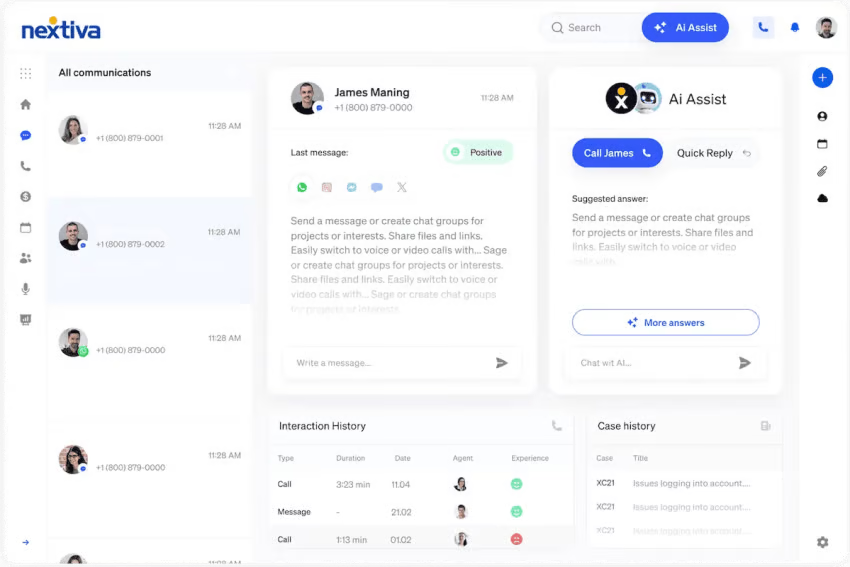
Nextiva's AI receptionist, called XBert, is the easiest to activate on this entire list. Most AI receptionists require technical configuration, coding knowledge, or a dedicated setup call with a specialist. Nextiva's doesn't. A business owner can go from sign-up to live calls in under 10 minutes, with no IT help required.
What also separates Nextiva from nearly every competitor: it works as a standalone product. You don't need to be an existing Nextiva phone customer. You pay $99/month, activate XBert, and it starts answering calls, texts, and web chats immediately.
The voice quality was noticeably cleaner than most other tools on this list. Customers agree. A fitness studio owner reported a 40% increase in weekly lead count after deploying XBert. A dental office owner said the AI books 25 additional appointments per week. A legal practice owner said it paid for itself in the first week.
Best for: Small to mid-size businesses across home services, healthcare, legal, restaurants, fitness - any business that runs on inbound calls and can't afford to miss one.
Trial & setup: No contracts, 30-day money-back guarantee. Nextiva currently offers free professional setup, custom AI training, calendar and CRM integration, voice selection, and live testing, which competitors typically charge $250 to $1,000 for. Setup is limited to the first 100 customers, so it's worth moving on with this sooner rather than later.
.svg)
Easiest setup on this list — no code, no developer, live in minutes.
Handles voice, SMS, and chat in one product (most competitors only cover a single channel).
Currently offers free professional setup, saving $250–$1,000 compared to rivals.
Works as a standalone product — no existing Nextiva subscription required.
.svg)
$0.99 per conversation overage pricing can add up for very high-volume businesses.
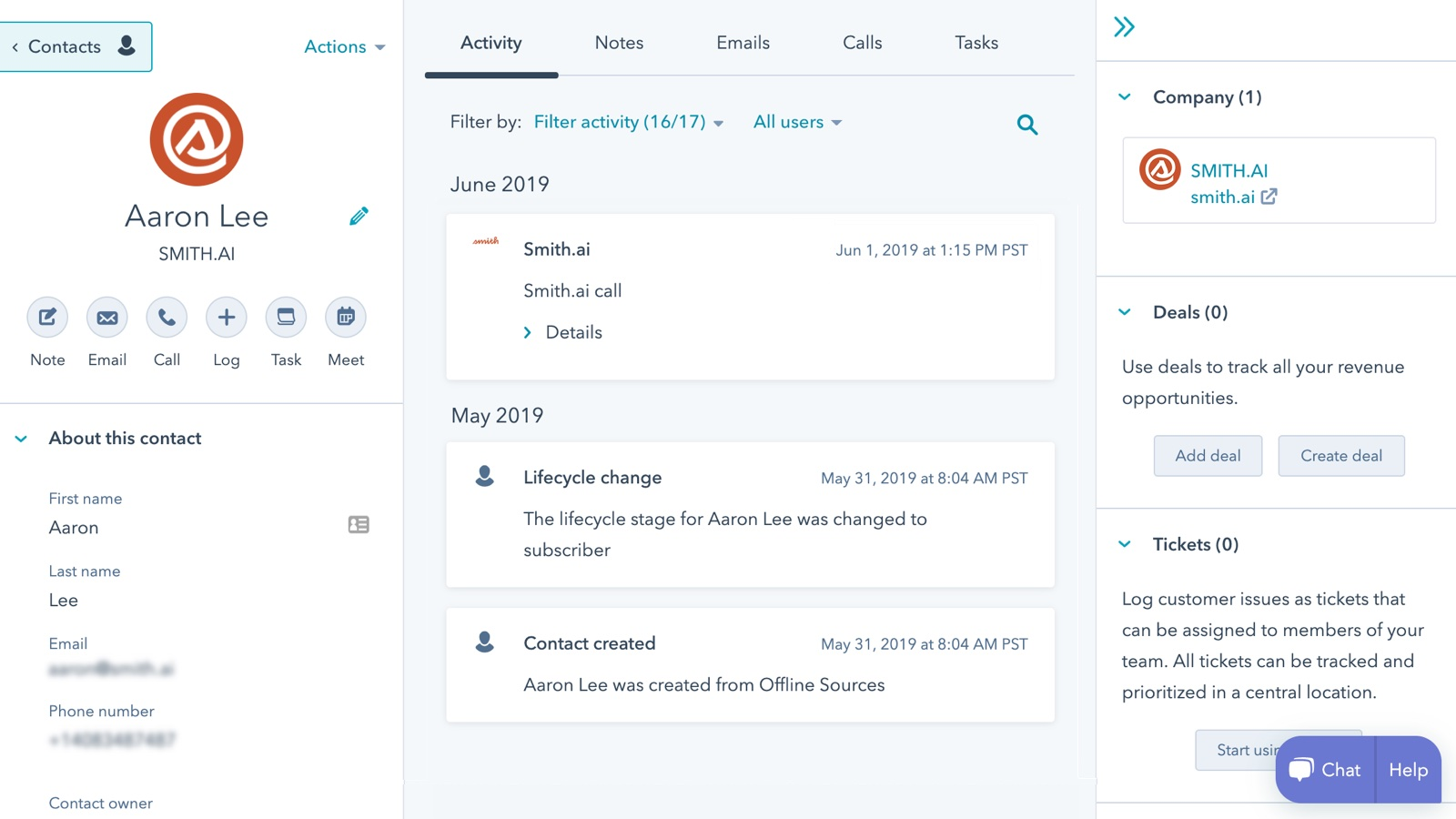
Smith.ai has been in the virtual receptionist space since 2015, and their hybrid model, AI for triage and routing, live North American agents for complex conversations, is genuinely differentiated. For industries like law, medicine, and finance, where a bad call interaction can cost you a client relationship, the human safety net is worth paying for.
Best for: Law firms, medical practices, financial advisors - businesses where nuanced calls genuinely need a human to resolve.
Trial & setup: 14-day free trial. Setup is guided, with intake workflows configured for professional services.
Human fallback reduces drop-off during complex or emotionally sensitive calls.
Strong intake and lead qualification workflows tailored for professional services.
Significantly more expensive than pure-AI options like Nextiva.
Human agents can introduce variability that fully automated tools avoid.
If booking appointments is 80% of your inbound call volume, Frontdesk handles it as well as anything on this list. It's built specifically for salons, spas, clinics, and consultancies; businesses where the phone is basically a booking line.
The standout feature we didn't expect: a white-label option that lets agencies deploy it for their clients under their own branding. That's rare at this price point and makes it particularly useful for marketing or operations agencies managing multiple SMB clients.
Best for: Appointment-driven SMBs like salons, medical spas, clinics, consultancies. Also a strong pick for agencies managing multiple small business clients.
Trial & setup: Free trial with limited minutes. Setup is straightforward for scheduling-focused businesses.
Scheduling capabilities outperform most generalist tools.
White-label option is rare at this price point.
Less capable when handling non-scheduling calls such as FAQs, lead qualification, or complex routing.
Fewer native CRM integrations compared to competitors.
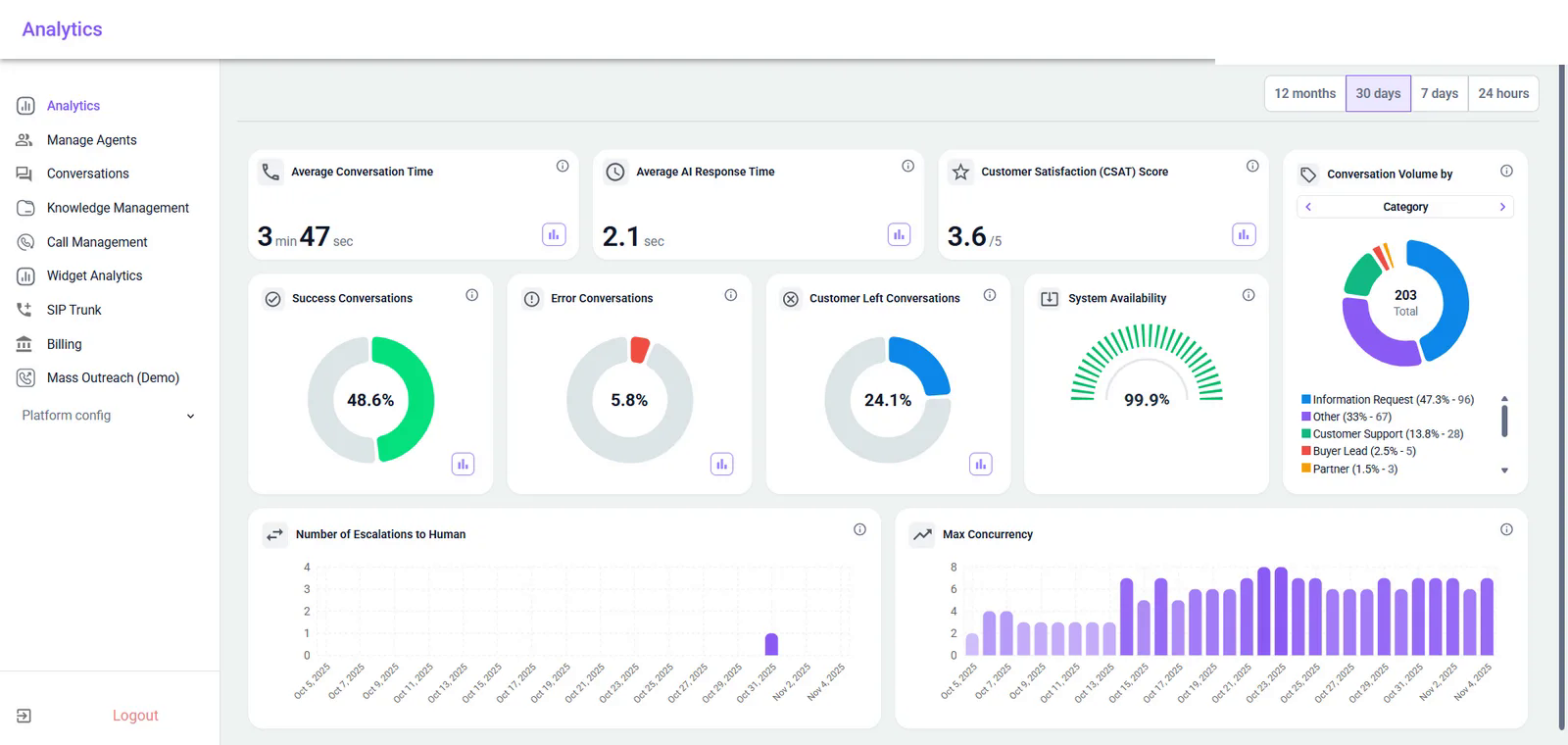
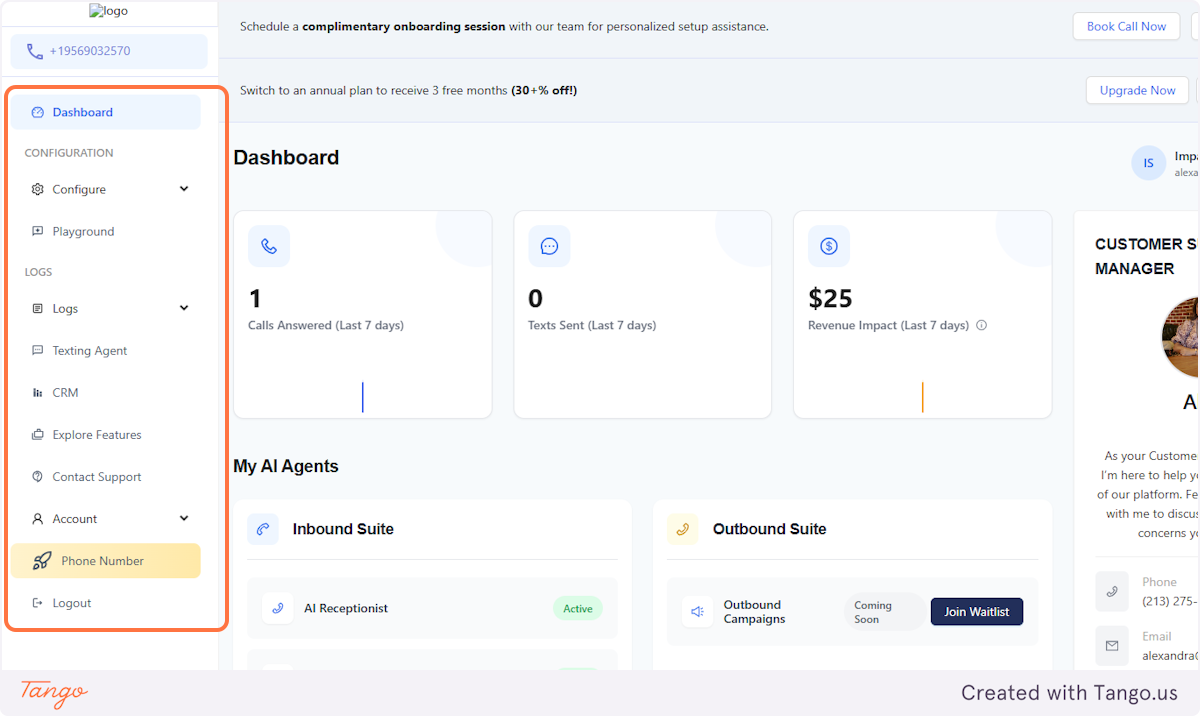
NextLevel.AI builds custom AI receptionists for businesses that want calls, website inquiries, bookings, lead qualification, and routing handled in one system. The agent connects to an existing business number or a new SIP/VoIP line and can also operate as a website chat or voice widget. It answers around the clock, gathers caller intent, provides answers from the company knowledge base, books or changes appointments, and escalates conversations to human staff when needed.
Unlike a basic automated attendant, NextLevel.AI is designed for workflows that need custom logic. Teams can define qualification criteria, routing rules, calendar requirements, and escalation paths. Every interaction can generate a structured summary and full transcript, with data synced to the CRM.
Best for: Businesses that need a tailored AI receptionist across phone and web, especially when appointment scheduling, lead capture, multilingual support, CRM integration, or custom routing matters.
Trial & setup: 14-day trial with 5 hours of voice credits and 5M text tokens, no credit card required. Initial setup and integration are free, with the AI configured around your workflows and KPIs.
Covers both phone and web rather than phone only
Supports custom call flows, knowledge bases, and integration logic
Scales from SMB receptionist use cases to custom deployments
Phone deployments require an active SIP/VoIP line
Advanced tuning, custom integrations, and post-acceptance improvements may require professional services
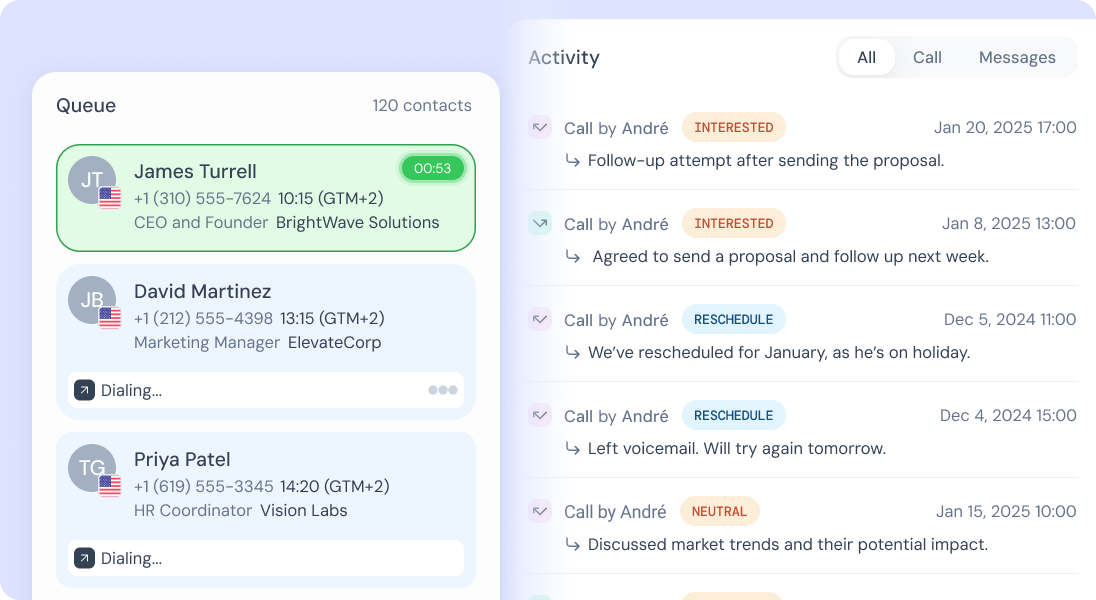
CloudTalk is less 'AI receptionist' and more 'AI-enhanced business phone system.' If your team actually answers calls, and you want AI helping them do it better, CloudTalk is built for that. It's the right tool for revenue teams that want intelligent routing, real-time transcription, and performance analytics layered on top of a full VoIP platform.
Best for: Sales and customer support teams that want AI-assisted call management built into a full business phone platform.
Trial & setup: 14-day free trial. Setup requires configuring users and CRM connections across your team.
Strong analytics and call coaching tools designed for revenue teams.
Deep CRM integrations across major platforms.
Not a standalone AI receptionist — requires human agents to handle calls.
Per-user pricing can become expensive for larger teams.
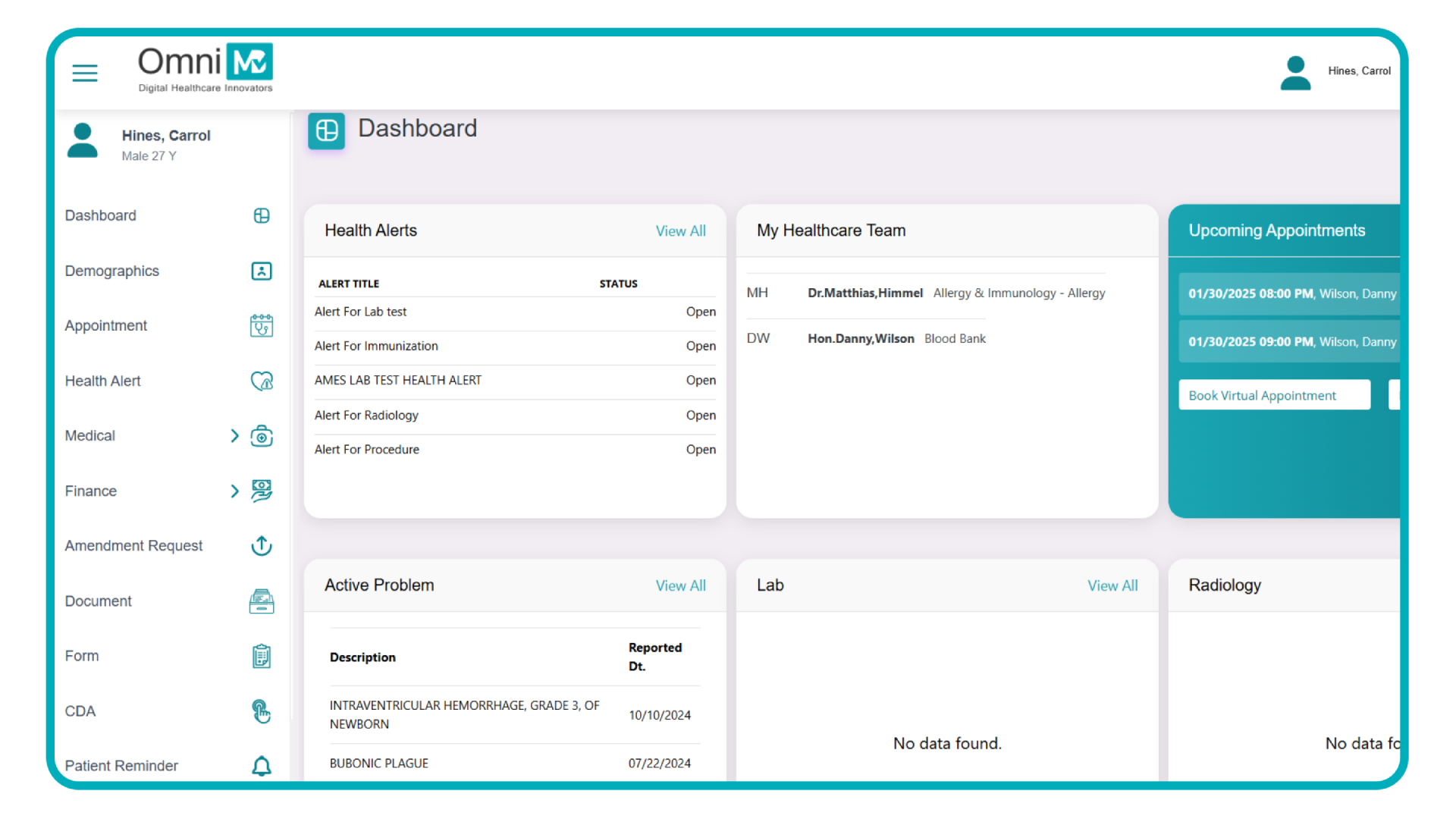
Most AI receptionists are built for the generic small business. OmniMD is not. It's built entirely for healthcare environments where HIPAA compliance isn't optional, EHR integration is expected, and patient intake workflows need to handle things like insurance eligibility and prescription refill requests.
If you run a medical office, dental practice, or mental health clinic, the healthcare-specific depth here is worth a lot. Generic tools can answer calls, but they can't verify a patient's insurance or integrate with your EHR system out of the box.
Best for: Medical offices, dental practices, urgent care clinics, mental health providers, and other regulated healthcare settings.
Custom pricing based on practice size (contact for quote)
Trial & setup: No free trial. Setup involves a demo and EHR integration, so expect a longer onboarding.
Healthcare-specific workflows that generic tools simply don't have.
HIPAA compliance handled natively, not as an add-on.
Overkill and likely over-budget for non-healthcare businesses.
Pricing opacity makes cost comparisons difficult without a demo.
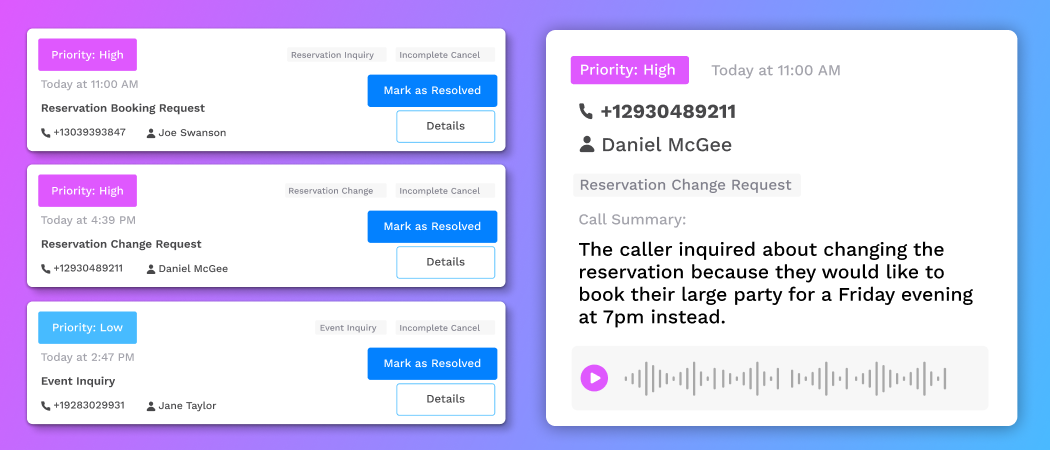
Restaurant phones are brutal. During a Friday dinner rush, you're fielding the same five calls: hours, reservations, parking, and whether you're dog-friendly, while your staff is slammed. Slang handles all of them automatically, with native integrations into OpenTable and Resy so the AI can actually check availability and book the table.
Best for: Independent restaurants, multi-location dining groups, and hospitality businesses that want to stop answering the same calls 40 times a day.
Trial & setup: Free trial not stated; request a demo. Setup includes connecting OpenTable/Resy and restaurant-specific training.
Restaurant-native training – handles reservation conflicts, dietary questions, and private dining inquiries naturally.
Strong OpenTable and Resy integrations.
Too narrow to be useful outside hospitality.
Primarily voice-focused – limited SMS and chat support.
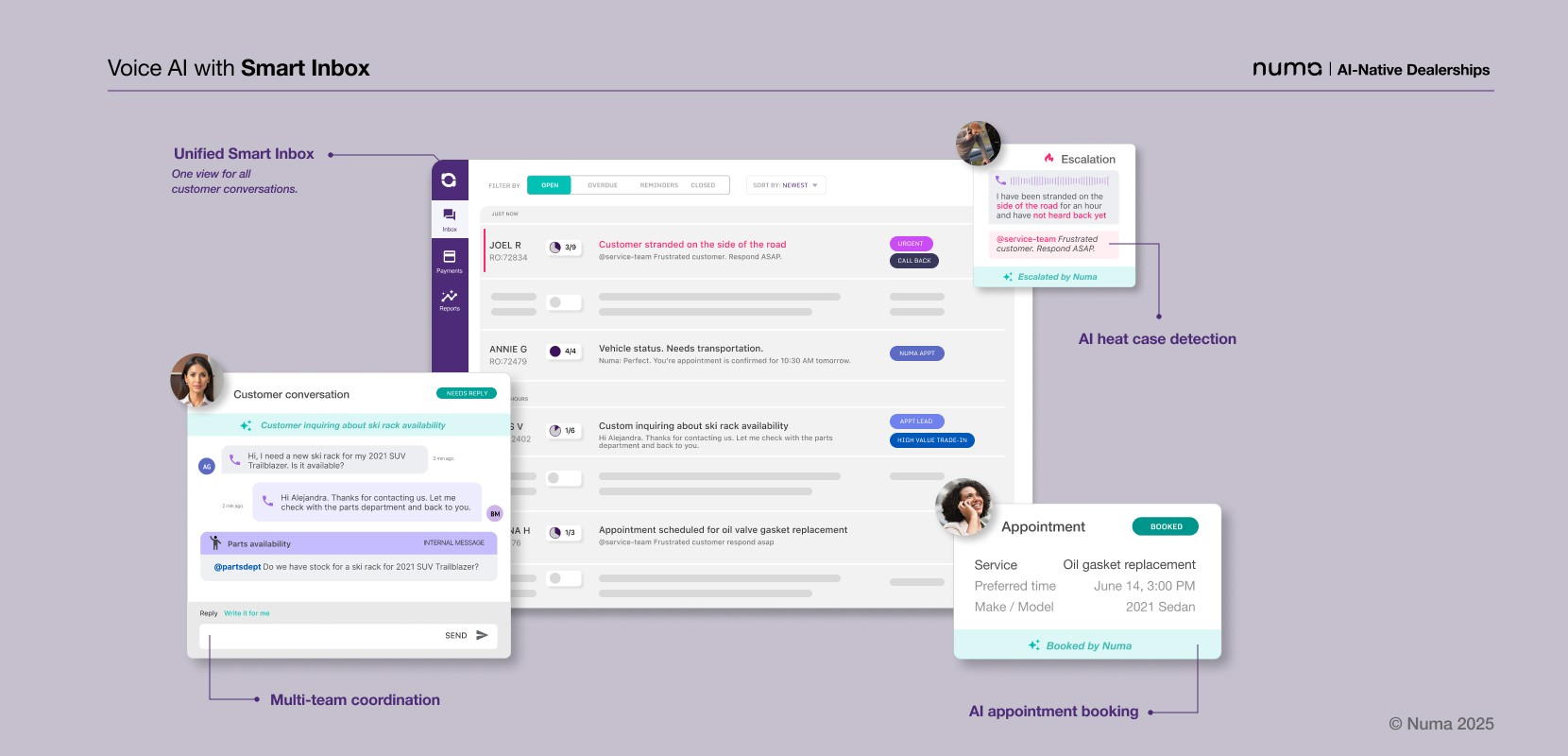
Numa takes a different approach to the missed call problem. Rather than trying to replace the phone call with AI, it intercepts missed calls and automatically texts the caller back, then handles the conversation via SMS. For businesses that get slammed with calls during peak hours - auto dealerships, HVAC companies, contractors - this passive recovery model captures leads that would otherwise be lost permanently.
Best for: Auto dealerships, home services businesses (HVAC, plumbing, roofing), and multi-location operations with high missed call rates.
Trial & setup: Demo available. Setup centers on missed-call routing and dealer/home-services integrations.
Unique missed call recovery approach passively converts lost leads.
Strong fit for dealerships – an underserved vertical in this space.
Text-first model doesn't work for callers who need immediate voice resolution (e.g., emergencies).
Less capable for real-time inbound call handling than Nextiva or Smith.ai.
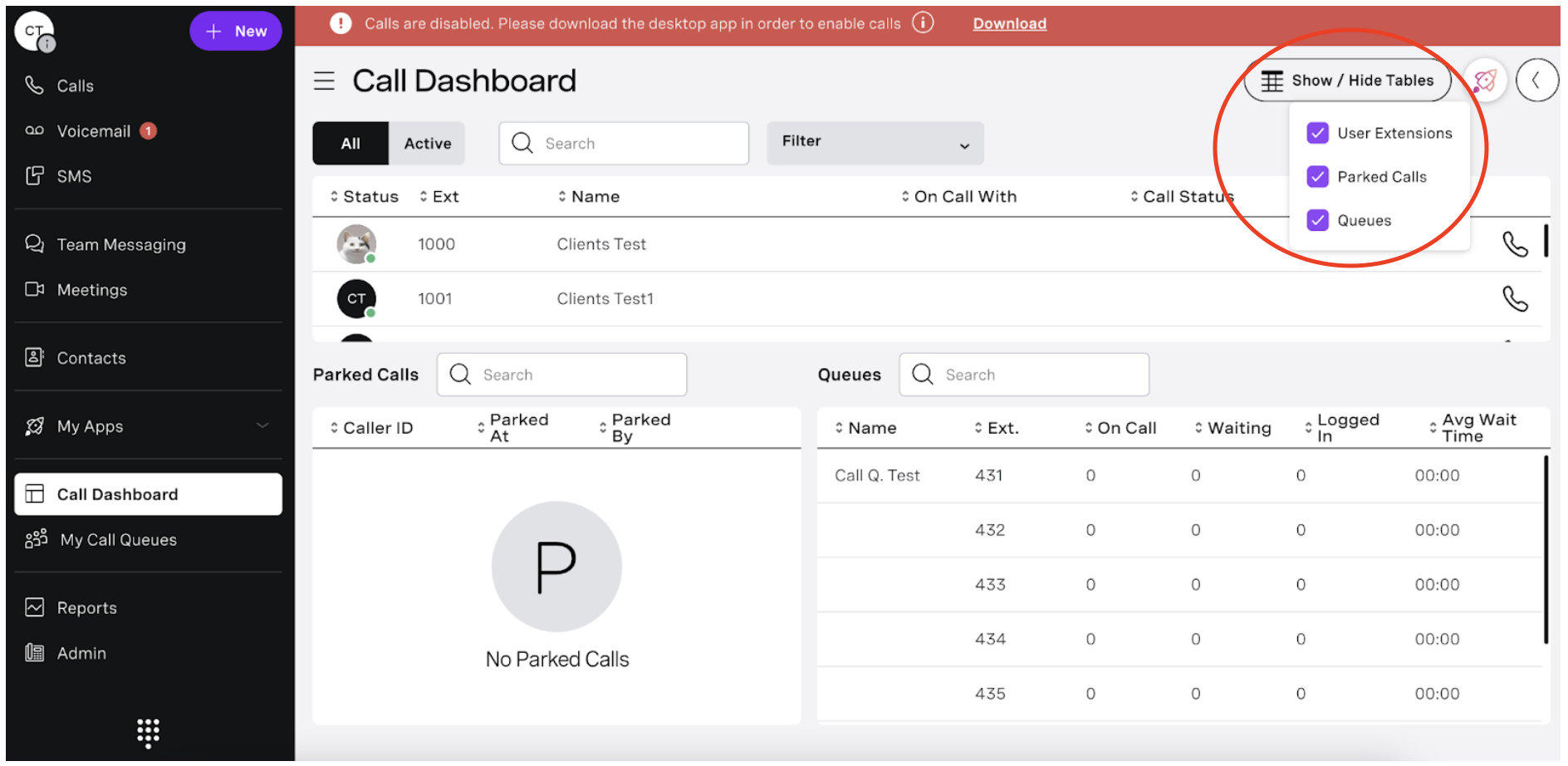
Vonage has been in business communications since 2001. At this point it's a mature, enterprise-grade unified communications platform - voice, video, SMS, AI, all in one place. The AI receptionist features are solid, but they're part of a broader phone system, not a standalone product.
The right use case: you're a mid-size company running on a legacy phone system, you need to modernize, and you want AI baked into the replacement rather than bolted on afterward. For that specific scenario, Vonage is a natural fit.
Best for: Mid-size to enterprise businesses actively upgrading from a legacy phone system and wanting AI built into the replacement platform.
Trial & setup: Free trial available. Setup is more involved, since you're deploying a full communications platform.
Established platform with enterprise-grade reliability and compliance certifications.
Unified communications (voice, video, SMS, and AI) under one roof.
AI features feel secondary to the core VoIP product — not purpose-built for reception.
More complex and expensive to deploy than standalone AI receptionists.
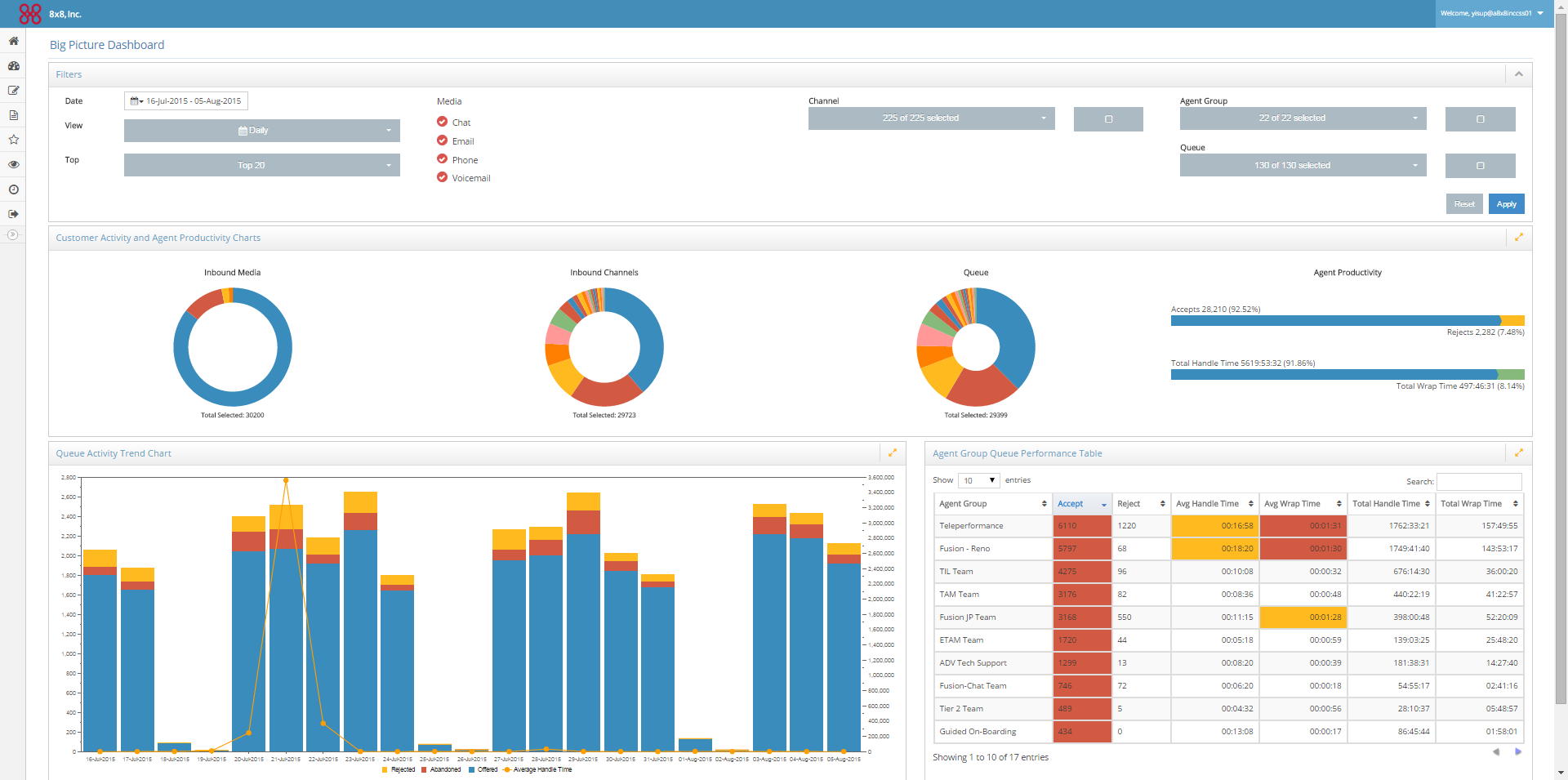
8x8 is not for a small business that wants to stop missing calls. It's for companies running a full contact center with multiple departments, high call volumes, and teams of agents who need to be coached, scheduled, and monitored in real time. The AI features are powerful, but the complexity and cost match that scale.
Best for: Enterprise and mid-size companies running multi-department contact centers with dedicated operations and IT teams.
Trial & setup: Free trial available. Setup requires IT involvement and an extended rollout — not self-serve.
Genuinely enterprise-grade — handles massive call volumes with precision routing.
Full workforce management tools built in.
Overkill and over-budget for small businesses.
Requires IT involvement and extended setup — not something you can activate yourself.
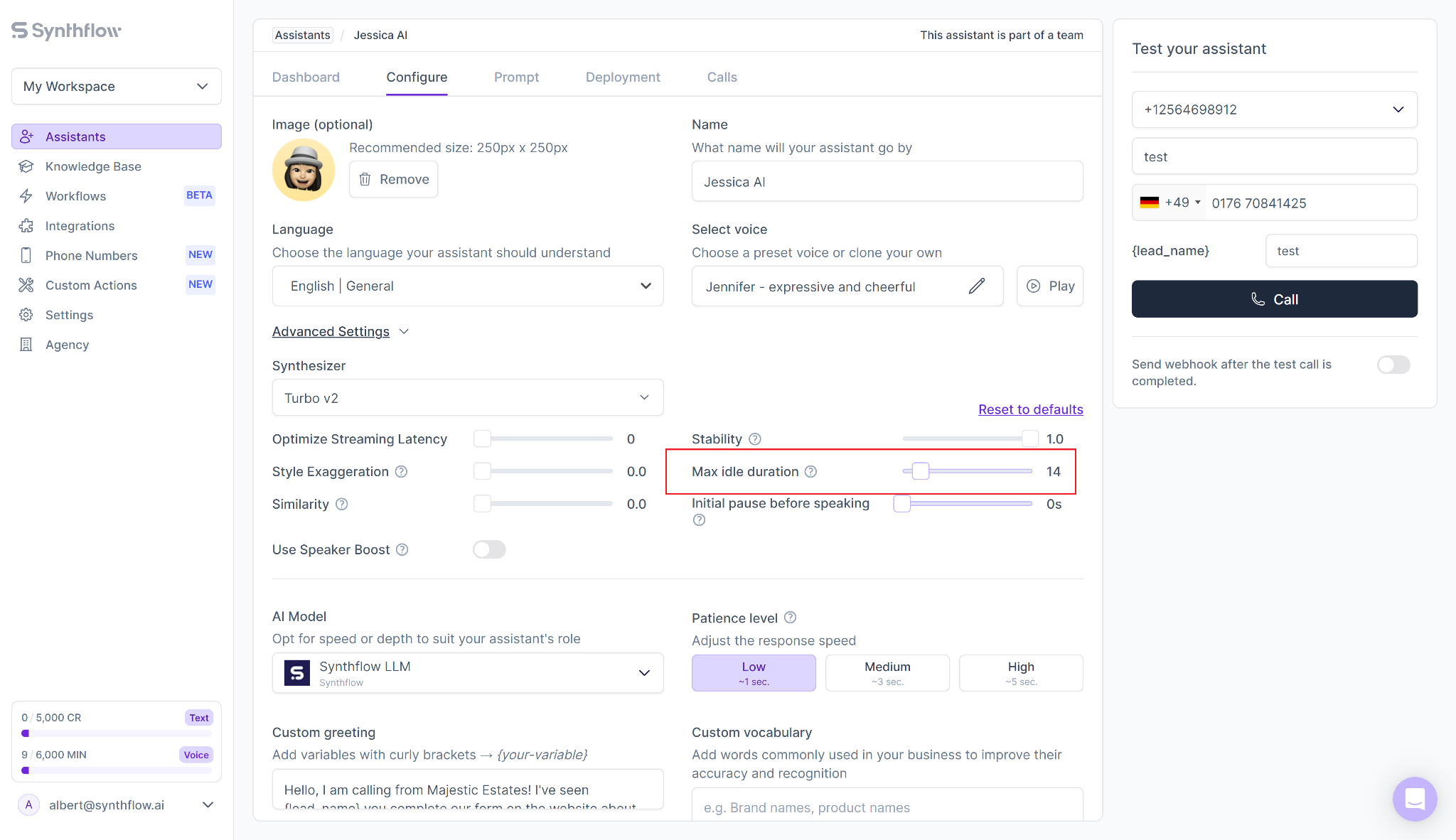
Synthflow is categorically different from every other tool on this list. It's not a turnkey AI receptionist you activate in minutes, it's a developer platform for building custom AI voice agents from scratch. If you have specific workflows that off-the-shelf tools can't handle, or you want complete control over every interaction, this is where you go.
I'd be transparent with you here: if you're a small business owner and you saw Synthflow on another list, you should probably skip it. The setup complexity is real.
Best for: Technical teams, software agencies, or businesses with highly specific call workflows that standard tools genuinely can't replicate.
Synthflow runs on a pay-as-you-go model. It’s free to build and test, then usage-based once you go live.
Most setups land between $0.15 and $0.24 per minute depending on your LLM and telephony choices (the voice engine alone is $0.09/min, with LLM costs on top).
Enterprise plans with custom pricing, unlimited concurrency, and native telephony are available for businesses handling 10,000+ minutes/month.
Trial & setup: Free to build and test before going live. Setup is measured in days or weeks, and needs technical skill.
Unmatched flexibility — build exactly the AI receptionist your workflow requires.
Strong compliance coverage (HIPAA, GDPR) for sensitive industries.
Steep learning curve — not realistic for non-technical business owners.
Setup is measured in days or weeks, not minutes.
Get clear on five things about your own business. The right pick depends far more on these than on which vendor has the slickest demo.
Most businesses don't need to overthink this. Pick the tool that matches your industry, activate the free trial, and run real calls through it. You'll know within a day whether it fits.
If you're a small business and you're not sure where to start, start with Nextiva. No code, no contracts, and free setup - you can be live before the end of the day.
An AI receptionist is software that answers your business calls, and often texts and web chats, holding real conversations to book appointments, qualify leads, answer FAQs, and route calls to the right person. Unlike the old press-1-for-English phone menus, today's tools handle natural back-and-forth and sync with your CRM.
It depends on the billing model. Entry pricing on this list ranges from $50/month (Numa) to $399/month (Slang), with Nextiva at $99/month for 100 conversations. Usage-based tools like Synthflow run $0.15–$0.24 per minute, while healthcare and enterprise options (OmniMD, 8x8) use custom pricing. Watch for setup fees, which can reach $1,000.
For routine, high-volume calls, yes, it can answer 24/7 at a fraction of the cost. But some calls need a person. That's why hybrid tools like Smith.ai pair AI triage with live agents for law, medical, and finance calls where nuance matters.
Some are, but not all. If you're in healthcare, look for tools that build compliance in natively rather than as an add-on. OmniMD handles HIPAA-compliant call handling for medical settings, and Synthflow has HIPAA and GDPR compliance built in.
Most tools are designed to work with your current setup rather than force a new number. Nextiva, for example, works as a standalone product without requiring you to switch your whole phone system.
It ranges widely. Nextiva goes from sign-up to live calls in under 10 minutes with no IT help. Developer-focused Synthflow, on the other hand, is measured in days or weeks. Match setup effort to your technical capacity before you commit.

Irina is a Founder at ONSAAS, Growth Lead at Aura, and a SaaS marketing consultant. She helps companies to grow their revenue with SEO and inbound marketing. In her spare time, Irina entertains her cat Persie and collects airline miles.
.svg)
.svg)
.svg)
.svg)
.svg)