
.svg)
%20(1).svg)
%20(3).svg)
Back to articles
Our Top Picks: 9 Best AI Answering Services in 2026
September 15, 2026
By
Irina Maltseva
A full-time receptionist costs at least $40,000 per year and can only handle one call at a time. During busy periods, calls still go to voicemail. You're paying for availability you're not getting.
AI answering services handle unlimited calls simultaneously for around $99/month. They never sleep, never take breaks, and improve over time. We analyzed and compared 9 of them so you don't have to.
We evaluated each service based on six criteria:
Our scoring tells you how these tools stack up in general. But the right pick depends on your business, not ours. Before you commit, run through these five questions.
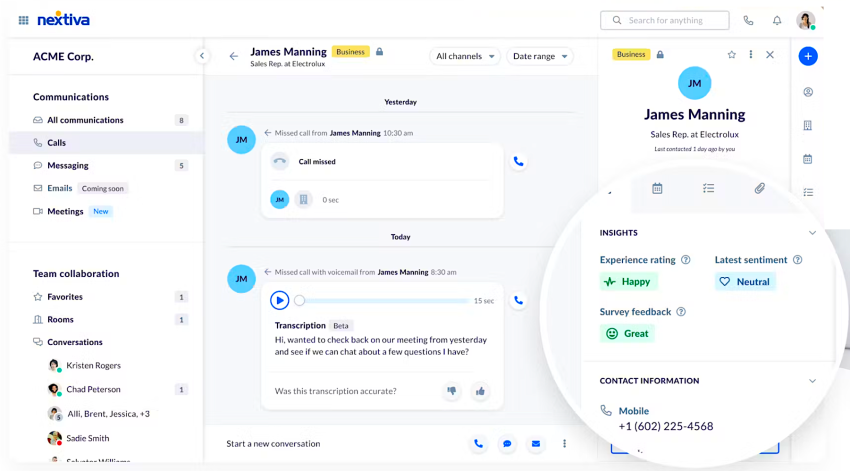
Nextiva is the established player in business communications, and their AI answering service shows it. At $99/month for 100 conversations, you get more than just call handling. The service also includes AI responses for SMS and chat, calendar integration, CRM connectivity, and a setup process that doesn't require any coding knowledge.
Most AI answering services charge setup fees that cost thousands of dollars. Nextiva charges only $250, so if you don’t want the hassle, their team can set everything up for you. And right now, Nextiva offers a free setup for a limited time.
Their AI voice also sounds natural and professional, not the robotic text-to-speech you might expect. You could also check it out on their site yourself.
The service works standalone, so you don't need to be a Nextiva phone customer to use it. For businesses that want to start answering calls with AI without learning to code or paying enterprise-level setup fees, this is the easiest entry point we tested.
Best for: Businesses that need a simple, reliable AI answering service without technical complexity.
For most small businesses receiving 100-200 calls per month, you're looking at $99-$199/month total. Compare that to a part-time receptionist working even 10 hours a week at $15/hour ($600/month) and the value is clear.
.svg)
No coding required – visual setup makes it accessible to non-technical users.
Strong value for money based on the included features.
Multi-channel AI (calls, SMS, and chat) ensures consistent support across platforms.
Free setup for a limited time, saving $250 upfront.
Works as a standalone solution without requiring other Nextiva services.
.svg)
Offers less customization than developer-focused platforms.
Not ideal for highly specialized industry workflows such as legal intake or medical triage.
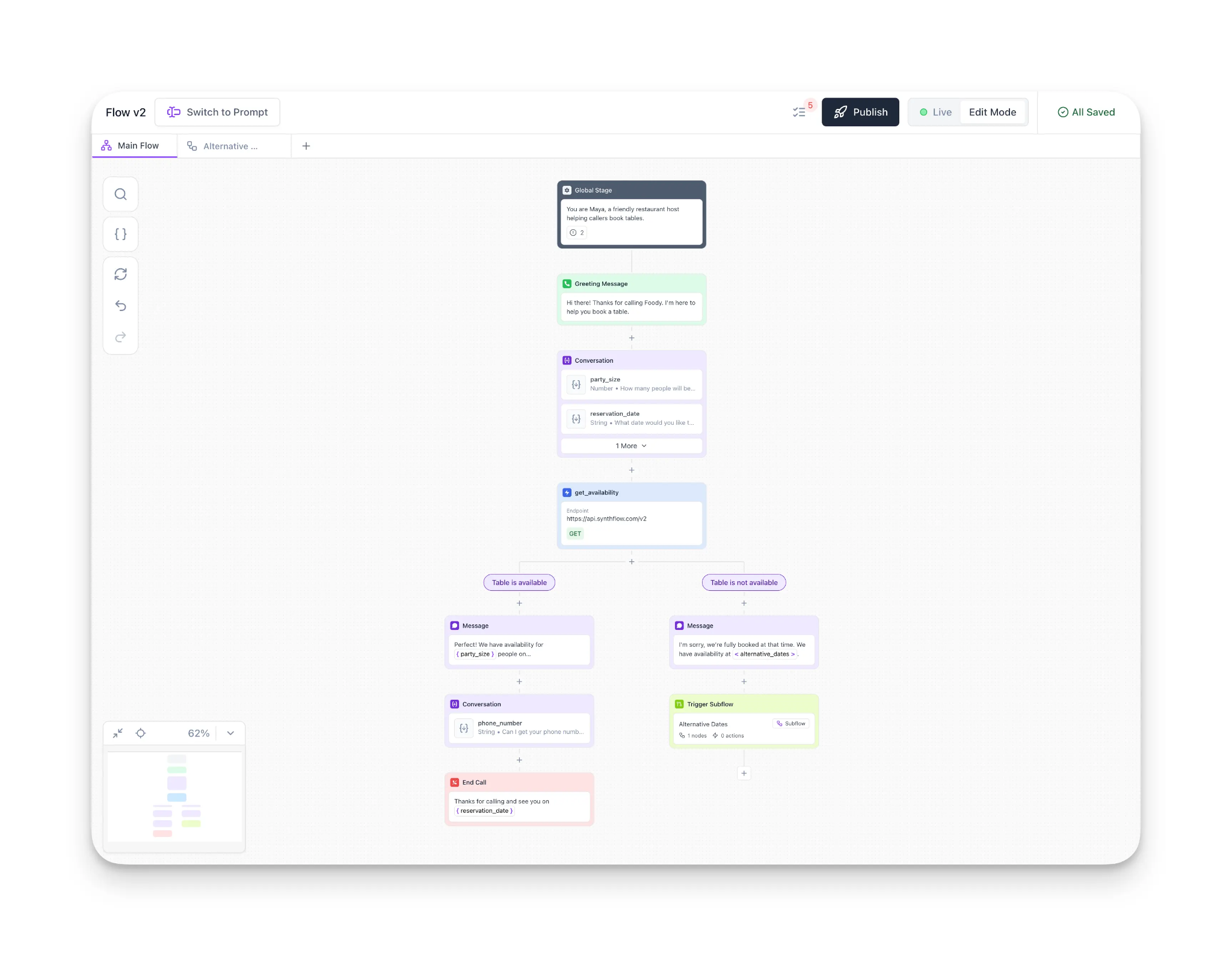
Synthflow targets users who want complete control over their AI answering service. The platform offers flexible, customizable pricing that adapts to your specific needs. But this flexibility comes with complexity.
The setup process more technical. You'll spend time configuring workflows, setting up integrations, and fine-tuning the AI's behavior. If you're comfortable with this level of detail, Synthflow gives you more control than most competitors.
The downside: it's easy to get overwhelmed. The pay-as-you-go plan offers support only through ticketing, which means you're waiting for email responses instead of getting immediate help. For non-technical users, this can turn a simple setup into a multi-day project.
Best for: Businesses with technical staff who need custom workflows and don't mind a steeper learning curve. If your use case doesn't fit neatly into a template and you need the AI to handle complex, multi-step processes, Synthflow delivers the flexibility you need.
Not ideal for small teams looking for a plug-and-play solution.
The pay-as-you-go approach means costs can fluctuate significantly. For predictable budgeting, request a custom quote based on your expected call volume.
Extremely customizable, allowing you to build workflows tailored to your exact needs.
Flexible pricing that scales with usage as your needs grow.
API access enables deep integrations with existing tools and systems.
Steeper learning curve makes it less beginner-friendly.
Pay-as-you-go support is ticket-only, with no phone or live chat options.
Can feel overwhelming for users without a technical background.
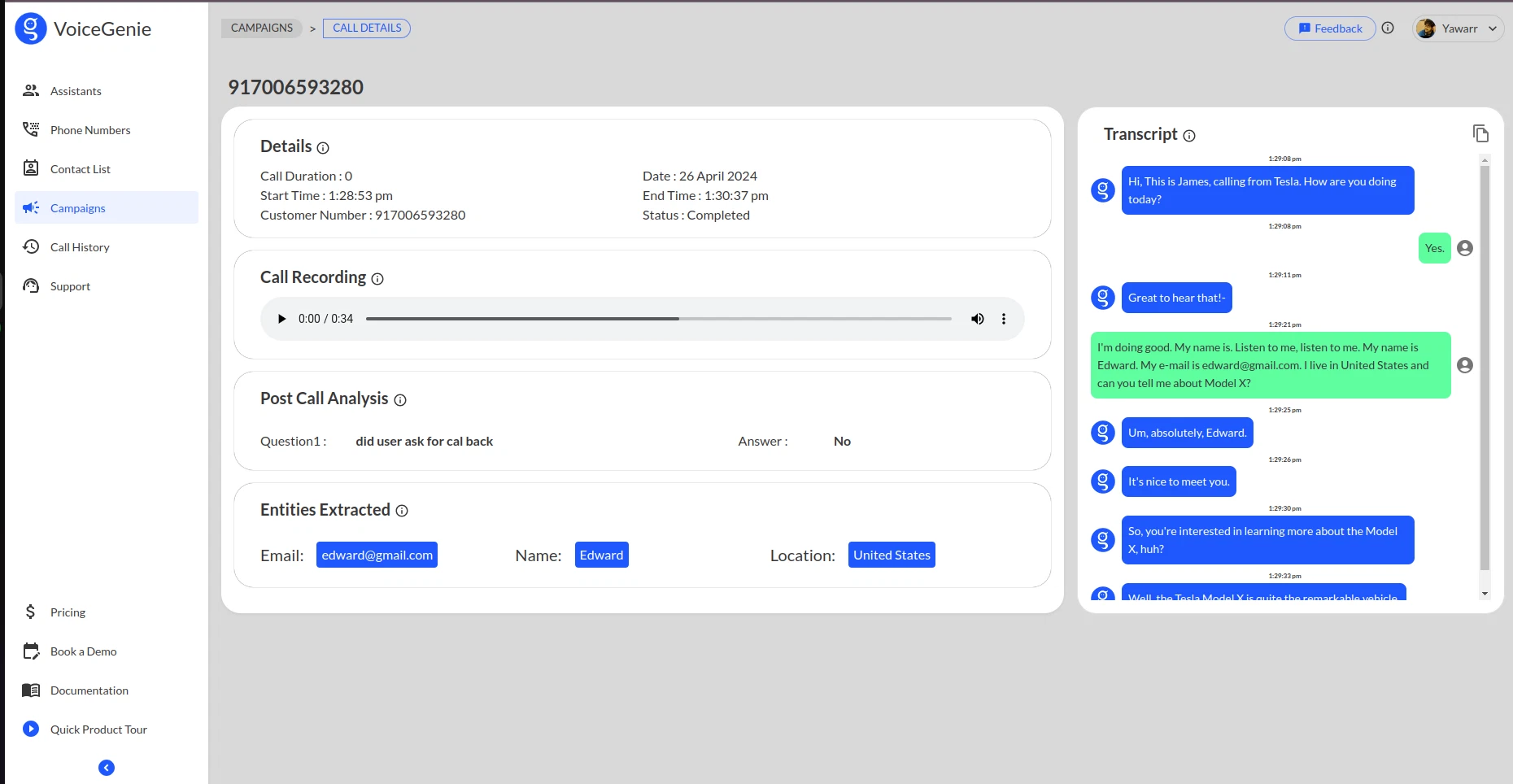
Voicegenie offers a 7-day free trial with no credit card required. For small teams exploring AI answering services without committing money upfront, this is the easiest way to test the technology.
The features are basic, even on paid plans. You won't get advanced call routing, complex integrations, or enterprise-grade analytics. But if you just need an AI to answer common questions, take messages, and forward important calls, Voicegenie handles it at an affordable price point.
The interface is straightforward: upload your FAQs, set your business hours, and choose when the AI should transfer calls to a human.
Best for: Small teams that want to test AI answering without financial risk. If you're curious about whether AI can handle your calls but not ready to commit to a monthly fee, Voicegenie's free trial gives you a week to find out.
Businesses with straightforward needs - hours, location, basic services - benefit most. If your calls require complex decision-making or industry-specific knowledge, look elsewhere.
7-day free trial with no credit card required, enabling truly risk-free testing.
Affordable pricing that works well for basic business needs.
Simple and fast setup process with minimal configuration required.
Feature set remains limited, even on paid plans.
Higher-tier plans still offer only basic functionality.
Not suitable for businesses needing advanced call routing or deep integrations.
Teams may outgrow the platform as requirements become more complex.

Rosie offers bilingual AI agents that specializes to handle calls in both English and Spanish. For businesses serving Spanish-speaking customers, this eliminates the need for bilingual staff or separate services.
Pricing is affordable at the entry level, though the next tier up starts at $149/month (higher than Nextiva's $99 for similar features). You're paying a premium for the bilingual capability.
The Spanish responses sounded natural, not like awkward translations. The AI handled code-switching (when callers mix English and Spanish) reasonably well, though it occasionally needed clarification.
Best for: Businesses serving both English and Spanish-speaking customers.
Bilingual support in English and Spanish without needing to hire bilingual staff.
Spanish responses sound natural and conversational rather than like direct translations.
Handles code-switching smoothly, allowing callers to move between languages mid-conversation.
Pricing is higher than some competitors offering similar core features.
Provides limited value if bilingual support is not a core requirement.
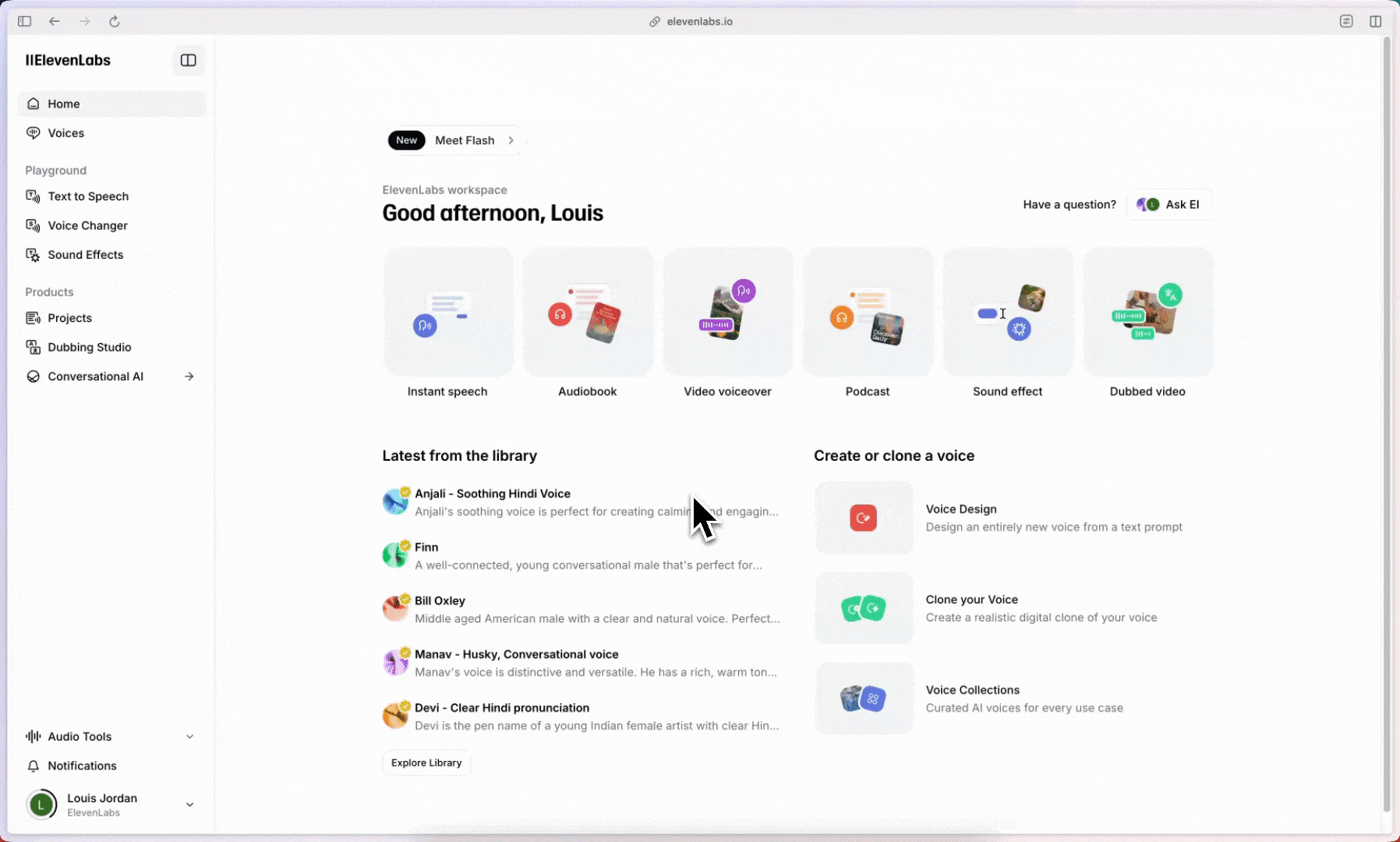
ElevenLabs is known for its AI voice technology, and the answering service leverages those same voice models. You can build a basic AI agent for free, but the feature set is extremely limited.
The paid plans remain fairly basic unless you're willing to pay add-on fees for specific features. If voice quality is your top priority and you need a very specific tone or accent, ElevenLabs delivers. But for general business use, you'll get more functionality from other options at a similar or lower price.
Best for: Businesses where voice quality and brand consistency are critical. If you need your AI to sound exactly like a specific person or match a very particular tone, ElevenLabs gives you that control.
Not ideal for businesses that need comprehensive features without paying for multiple add-ons.
The free tier is genuinely usable for testing. For answering service use, you'll likely need at least the Creator plan at $11/month. Credits translate to minutes of conversation, so monitor usage carefully to avoid overage charges.
Exceptional voice quality, with some of the most natural-sounding AI voices we tested.
Voice cloning helps maintain brand consistency across customer interactions.
Free tier is available, making it easy to test voice quality before committing.
Core functionality is limited unless you add paid features.
Costs can increase quickly as you enable necessary add-ons.
Not as feature-rich as some competitors at similar price points.
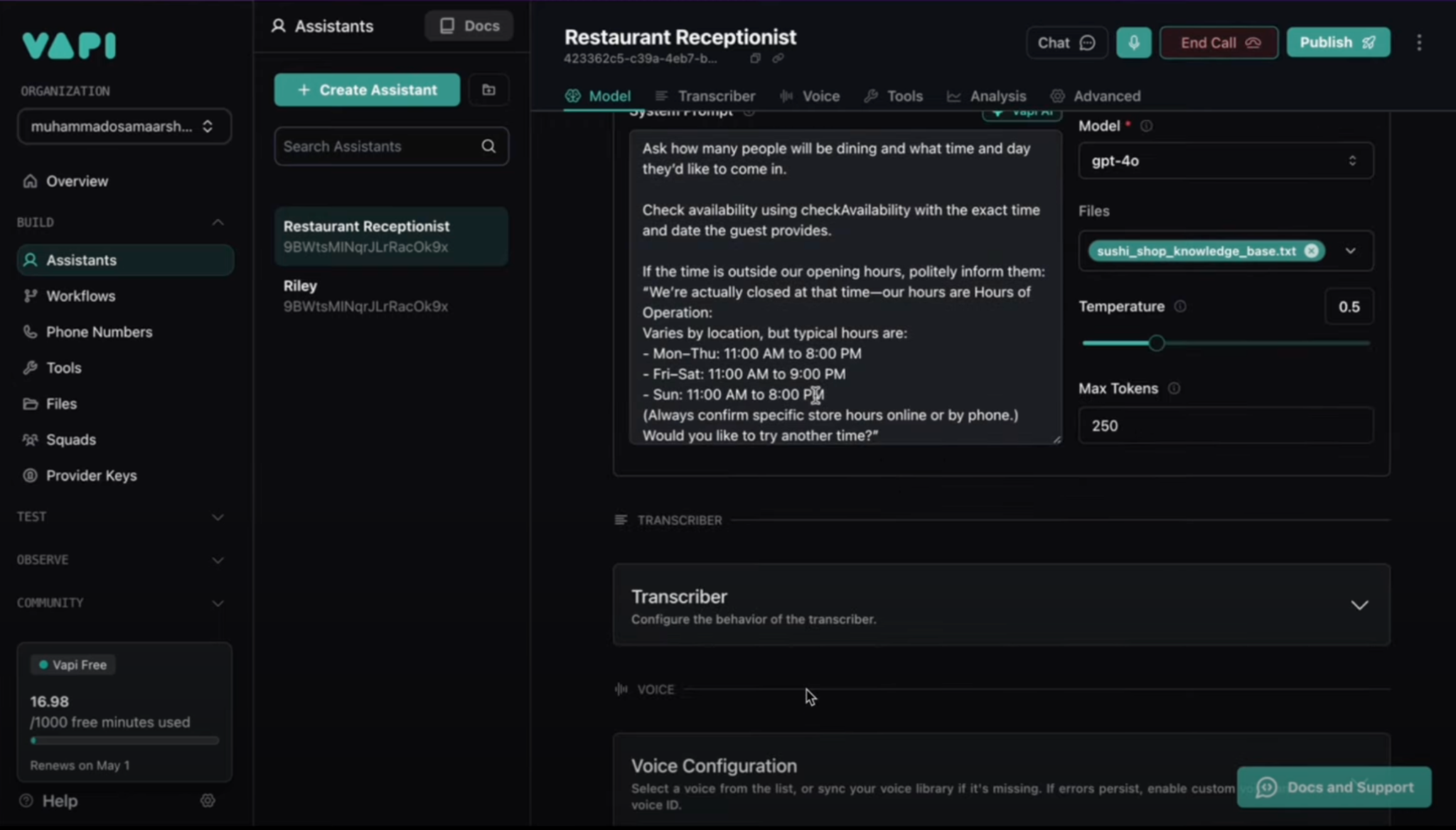
Vapi takes an API-first approach, making it the top choice for development teams building custom solutions. The pay-as-you-go pricing works well for startups testing AI answering without committing to a monthly fee.
But this plan offers limited features, and costs can climb quickly as you add capabilities. If you want the full feature set, the only option is an Enterprise plan requiring an annual contract.
Support is solid for a developer-focused platform. You can reach them via community Discord and email. Enterprise customers get a private Slack channel.
Best for: Development teams building AI answering into a larger product or custom solution. If you're comfortable with APIs and want complete control over the implementation, Vapi gives you the tools you need.
Not suitable for non-technical teams or businesses wanting a ready-to-use solution.
Pay-as-you-go pricing with no monthly commitment, making it flexible for experimentation.
API-first design allows for highly customized implementations.
Strong developer support through Discord and email channels.
Pay-as-you-go plan offers limited functionality compared to higher tiers.
Costs can escalate quickly as add-ons are enabled.
Large pricing gap between pay-as-you-go and Enterprise plans, with no mid-tier option.
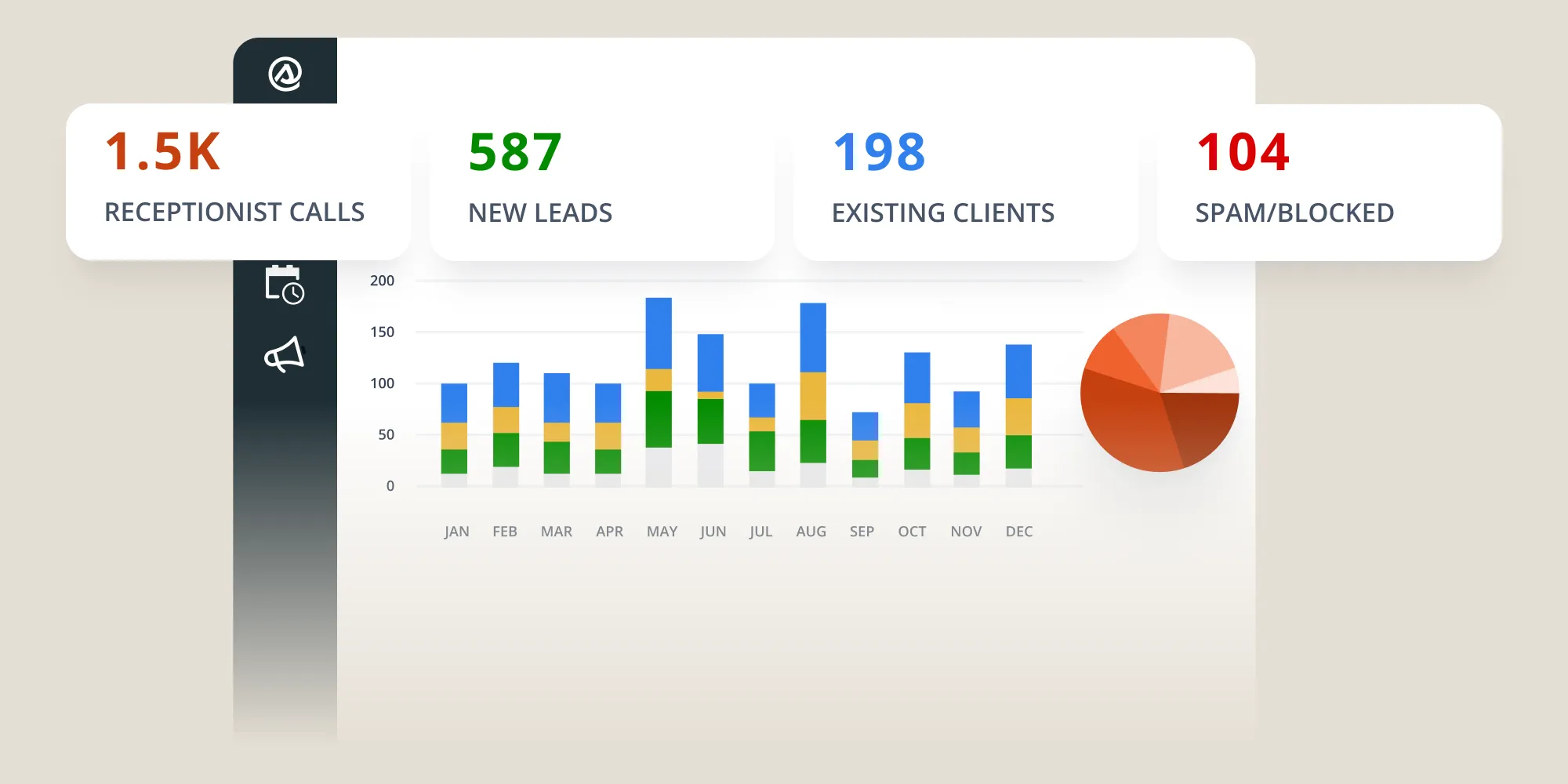
Smith.ai combines AI with human receptionists, giving you a hybrid approach. The AI handles routine calls, and when it encounters something complex or sensitive, it transfers to a real person.
In practice, this means you're paying for both AI and human staff, which drives the cost up. The service works, but it's mediocre, neither the AI nor the human component excels compared to specialized alternatives.
If you absolutely need the peace of mind that a human will handle difficult situations, Smith.ai delivers. But for most businesses, a pure AI solution with a well-designed escalation path achieves similar results at lower cost.
Best for: Businesses that want AI efficiency but aren't ready to fully trust automation. If you worry about the AI mishandling important calls and need human backup for peace of mind, Smith.ai provides that safety net.
The tradeoff: you pay more than pure AI solutions and get less sophistication than pure human services.
Human backup is available for complex or sensitive calls.
Provides peace of mind that difficult situations won’t be mishandled by automation alone.
No setup fees and no annual contracts required.
Higher cost compared to pure AI-only services.
Feature set is relatively basic compared to newer AI-first platforms.
Pure AI tools with strong escalation paths can deliver similar results at a lower cost.

Pod AI builds fully customized AI answering services for enterprise clients. If you need an AI that handles highly specific workflows unique to your industry or business, Pod AI will build it, at a premium price.
The platform isn't self-service. You work with their team to design, build, and deploy a custom solution. This level of white-glove service costs significantly more than any other option on this list.
For most small to mid-sized businesses, the customization isn't worth the cost. But if you're a large organization with complex needs that off-the-shelf solutions can't address, Pod AI delivers enterprise-grade custom solutions.
Best for: Large enterprises with highly specific needs and the budget to match. If off-the-shelf solutions can't handle your workflows and you need custom development, Pod AI delivers.
Not suitable for small to mid-sized businesses due to premium pricing.
Fully customized solutions built around your exact business requirements.
White-glove onboarding and enterprise-level support throughout implementation.
Capable of handling complex workflows that self-service platforms struggle with.
Very high pricing makes it inaccessible for most small and mid-sized businesses.
Overkill for standard or straightforward use cases.
Longer implementation timelines compared to self-service platforms.
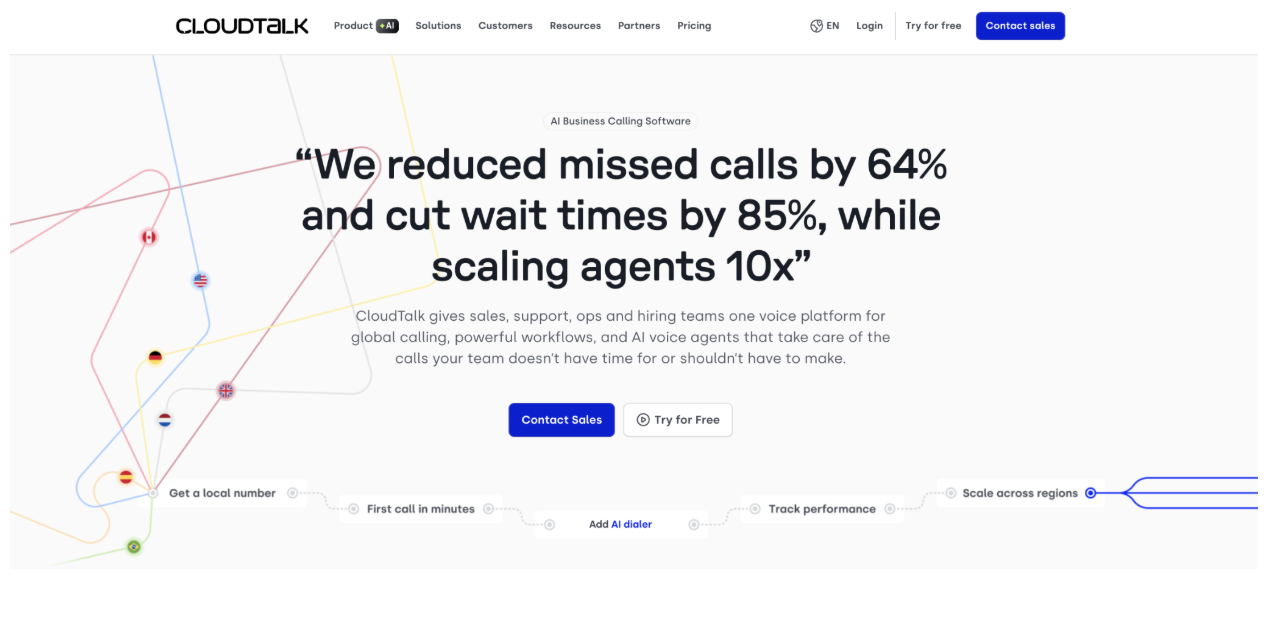
CloudTalk embeds AI voice agents directly into its cloud business phone system, eliminating the need for separate communication and AI vendors for growing SMBs.
Its 24/7 AI agents qualify leads, answer FAQs, and book appointments. The platform provides a full calling stack, including numbers in 160+ countries, IVR routing, an outbound power dialer, call recording, and native sync with 35+ CRMs like Salesforce, HubSpot, and Pipedrive, making it ideal for teams consolidating operations.
Dashboard setup is faster than developer-first platforms (Vapi, Synthflow) but requires more configuration than plug-and-play tools (Nextiva). Call flows, prompts, and CRM mappings are fully self-configurable without engineering help. Although its AI depth is lighter than specialists like Vapi or Synthflow, CloudTalk is a strong all-in-one phone and AI answering solution for growing SMBs.
Best for: Growing SMB and mid-market teams that need AI answering, a full business phone system, and outbound calling in one platform rather than three separate vendors.
Combined AI answering and full business phone system in one platform.
24/7 inbound answering plus outbound campaign capability.
Native CRM integrations with two-way sync, not just Zapier bridging.
International phone numbers in 160+ countries.
Per-user pricing that's predictable regardless of call volume.
AI voice agent depth is lighter than voice-agent-first specialists like Vapi or Synthflow.
AI features unlock only on the Expert tier ($49/user/month), not in base plans.
Best fit for SMB to mid-market, not high-volume enterprise contact centers.
We opened this article with the cost of a full-time receptionist, so let's actually resolve that comparison. Here's how the three options stack up on the factors that matter.
A human receptionist still wins on judgment and handling genuinely complex or emotional calls, but you pay heavily for it and lose coverage the moment they clock out.
Traditional answering services buy you human coverage around the clock but get expensive fast and still can't handle a call spike.
AI answering services win on cost, availability, and concurrency, which is exactly why most small businesses are switching, and the hybrid tools exist to give you the human judgment back when a call needs it.
For most small businesses, start with Nextiva. It's $99/month, requires no coding, and you can be answering calls with AI in under an hour.
Not ready to commit? Use Voicegenie's 7-day free trial to test whether AI can handle your specific calls before spending money.
The businesses seeing the best results aren't using the most expensive tools—they're using the service they trained best. A $99/month AI with excellent FAQs beats a $499/month AI with generic responses every time.
Pick one, test it for two weeks, and refine based on real call transcripts. That's how you win with AI answering services.
Most AI answering services cost around $99/month for a typical small-business plan, but the range is wide. Pay-as-you-go tools like Vapi and Synthflow can cost just a few cents per minute, per-seat tools like CloudTalk start at $25/user/month, and fully managed enterprise solutions like Pod AI run $4,450/month and up. Watch for setup fees and overage rates on top of the base price.
Sort of. ElevenLabs has a genuinely usable free tier for testing voice quality, and Voicegenie offers a 7-day free trial with no credit card required. There's no full-featured tool that's free forever, but these let you test the technology before spending anything.
For routine calls, yes. AI handles FAQs, appointment booking, and message-taking around the clock for a fraction of a receptionist's salary, and it never puts a caller on hold. For complex, sensitive, or emotional calls, a human still wins, which is why hybrid tools like Smith.ai keep a person on standby for the calls the AI shouldn't handle alone.
It depends on the tool. Plug-and-play services like Nextiva can be answering calls in under an hour with no coding. Developer-first platforms like Vapi and Synthflow take longer because you're configuring workflows and integrations yourself. CloudTalk sits in the middle, faster than developer tools but with more setup than plug-and-play options.
Most do. CloudTalk offers native two-way sync with Salesforce, HubSpot, Pipedrive, and 30+ others; Smith.ai's team sets up integrations across 7,000+ apps for you; and Nextiva includes CRM connectivity in its base plan. If a specific CRM is essential, confirm native support before signing up, since Zapier-only bridging can be limiting.
The best ones sound natural. In our test calls, Nextiva and ElevenLabs (which specializes in voice) handled conversations without the obvious robotic text-to-speech feel. Voice quality is one of the biggest differences between tools, so if it matters to you, test a call before committing.
Some are, but not all, and the details matter. Among the tools we reviewed, Nextiva, Synthflow, ElevenLabs, Vapi, Pod AI, and CloudTalk all support HIPAA-compliant setups (usually on higher tiers and always requiring a signed Business Associate Agreement). Vapi, for example, charges a sizable add-on for HIPAA mode, and ElevenLabs reserves it for Enterprise. Smith.ai's position is contested, and budget tools like Rosie and Voicegenie don't publish formal certifications. If you handle patient data, confirm HIPAA support and get a BAA in writing for the specific plan you're buying, don't trust a marketing page.

Irina is a Founder at ONSAAS, Growth Lead at Aura, and a SaaS marketing consultant. She helps companies to grow their revenue with SEO and inbound marketing. In her spare time, Irina entertains her cat Persie and collects airline miles.
.svg)
.svg)
.svg)
.svg)
.svg)